MiniMax-H3 on RTX 5090 · part 16
Pika-H3-Flex on an RTX 5090: 2x faster MiniMax-H3, and a Blender blockout makes the camera obey
❯ cat --toc
- What Pika-H3-Flex is: two LoRAs on top of MiniMax-H3
- How fast is Pika-H3-Flex? About 1.8x faster than H3, Turbo about 2.3x
- Does a text-only 180-degree orbit work? Flex didn't get halfway on either seed
- Blender blockout as reference video: 6 of 6 clips orbit to the opposite side
- How to run Pika-H3-Flex in ComfyUI: five files, three sampler configs, one blockout
- Step 1: Download the LoRAs and the Ref2VA base model
- Step 2: Use the right sampler config for each version (don't mix them)
- Step 3: Render at 864×480, not 848×480
- Step 4: Build a 180-degree blockout in Blender by asking an AI for the script
- Step 5: Wire Ref2VA, and use the original image to lock the first frame
- Flex vs Turbo: pick Turbo for speed, add a blockout for a specific camera move
- Deep dive: shape error, misleading tests, full numbers and prompts
- 848×480 raises a shape error on native H3 nodes
- A white-background image can't tell you whether the camera orbited
- The official five-segment script: top-down, crane down and pull-back work; whip pans don't
- Pika vs FastH3 8 steps and Sol-H3 two-stage
- Longer clips: full results
- Blockout details: a wider lens, and depth-map references weren't better
- Ref2VA base model: NVFP4 swapped for int8, 21 GB copied over
- Did the LoRA actually attach? 208 patches plus a strength-0 control
- Full prompts
- How I measured
- Limits of this test
- Related
TL;DR
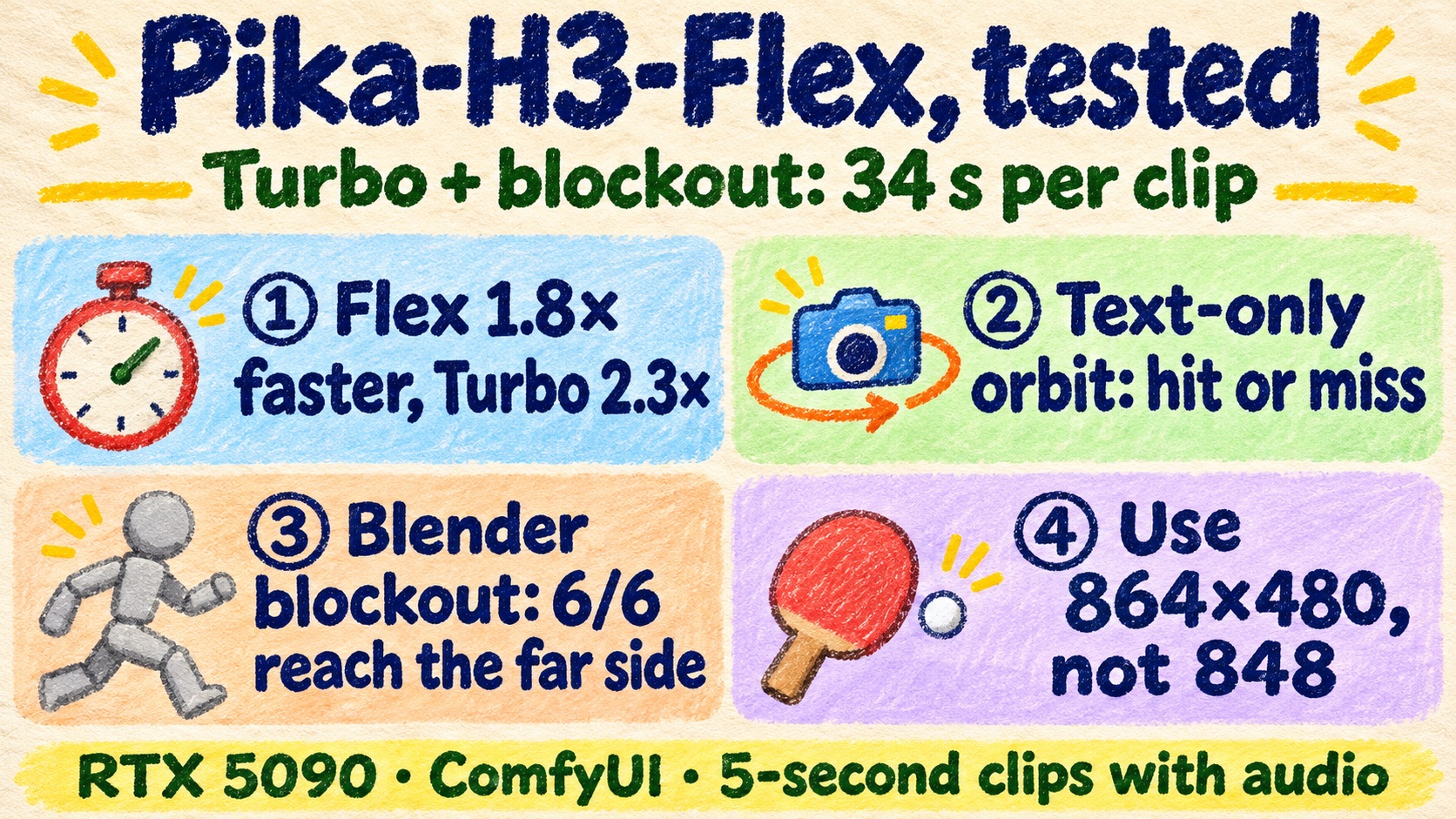
Pika-H3-Flex is Pika's official LoRA for MiniMax-H3: 6 steps per clip, plus a 4-step Turbo version. On one RTX 5090 in ComfyUI at 864×480, a 5-second clip took 20.8 s with Flex and 16.3 s with Turbo, against 38.0 s for original H3 at 14 steps. A 180-degree orbit asked for in text alone was unstable: Flex missed the far side on both seeds. With a Blender blockout fed in as the Ref2VA reference video, 6 of 6 clips orbited to the far side. Turbo does it in 34 s; original H3 takes 97 to 116 s. Caveat: one or two seeds per cell.
Seed 42, same table-tennis image, same 180-degree orbit sentence. Left column: text only. Right column: with a Blender blockout as reference video. Top to bottom: H3 original 14 steps, Pika Flex 6 steps, Turbo 4 steps. Source clips 864×480, 5 s, no audio
Pika released Pika-H3-Flex a few days ago. It's an official adapter for MiniMax-H3: extra weights you attach to the original model. The model card says it makes a video in 6 steps, and its example prompts read like timed camera scripts, such as "00:00-00:03 top-down, 00:03-00:06 descend to table height". A 4-step Turbo version showed up on the same Hugging Face account soon after.
My baseline is original H3 at 14 steps. At 864×480 a 5-second clip takes 38 s, and with a reference video it's about 100 s. The bigger pain is camera moves. Ask for a 180-degree orbit in the prompt and sometimes it happens, sometimes it stops halfway, and often it never reaches the other side.
So I had two questions. How much faster is the Pika version, and does it follow camera prompts any better? Short answer: about twice as fast, and no, not from text alone. What made the camera obey was a Blender blockout as the reference video.
What Pika-H3-Flex is: two LoRAs on top of MiniMax-H3
Pika-H3-Flex isn't a new model. It's two adapters Pika post-trained on MiniMax-H3:
- FL2VA: first frame (or first and last frames) plus text to video. Ordinary image-to-video.
- Ref2VA: takes reference images, reference videos and reference audio, up to 12 reference files.
Both run in 6 steps, and both generate the picture and a stereo audio track together. The local weights only output 480p and 768p. Higher resolutions go through Pika's own paid API. Weights: Pika-Labs/Pika-H3-Flex.
Pika-H3-Flex-Turbo-LoRA, from the same Pika-Labs account, stacks Flex with community few-step distillation LoRAs (lightx2v Turbo and others) and merges them into a single LoRA file. It comes in 2-, 4- and 8-step variants.
One detail matters when you compare them. The 2-step and 4-step Turbo files contain Flex at weight 0.5 (the 8-step HD file uses 0.6), so Turbo at strength 1 is not the same as loading a full Flex. Any difference between Flex and Turbo can't be blamed entirely on two fewer steps. I tested the 4-step variant. The 2-step variant only exists as a Ref2VA version, so there's no first-frame version to compare.
License: the MiniMax H3 Community License, which has region and use-case terms. Read it before commercial use.
How fast is Pika-H3-Flex? About 1.8x faster than H3, Turbo about 2.3x
Same image, same prompt, 864×480, warm, seed 7, one run per version. The speedup over original H3 is in parentheses.
| Clip length | H3 original 14 steps | Flex 6 steps | Turbo 4 steps |
|---|---|---|---|
| 5 s (124 frames) | 38.0 s | 20.8 s (1.83x) | 16.3 s (2.33x) |
| 15 s (362 frames) | 162.0 s | 82.7 s (1.96x) | 62.8 s (2.58x) |
Longer clips get a bigger speedup.
These numbers are from the image of a woman in historical Chinese costume on a white background. The table-tennis image was within 1 s of them. Original H3 ran here without Spectrum, so it's not directly comparable to my usual production setup, which uses Spectrum.
Does a text-only 180-degree orbit work? Flex didn't get halfway on either seed
The test image is Pika's official table-tennis demo: a match in a drained swimming pool, one player in a frog mask, one in a red tracksuit. The prompt has only one action. The key sentence:
One continuous shot: the camera slowly orbits 180 degrees around the subject over the full five seconds, moving from the opening view through a clear side profile to the opposite side, with strong background parallax. No cuts.
To judge it, I checked whether the two players swap front/back and left/right, and whether the pool wall and the table direction rotate. I sampled four frames per clip and judged by eye. I didn't reconstruct camera poses.
| Version | seed 42 | seed 7 |
|---|---|---|
| H3 original | near half circle (stalled early, rotated in the second half) | near half circle (dollied in and lowered at the same time) |
| Flex | small arc, the two players didn't swap | partial orbit around the table, red-tracksuit player stays on the left |
| Turbo | partial arc, stops at the frog's side | near half circle, ends at the frog's back |
Flex didn't reach the opposite side on either seed. Turbo did on one seed and not the other. On this image, the Pika versions followed a text-only camera prompt no better than the original.
Is 5 seconds just too short? I changed only "five" to "fifteen" and the frame count to 362. Flex and Turbo on seed 42 went from a partial arc to near 180 degrees, circling behind the frog. Flex on seed 7 didn't improve, and Turbo on seed 7 regressed to a partial arc. More time sometimes helps, but you can't rely on it. Full results are in the deep dive.
Blender blockout as reference video: 6 of 6 clips orbit to the opposite side
A blockout is a rough 3D draft made of gray boxes and mannequins. Mine has one table-tennis table, two gray mannequins, a ring of pool wall that's deliberately off-center, and a set of pool steps. The camera orbits the table 180 degrees in 5 seconds. I rendered it to video and connected it to the Ref2VA reference-video slot.
Original H3, Flex and Turbo, each on seeds 42 and 7: all six clips orbited to the opposite side. The red-tracksuit player moves from near-left to far-right, the frog moves from far-right to near-left, and the pool wall shows continuous parallax the whole way.
Seed 7 with the blockout as reference. Top left: the Blender blockout. Top right: H3 original 14 steps. Bottom left: Flex 6 steps. Bottom right: Turbo 4 steps. Source clips 864×480, 5 s, no audio
The reference video costs time. One run each; the last column is the first-frame version with no reference video, for comparison:
| Version | seed 42 | seed 7 | No reference video (first-frame version, seed 7) |
|---|---|---|---|
| H3 original 14 steps | 116.4 s | 97.0 s | 38.9 s |
| Flex 6 steps | 49.0 s | 46.5 s | 21.0 s |
| Turbo 4 steps | 34.8 s | 33.7 s | 16.7 s |
With the Ref2VA setup and a reference video, all three versions take more than twice as long. Turbo still lands at about 34 s a clip, against 97 to 116 s for original H3 doing the same job. Original H3 on seed 42 was the first run, so its time includes loading the model after switching base models.
No gray material or mannequins leaked into the output. Clothing and pool-floor colors match the original image. The pool steps showed up in 5 of 6 clips, at about 2.5 to 4 s; in the blockout they appear at 2.5 s. The model follows the path. It doesn't copy the blockout frame by frame.
How to run Pika-H3-Flex in ComfyUI: five files, three sampler configs, one blockout
My setup: RTX 5090 (32 GB), ComfyUI 0.37.0, the same install I use for regular H3. I reused the text encoder qwen3vl_32b_minimax_h3_nvfp4_awq, the video VAE minimax_h3_video_vae_fp16 and the audio VAE minimax_h3_audio_vae_fp32.
Step 1: Download the LoRAs and the Ref2VA base model
Flex files are in the official repo under comfy/loras/. Turbo files are in the root of the Turbo repo.
| Purpose | Location | File |
|---|---|---|
| Flex first-frame version | models/loras/ | pika_h3_flex_fl2va_comfy_bf16.safetensors (1.96 GB) |
| Flex reference-video version | models/loras/ | pika_h3_flex_ref2va_comfy_bf16.safetensors (1.96 GB) |
| Turbo first-frame version | models/loras/ | pika_h3_flex_turbo_4step_fl2va.safetensors (3.91 GB) |
| Turbo reference-video version | models/loras/ | pika_h3_flex_turbo_4step_ref2va.safetensors (3.91 GB) |
| Ref2VA base model | models/diffusion_models/ | minimax_h3_ref2va_pruned_int8_convrot.safetensors (21 GB) |
The first-frame versions run on the usual minimax_h3_fl2va_pruned_int8_convrot.safetensors.
ComfyUI's native LoraLoaderModelOnly loads all four LoRAs. No conversion, no custom nodes. Set strength to 1, and the log should print 208 patches attached.
Use the int8 Ref2VA base, not NVFP4. Earlier, a LoRA on an NVFP4 base silently corrupted the output, with no error. Details in the deep dive.
Step 2: Use the right sampler config for each version (don't mix them)
H3 original   res_multistep / simple, 14 steps, shift video 12 / audio 3
Flex          lcm + ManualSigmas 1.0, 0.972973, 0.923077, 0.8, 0.571429, 0.333333, 0.0
Turbo         res_multistep / simple, 4 steps, shift video 6 / audio 3
Common        CFG 1 (BasicGuider), LoRA strength 1
Flex's seven sigma values (the boundaries of its six steps) come from the official workflow. Pika's guide says plainly that picking any 6-step schedule isn't the official recipe.
Step 3: Render at 864×480, not 848×480
Turbo's model card and several examples say 848×480. On ComfyUI's native H3 nodes, that raises a shape error. 864×480 works. The error text is in the deep dive.
Step 4: Build a 180-degree blockout in Blender by asking an AI for the script
The blockout only tells the model the camera path and who stands where. I didn't write the Blender script by hand. I described what I needed to an AI. Here is roughly what I asked for. You do not have to copy it; just say what you need:
Write a Blender script, run with blender -b --python, output 864x480, 24fps, 124 frames mp4.
Scene follows this image: a standard table-tennis table, one gray mannequin at each side, one near end pulling the paddle back, one far end ready to return.
Around is a ring of drained pool wall; the wall must deliberately not be centered on the table; add a 4-step set of pool steps so the frame has asymmetric landmarks.
The camera starts from an oblique high-angle similar to the original image, orbits the table center 180 degrees to the opposite side within 5 seconds, with slight ease-in/ease-out at head and tail, and mannequins must never leave the frame.
Three things matter:
- Asymmetric landmarks are required. With a centered pool wall and no steps, an orbit to the opposite side and a camera standing still look about the same.
- The frame count equals the final output. 124 frames = 17×7+5, which fits H3's frame-count rule.
- The camera can be wider than the original image. My blockout's focal length is 72% of the original image's, so the mannequins stay in frame at the side view. The cost is that the first frame doesn't line up with the original composition. Details in the deep dive.
Blender doesn't need a GPU. I rendered on CPU on a separate 2080 Ti machine and never touched its card.
Step 5: Wire Ref2VA, and use the original image to lock the first frame
Start from ComfyUI's official Pika Flex R2V workflow. Two gotchas: the template's reference-video slot is empty, so you wire it yourself, and the template's default LoRA file name doesn't match the file you actually download. Pick the names from the table in Step 1. The wiring:
LoadVideo(whitebox.mp4) -> GetVideoComponents.images -> MiniMaxH3ReferenceToVideo.ref_videos.ref_video_0
LoadImage(original image) -> MiniMaxH3ReferenceToVideo.ref_images.ref_image_0
LoadImage(original image) -> MiniMaxH3AddGuide.image (frame_idx 0)
LoadVideo(whitebox.mp4) -> GetVideoComponents.images -> MiniMaxH3ReferenceToVideo.ref_videos.ref_video_0
LoadImage(original)     -> MiniMaxH3ReferenceToVideo.ref_images.ref_image_0
LoadImage(original)     -> MiniMaxH3AddGuide.image (frame_idx 0)
video VAE               -> MiniMaxH3AddGuide.vae
MiniMaxH3ReferenceToVideo.positive -> MiniMaxH3AddGuide.positive
MiniMaxH3ReferenceToVideo.latent   -> MiniMaxH3AddGuide.latent, and also the sampler's latent_image
MiniMaxH3AddGuide.positive         -> BasicGuider.conditioning
width 864 · height 480 · length 124 · ref_image_size match
The original image goes in twice. As a reference image, it sets the appearance. Connecting it to MiniMaxH3AddGuide as well locks frame 0, so the clip opens with the original composition and colors instead of gray mannequins.
The blockout has no audio, so leave ref_video_audio unconnected.
Then add these sentences to the prompt so the model knows what the blockout is for:
<Video 1> is a gray previs reference. Use only its camera path and the positions of the two players and the table. Do not copy gray materials, mannequin appearances, or geometry other than the pool steps. Match all appearance and lighting to <Picture 1>.
The full prompt is in the deep dive.
Flex vs Turbo: pick Turbo for speed, add a blockout for a specific camera move
| Need | Use | Per 5-second clip |
|---|---|---|
| Speed, camera free | Turbo first-frame version | 16.3 s |
| Specified orbit path | blockout + Turbo | about 34 s |
| Specified path, face matters | blockout + Flex | 47-49 s |
Turbo smooths and beautifies faces and simplifies details. For shots where facial detail matters, I switch to Flex.
Deep dive: shape error, misleading tests, full numbers and prompts
You can skip this section; everything you need to run it is above. It holds the full numbers, the original prompts and the pitfalls, for anyone (or any AI) adapting the setup.
848×480 raises a shape error on native H3 nodes
My first run used 848×480, as the model card says. Original H3 failed before it ever got to the LoRA:
RuntimeError: shape '[1, 24, 1, 1, 15, 2, 26, 2]' is invalid for input of size 38160
comfy/ldm/minimax/model.py:47, patchify_video
x = latent.reshape(b, c, t, pt, h, ph, w, pw)
H3's latent width is the frame width divided by 16. 848/16 = 53. The spatial patch is 2×2, and an odd number can't be split into pairs. 864/16 = 54 passes.
My FastH3 setup hit the same error, so it has nothing to do with the LoRA. Every number in this article except Sol-H3 (896×512 draft, 1344×768 output) is at 864×480, which isn't the same spec as the 848×480 hardware numbers on the model card.
A white-background image can't tell you whether the camera orbited
This is a mistake you can easily make too. Round 1 used two images: a woman in historical Chinese costume on a white background, face clearly visible, and Pika's official table-tennis image.
On the white-background set, every clip showed the woman turning from front to side or back, and none stopped cleanly facing away. My conclusion was "the 180-degree orbit never completes". My assumption at the time: if the person turns to show her back, the camera orbited behind her; if she doesn't turn far enough, the orbit was incomplete.
On the table-tennis set, I judged by fixed objects instead: the curve of the pool wall, the direction of the table's long axis, and the players' front/back/left/right. Original H3 turned near half a circle on both seeds, with clear parallax on the table and pool wall.
Looking back, the white-background clips couldn't support any conclusion. The background is white, so there's nothing to compare against. A camera orbiting 180 degrees around a person and a person turning 180 degrees in place produce the same picture. To judge an orbit you need something in frame that doesn't move and isn't symmetric. That's why the blockout has an off-center pool wall and pool steps.
In the 15-second white-background clips, the model drew its own folding screen, lamp and low table. Those stayed nearly fixed while the woman turned, which shows she was rotating in place.
The official five-segment script: top-down, crane down and pull-back work; whip pans don't
The model card's table-tennis demo script (362 frames, 15 s), verbatim:
Image 1 is the exact two players, outfits, frog mask, table-tennis table and drained pool: keep them exactly as in Image 1.
A fast table-tennis rally, shot with exactly these camera moves:
00:00–00:03 — top-down from directly overhead, as in Image 1, as the rally begins and the ball flicks back and forth.
00:03–00:06 — a smooth crane straight down from overhead to table height, ending right beside the net as the ball zips across.
00:06–00:09 — fast whip pans left and right following the ball across the net, from one player to the other.
00:09–00:12 — a 180-degree orbit around the frog-masked player as she leaps and smashes the ball.
00:12–00:15 — a low-angle dolly backward along the pool floor as the woman in the red tracksuit dives and misses; the frog raises both arms and does a little victory dance; the camera settles and holds.
The players, table and pool stay consistent and in the same place throughout. Photoreal 35mm film look, true colour, light natural grain, matching Image 1. SPEED IS CRITICAL: everything moves at normal real-time speed, like 24fps footage played back at 24fps - natural motion, NO slow motion.
Sound: the quick tock-tock of the ball, sneakers squeaking on concrete, the smash, a thud as she dives, echo in the empty pool, the frog's muffled cheer. Music: a funky, upbeat drum-and-bass groove.
I sampled 16 frames per clip, about one per second, and judged by eye:
| Segment | H3 original | Flex | Turbo |
|---|---|---|---|
| 0-3 s top-down | present on both seeds | present on both seeds | present on both seeds |
| 3-6 s descend to table height | present on both seeds | present on both seeds | present on both seeds |
| 6-9 s left-right whip pan | seed 42 present, seed 7 partial | partial on both seeds | partial on both seeds |
| 9-12 s 180-degree orbit | near 180 degrees on both seeds | seed 42 large angle; seed 7 returns back | seed 42 large angle, frog's back visible around 9 s; seed 7 frog mostly front or side |
| 12-15 s low pull-back | present on both seeds | present on both seeds | present on both seeds |
I also ran the historical-costume image with the same five-segment timeline, subject and actions swapped. None of the three versions produced a clear whip pan on either seed. On seed 7, all three versions replaced the white background with an indoor scene.
Pika vs FastH3 8 steps and Sol-H3 two-stage
Period-drama image only. FastH3 here is the trimmed 8-step int8 model (fastvideo_fasth3_trim_8step_int8_convrot.safetensors), set up from ComfyUI's official template video_fastvideo_fasth3_i2v.json with VSA on. Sol-H3 is the Part 8 pipeline: an H3 4-step draft, then an LTX refine, with the draft at 896×512 and the final at 1344×768.
| Version | Output size | 15 s clip seed 42 / 7 | 5 s clip seed 42 / 7 |
|---|---|---|---|
| H3 original 14 steps | 864×480 | 165.6 / 162.0 s | 45.5 / 38.0 s |
| Flex 6 steps | 864×480 | 84.5 / 82.7 s | 23.4 / 20.8 s |
| Turbo 4 steps | 864×480 | 64.9 / 62.8 s | 19.0 / 16.3 s |
| FastH3 trim 8 steps | 864×480 | 76.7 / 73.7 s | 25.6 / 23.6 s |
| Sol-H3 H3 4 steps -> LTX | 1344×768 | 115.4 / 105.1 s | 66.3 / 42.1 s |
The seed 42 column is mostly the first run, so it includes model loading or a LoRA swap. Seed 7 is the warm run with the same prompt. Sol-H3 switches from H3 to LTX on every run and outputs a different resolution, so these timings aren't directly comparable.
What I saw:
- At the same 864×480, Turbo 4 steps is the fastest. FastH3 is close to Flex on 15 s clips and slower than Flex on 5 s clips.
- None of these follows camera instructions clearly better than original H3. Top-down, crane down and pull-back all happen. Whip pans and a complete 180 degrees are equally unstable everywhere.
- FastH3 turned the white background into a stage on both seeds in the 15 s clips (floor tiles with a gold landscape, a gold folding screen and lanterns). Sol-H3 did too (an orange studio set, a yellow landscape wall). Original H3 and the Pika versions only did it on seed 7.
- The Sol-H3 seed 7 15 s clip has two figures overlapping in the first frame, and one disappears after about 1 s. That clip isn't usable as is. The face is recognizable but differs from the input. Its Spectrum offline smoothing didn't take effect because it had 4 anchors and needs 5. The log says
offline smoothing requires at least 5 actual anchors. - Faces: Turbo and FastH3 both get an over-smoothed, beauty-filter look. Turbo also simplified the sleeve detail in the historical-costume close-up. At 480p the faces are too small to rank face quality among the three.
Longer clips: full results
Round three asked whether each camera move just had too little time. Two variants:
- L1: the single 180-degree orbit sentence, with only "five" changed to "fifteen" and 124 frames changed to 362. Every other node unchanged; I diffed them node by node. This is the cleanest comparison.
- L3: the five segments cut down to three segments of 5 s each (top-down and descend, orbit, pull-back), with the whip pan removed. The script got simpler at the same time, so this isn't a pure duration comparison.
Table-tennis image, each compared against the older clip with the same version and seed:
| Version / seed | Old 5 s -> L1 15 s | Old five-segment (orbit 3 s) -> L3 (orbit 5 s) |
|---|---|---|
| H3 original / 7 | old clip already near 180 degrees; L1 path longer, may exceed half circle | old clip near 180 degrees; L3 only lateral move and return, weaker than old |
| Flex / 7 | both under half circle, no improvement | continuous near half circle at 8.25-9.50 s, jumps back at 9.75 s |
| Turbo / 7 | old near half circle; L1 regressed to partial arc | continuous near half circle at 8.25-9.50 s, jumps back at 9.75 s |
| Flex / 42 | old small arc; L1 near 180 degrees, circling behind the frog | old already near 180 degrees; L3 dissolve back at about 9 s |
| Turbo / 42 | old partial arc; L1 near 180 degrees | old already near 180 degrees; L3 jump back at about 10 s |
I verified the L3 jump-back by sampling a frame every 0.25 s from 8 to 10 s. The near-half-circle before it is real. Then the camera suddenly snaps back to the old side composition, like a cut, instead of staying on the opposite side. If you only look at the last frame, you'd wrongly conclude it never orbited.
Every L1 and L3 run with the historical-costume image generated its own indoor background, and in most clips the woman turned in place, so I couldn't tell whether the camera orbited.
15 s clip timing (L1, seed 7): original 168.1 s, Flex 86.8 s, Turbo 67.9 s. That's in line with the round-one 15 s clips.
More time helps on some seeds (Flex and Turbo on seed 42) and does nothing or makes things worse on others.
Blockout details: a wider lens, and depth-map references weren't better
The blockout scene, in Blender 5.2.2, rendered with Workbench on CPU:
- A standard table-tennis table, 2.74 × 1.525 × 0.76 m, with a net. Two gray mannequins, head height 1.65 m: one on the near side pulling the paddle back, one on the far side ready to return. Static poses.
- The pool wall is an off-center ellipse: center offset (1.3, -0.4) m, semi-axes 7.0 m and 4.8 m, height 1.35 m. The 4 pool steps sit only behind the starting camera view.
- The camera is pitched at 55 degrees, 5.06 m from the table center, rotating 180 degrees around world Z. It eases for 0.3 s at the head and tail and moves about 37.3 degrees per second in the middle. The total angle, recomputed from per-frame camera coordinates, is 180.000 degrees.
- I checked all 124 frames: the table and mannequins stay in frame, and the camera never passes through the pool wall.
Focal length. I hand-marked the four corners of the table top in the original image and fitted a 26.5 mm lens. At that fixed focal length, the mannequin with spread arms leaves the frame at the side view, so I widened it to 19.1 mm, 72% of the fitted value.
The cost: the blockout's first frame is wider than the original image. The table and people look smaller and more pool wall is visible. During generation, MiniMaxH3AddGuide locks frame 0 to the original composition, and then the clip has to shift to the blockout's wider framing. That hurts consistency over the first few frames.
Depth-map reference, same path. Rendered with Cycles on CPU, true Z depth, 2 m brightest and 11 m darkest, not normalized per frame. I only ran original H3 and Flex on seed 42. I didn't run Turbo.
| Reference video | Original seed 42 | Flex seed 42 |
|---|---|---|
| Blockout | orbit to opposite side, 116.4 s | orbit to opposite side, 49.0 s |
| Depth map | orbit to opposite side, 112.3 s | orbit to opposite side, 47.6 s; frog head skewed and slightly elongated mid-clip |
Both runs orbit to the far side. The depth map wasn't any more reliable than the blockout, and the Flex depth-map clip had the weirder head, so I kept the blockout.
Small defects in the outputs.
- Nearly every clip shows a reflective fade in the middle of the table surface that turns green again later. I can't rule out that the blockout's gray material affected it locally.
- The red-tracksuit player's face details are soft. I saw no face melting and no double heads.
- After the frog turns its back to the camera, only the top of the head is visible, so I couldn't check the back-side features.
Ref2VA base model: NVFP4 swapped for int8, 21 GB copied over
The 5090 originally had only minimax_h3_ref2va_pruned_nvfp4.safetensors, with no int8 Ref2VA. The existing minimax_h3_fl2va_pruned_int8_convrot is the first-frame version and can't stand in for Ref2VA.
In Part 14, a LoRA on an NVFP4 base silently produced corrupted frames (heavy edges, flattened skin) with no error. So I copied minimax_h3_ref2va_pruned_int8_convrot.safetensors (20,970,379,616 bytes) from another machine and checked that the SHA256 matched on both ends.
Another naming gotcha: the official R2V template names the LoRA file pika_h3_flex_ref2va_v1_bf16.safetensors, but the file you actually download from the Pika repo is pika_h3_flex_ref2va_comfy_bf16.safetensors. If you select it per the template, ComfyUI can't find the file.
Did the LoRA actually attach? 208 patches plus a strength-0 control
The Flex and Turbo files each have 208 modules. The key names are ComfyUI-native, for example diffusion_model.blocks.0.attn.qkv_proj.lora_A.weight, and they match the 208 keys of the lightx2v 8-step file I'd used before exactly.
At strength 1 the log prints 208 patches attached. At strength 0 it prints 0 patches attached. There's no lora key not loaded anywhere.
Then I kept the image and seed fixed and changed only the strength:
- Flex: the last frame changed from a back view to a side view, and the composition differs.
- Turbo: at strength 0 the white background has black-gray floating specks and the clothing is blurrier. At strength 1 the specks are gone.
- Whole-clip SSIM (a pixel-similarity score, 1 means identical) between strength 0 and strength 1: 0.892 for Flex and 0.920 for Turbo.
Applying a LoRA on the int8 base model also requantizes the weights, which pushes SSIM below 1 on its own. So SSIM alone isn't evidence. Use it together with the key names, the patch counts and the visual differences.
Full prompts
Text-only 5-second single orbit (table-tennis image, seeds 42 and 7):
For the target video, at 0.00 seconds into the target video, <Picture 1> (from [Shot 1]) is fully referenced.

integrated_multimodal_description: [Shot 1] Live-action, cinematic, the frog-masked table-tennis player beside the table in the drained pool, matching the reference face, outfit and setting. The subject stays in place with natural small movements. One continuous shot: the camera slowly orbits 180 degrees around the subject over the full five seconds, moving from the opening view through a clear side profile to the opposite side, with strong background parallax. No cuts.

overall_soundscape: Soft fabric rustle, light footsteps, quiet location ambience. No speech.

non_diegetic_music: A solo guzheng plays four plucked notes at 60 BPM, with each note decaying naturally.
With the blockout as reference video (the same text for all three versions):
For the target video, at 0.00 seconds into the target video, <Picture 1> (from [Shot 1]) is fully referenced.

integrated_multimodal_description: [Shot 1] Live-action, cinematic, the frog-masked table-tennis player beside the table in the drained pool, matching the reference face, outfit and setting. The subject stays in place with natural small movements. One continuous shot: <Video 1> is a gray previs reference. Use only its camera path and the positions of the two players and the table. Do not copy gray materials, mannequin appearances, or geometry other than the pool steps. Match all appearance and lighting to <Picture 1>. The camera orbits 180 degrees around the table within five seconds to the opposite side: the two players exchange front/back and left/right positions, with clear parallax in the background pool wall. No cuts.

overall_soundscape: Soft fabric rustle, light footsteps, quiet location ambience. No speech.

non_diegetic_music: A solo guzheng plays four plucked notes at 60 BPM, with each note decaying naturally.
How I measured
- Wall-clock times come from ComfyUI's
/history, fromexecution_starttoexecution_success. That includes text encoding, sampling, decoding and saving, and excludes downloading the finished MP4. - Every run was submitted only when the queue was empty.
- I unloaded models with
/freebefore the first run. I didn't restart the service or clear the OS file cache, so it's not a whole-machine cold start. - Original H3, Flex and Turbo ran without Spectrum or compile. FastH3 used VSA attention from the official template, and Sol-H3 kept Spectrum on (its offline smoothing never kicked in with only 4 anchors). I kept the SageAttention that the ComfyUI service already had enabled.
- All clips have audio (32 kHz stereo). I didn't evaluate the audio in this article.
Limits of this test
- n=1 or 2. Only one or two seeds per cell. The 6 of 6 holds for those two seeds; it doesn't show that every seed succeeds.
- The blockout round isn't a single-variable comparison. The base model changed from FL2VA to Ref2VA, the LoRA changed to the Ref2VA version, and the prompt gained the reference instructions. I didn't run a "Ref2VA without a reference video" arm, so the contributions can't be separated.
- Orbit angles are judged by eye from sampled frames (pool wall, table direction, players' front/back/left/right). No camera pose reconstruction, so I'm not claiming an exact 180 degrees.
- One scene. The blockout experiment used a single table-tennis image. Other scenes or other camera moves may behave differently.
Related
- Part 9: Block a scene in Blender, let MiniMax-H3 film it: local Ref2VA on an RTX 5090
- Part 14: Open-H3-Regenerate-2K on an RTX 5090
- FastH3 on an RTX 5090: 8-step distilled H3, 2.9x faster than the original
- Pika-H3-Flex on Hugging Face
- Pika-H3-Flex-Turbo-LoRA on Hugging Face
- ComfyUI official Pika Flex R2V workflow
FAQ
- How much faster is Pika-H3-Flex than the original MiniMax-H3?
- On an RTX 5090 in ComfyUI 0.37.0 at 864x480, warm, same seed, a 5-second clip (124 frames) took 38.0 s with original H3 at 14 steps, 20.8 s with Flex at 6 steps and 16.3 s with Turbo at 4 steps. A 15-second clip (362 frames) took 162.0 s, 82.7 s and 62.8 s. That makes Flex about 1.8 to 2.0x faster and Turbo about 2.3 to 2.6x, with one run per cell.
- If the prompt only asks for a 180-degree orbit, does Pika-H3-Flex do it?
- Not reliably. On Pika's official table-tennis image with a single 5-second orbit sentence, original H3 turned a large angle on both seeds, Flex did less than half a circle on both, and Turbo got near half a circle on one seed but not the other. Stretching the same sentence to 15 seconds got Flex and Turbo near 180 degrees on seed 42, but seed 7 did not improve for Flex and got worse for Turbo, so more time cannot be relied on.
- How do I make MiniMax-H3 orbit to the opposite side along a path I choose?
- Use Ref2VA with a 5-second Blender blockout video that orbits the table 180 degrees as the reference video, use the original image as both the reference image and the frame-0 guide, and state in the prompt that the blockout is only for the camera path and positions. Original H3, Flex and Turbo, each on seeds 42 and 7, orbited to the opposite side in all 6 clips. Turbo took about 34 s per clip, Flex 47 to 49 s and original H3 97 to 116 s.
- The model card says 848x480. Why does ComfyUI raise an error?
- ComfyUI's native H3 node splits the latent into 2x2 patches, and 848/16 = 53 is odd, so the width cannot be split evenly. The error is `RuntimeError: shape '[1, 24, 1, 1, 15, 2, 26, 2]' is invalid for input of size 38160`. Use 864x480 instead, since 864/16 = 54.
- Does Pika-H3-Flex need conversion or custom nodes in ComfyUI?
- No. The official repo ships ComfyUI-format bf16 files under `comfy/loras/`, and the Turbo repo files already use ComfyUI-native key names; load them with `LoraLoaderModelOnly` at strength 1 and the log prints `208 patches attached`. The blockout wiring uses only native nodes: LoadVideo, GetVideoComponents, MiniMaxH3ReferenceToVideo and MiniMaxH3AddGuide.
- Should I use Pika-H3-Flex or the Pika-H3-Flex Turbo LoRA?
- For speed with no camera requirement, use the Turbo first-frame version at 16.3 s per 5-second clip. For a specified camera move, use a Blender blockout as reference video with Turbo (about 34 s) or Flex (47 to 49 s); every version orbited to the opposite side in my 6 test clips. Turbo smooths and beautifies faces, so use Flex for shots where the face matters.
Read next
- 2026-10-18A 25-second no-fog FPV one-take with MiniMax-H3 and ComfyUI-H3-Continuum on one RTX 5090
A 25-second FPV one-take over Taiwan with no fog: MiniMax-H3 Ref2VA and ComfyUI-H3-Continuum on one RTX 5090, each splice hidden in a turn through the sky.
- 2026-10-16A 22-second Taiwan FPV flight without a drone: Blender blockout + MiniMax-H3 on one RTX 5090
A 22.7-second FPV flight that reads as one take, over Yushan, Taroko Gorge, Taipei 101 and Sun Moon Lake, built from a gray Blender blockout and MiniMax-H3 Ref2VA on one RTX 5090.
- 2026-10-12[AI Workflow] Block a scene in Blender, let MiniMax-H3 film it: local Ref2VA on an RTX 5090
Block out a shot with capsules and boxes in Blender, feed it to MiniMax-H3 Ref2VA with two reference photos, and get a live-action clip that keeps left/right order and occlusion. 89.9 s on one RTX 5090.
- 2026-11-01Making a character do parkour with NVIDIA MotionBricks on one RTX 5090: 1.66 ms per generation
NVIDIA MotionBricks on an RTX 5090: 1.66 ms per generation, a 10-jump parkour run rendered in Blender, then used as the skeleton for a 20 s MiniMax-H3 video.
Don't miss the next one
Subscribe, and you won't.
One-click unsubscribe anytime.