AI Workflow · part 23
[Claude Code] Build a Resource Dashboard Inside Claude Code With Six Prompts
❯ cat --toc
- Claude used to check every machine before dispatching work
- Mods are TypeScript in a plugin, with no sandbox
- Before you start: version 2.1.287 or later and an empty folder
- Prompt 1: a GPU and disk pane in 2 min 51 s
- Prompt 2: a Claude quota card in 134 s
- Prompt 3: a local model card in 154 s
- Prompt 4: a tool Claude can call in 131 s
- Prompt 5: an Open button and a Refresh button in 83 s
- Prompt 6: SVG bars for the Desktop app in 172 s
- Keep it loaded: one env var in settings.json
- Deep dive: what my own dashboard reads, and what broke while building it
- Seven things that broke
TL;DR
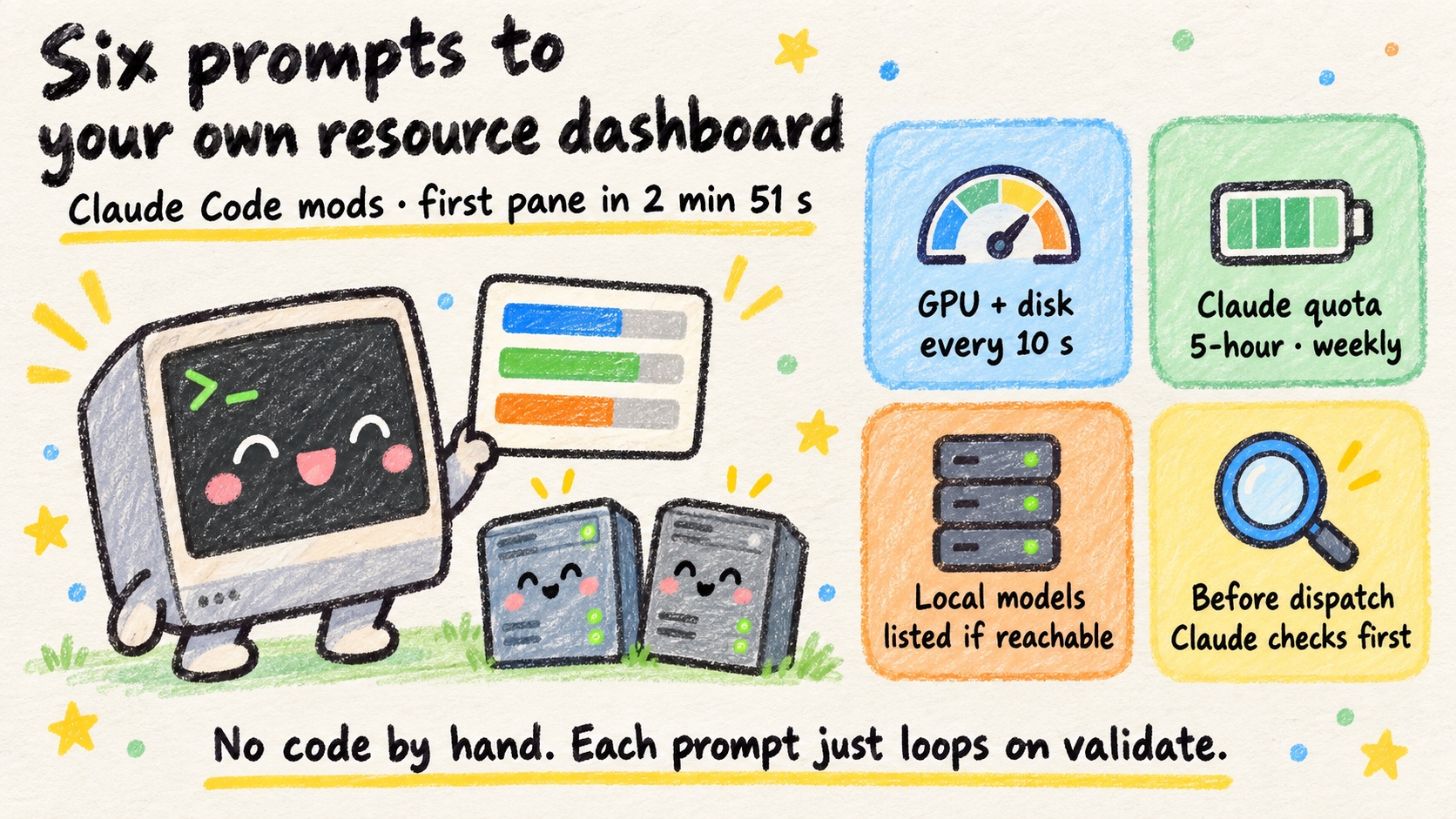
Claude Code mods let a plugin draw a live pane inside your session. Six prompts, pasted in order, make Claude build a dashboard for your own machine: GPU memory, disk, Claude quota, a local model server, two buttons, and a tool Claude calls before dispatching work. The first prompt went from an empty folder to a validated pane in 2 min 51 s; the other five took 83 to 172 s each. Mechanism: a mod is TypeScript in a plugin, and Claude loops on claude plugin validate until it passes. Caveat: mods run with Claude Code's permissions and no sandbox.
Claude used to check every machine before dispatching work
A sign at the parking garage entrance tells you: level 1 has 3 spots, level 2 is full. You don't drive every level looking for a space.
My setup had no sign like that. I run models on a few machines and pay for a few AI subscriptions. Before handing work to any of them, Claude would ssh into each machine in turn and run nvidia-smi to find one that was free. It was the software version of driving through every level.
Claude Code mods, supported since v2.1.287 (announcement), fix this. A mod can show the numbers in a pane for me, and Claude can fetch the same numbers with a tool call. I built mine in a day, then turned the process into six prompts. Paste them in order and you end up with a pane like this:
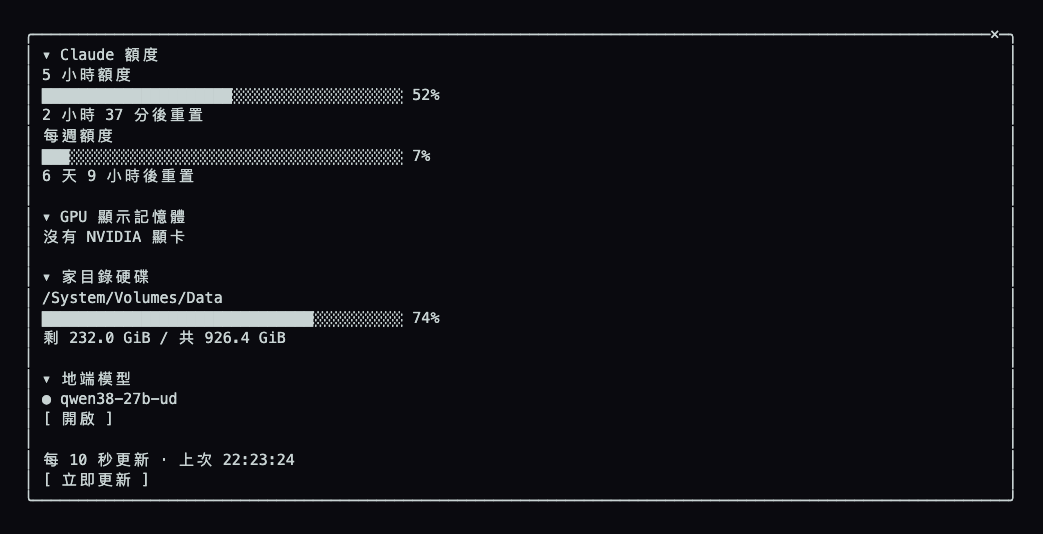
I'm not going to ask you to copy my code. It's wired to my machines and would be useless on yours. The prompts below get Claude to build the same kind of pane for your own machine. I ran each one in a fresh session (claude -p) to make sure every prompt stands on its own; you can just as well paste all six into one session.
Mods are TypeScript in a plugin, with no sandbox
A mod is a set of TypeScript functions packaged in a Claude Code plugin. With it you can:
- open a pane with text, progress bars, and buttons
- register a tool that Claude can call
- intercept tool calls before they run, and block them
- add slash commands, such as
/my-dash
One caveat: a mod runs with the same permissions as Claude Code. There is no sandbox. It can read your environment variables and the entire conversation. Before installing someone else's mod, run claude plugin validate on it. The output lists which events the mod hooks, which capabilities it calls, and which env vars it reads or writes. The docs cover the full API.
Before you start: version 2.1.287 or later and an empty folder
Check your version:
claude --version
Mine printed 2.1.289. Any version from 2.1.287 on works. If yours is older:
claude update
Then make an empty folder and start Claude Code in it:
mkdir ~/my-dash-work && cd ~/my-dash-work
claude
One note on the prompts: I wrote them in Chinese first. The English versions below are the ones I ran for this post.
Prompt 1: a GPU and disk pane in 2 min 51 s
Build a Claude Code mod that opens a pane showing two things:
1. GPU memory usage. If the machine has an NVIDIA GPU, read it with nvidia-smi. Otherwise show "No NVIDIA GPU".
2. Free space on the disk that holds my home directory.
Draw a usage bar for each. Refresh every 10 seconds. Put the mod in ./my-dash/.
Run `claude plugin validate` and keep fixing until it passes.
When you're done, tell me how to load it.
Claude took 2 min 51 s and produced this:
my-dash/
├── .claude-plugin/
│   └── plugin.json
├── hooks/
│   ├── hooks.json
│   └── register.tsx    # the pane, the /my-dash command, 10 s refresh
├── types/
│   └── index.d.ts
└── tests/
    └── dash.test.tsx
I didn't ask for tests. Claude wrote them anyway and tested them in both the terminal and the Desktop app. Claude Code's built-in mod-authoring instructions tell it to.
Load the mod:
claude --plugin-dir ~/my-dash-work/my-dash
My MacBook has no NVIDIA GPU, so the pane showed "No NVIDIA GPU", plus about 235 GiB free of 926 GiB on the disk. If the pane doesn't open on its own, type /my-dash. Claude's summary says the pane auto-opens at launch only when the terminal is at least 144 columns wide.
Prompt 2: a Claude quota card in 134 s
Add a "Claude quota" card to the my-dash mod. Show 5-hour and weekly usage as percentages, plus the time until each resets. The mod can read the session's usage info.
Make every card title collapse or expand its card when clicked.
Run `claude plugin validate` until it passes.
The quota numbers come from the same usage data the status line uses. They show up only after you send your first message on a subscription account. Until then the card says "No quota reading yet", and on an API-key account it stays that way.
Prompt 3: a local model card in 154 s
Add a "Local models" card to the my-dash mod. Every 10 seconds, poll http://localhost:8080/v1/models (an OpenAI-compatible API) and list the models it returns. If the server can't be reached, show "not running".
Put the URL in a constant at the top of the file.
Run `claude plugin validate` until it passes.
llama.cpp, vLLM, LM Studio, and Ollama all expose an OpenAI-compatible /v1/models endpoint, each on a different default port. Change the constant to match yours.
Claude only tested the card against a fake server. I had a model server on another machine forwarded to localhost:8080, and the mod picked up qwen38-27b-ud from it once loaded. It also handled cases I hadn't spelled out: a server that doesn't answer within 5 s counts as "not running", an error status shows up in red (for example "HTTP 500") so a broken server doesn't look like a stopped one, and an empty model list says "No models loaded".
Prompt 4: a tool Claude can call in 131 s
Register a tool in the my-dash mod that Claude can call, named my_resources. It should return a very short summary of what's usable right now:
- Is the Claude quota OK?
- How much GPU and disk is left?
- Is the local model server up?
Run `claude plugin validate` until it passes.
Then tell me the tool's full name and how to make Claude check it before dispatching work.
The full name is mcp__my-dash__my_resources. The format is mcp__<mod name>__<tool name>. Here is a real call from a fresh session:
Claude quota: OK (5-hour 52%, Weekly 7%)
GPU: none (no NVIDIA GPU on this machine)
Disk: 232.0 GiB free of 926.4 GiB
Local model server: UP (qwen38-27b-ud)
To make Claude use it, put one line in your project's CLAUDE.md:
Before dispatching work, call mcp__my-dash__my_resources; don't dispatch to anything it reports as unavailable.
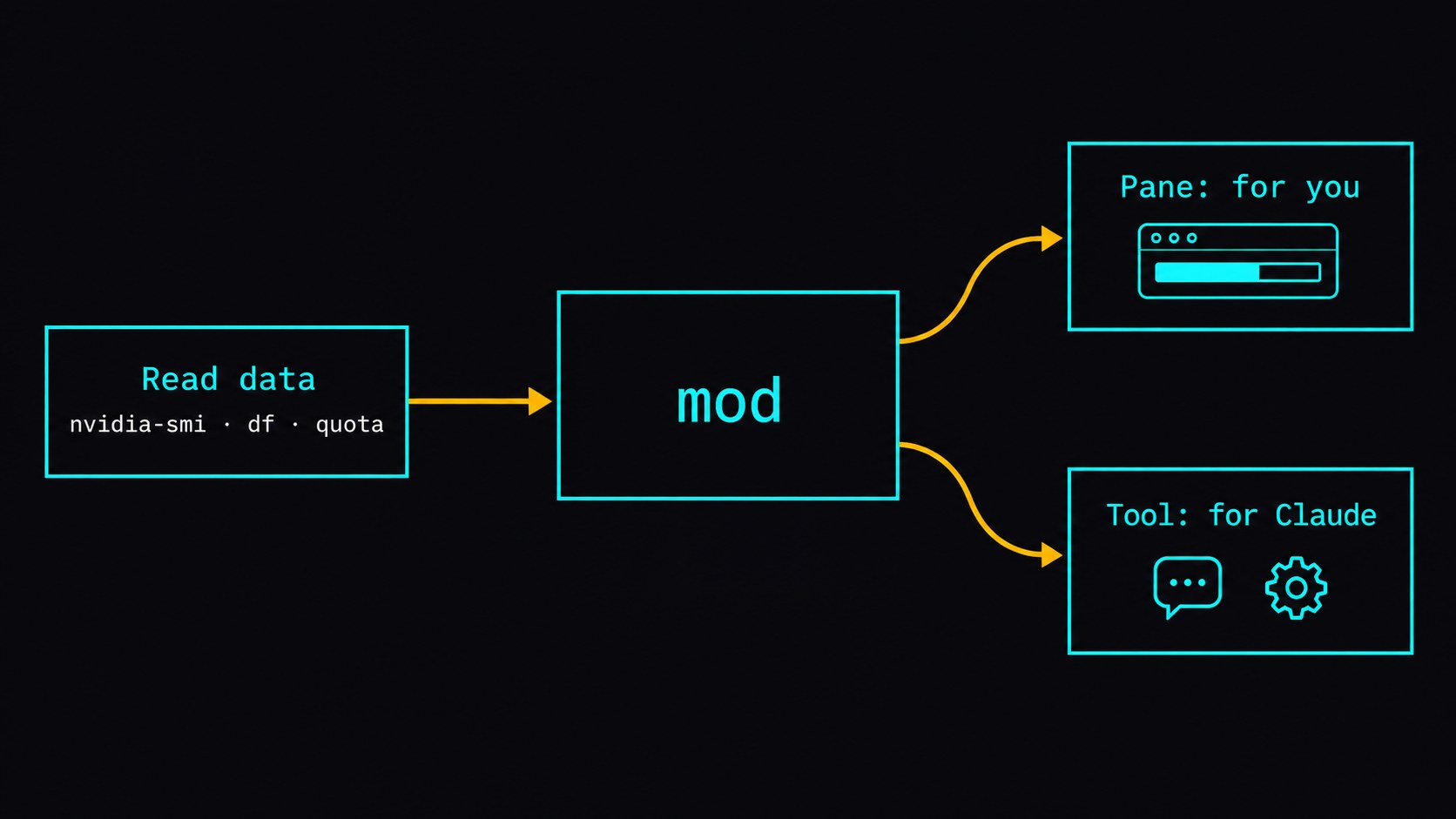
The pane is for people. The tool is for Claude. My own tool started out stuffing every detail into Claude's context. I later cut it down to three short yes/no sections (quotas, local models, ComfyUI), because before dispatching, Claude needs to know whether it can send work somewhere. It doesn't need tok/s or VRAM figures.
Prompt 5: an Open button and a Refresh button in 83 s
On the local-models card of the my-dash mod, add an "Open" button that opens http://localhost:8080 in the browser.
At the bottom of the pane, add a "Refresh now" button that re-reads all the data immediately.
Run `claude plugin validate` until it passes.
The Open button uses open on macOS and xdg-open on Linux. If both fail, it shows a toast asking you to open the URL yourself.
Buttons run actions on your machine: open a page, run a script, write a flag file. My dashboard has a "Pause" button that writes a flag file so Claude can't dispatch to that machine.
Prompt 6: SVG bars for the Desktop app in 172 s
The same mod renders in the Desktop app's Claude Code tab mostly unchanged. The one thing that breaks is text-based progress bars. In the terminal, every █ takes exactly one cell. The Desktop app uses a proportional font, so the same row of characters comes out wider and covers the numbers next to it. I wrote this prompt after watching my own pane break that way.
Make the my-dash mod look right in the Claude Desktop app. Desktop uses a proportional font, so text-character bars overflow and cover the numbers.
On Desktop, draw the bars as SVG. Leave the terminal version unchanged.
Run `claude plugin validate` until it passes.
Claude hit a snag here and fixed it on its own. It first checked whether the element table included Svg. In the test environment the terminal's table has one too, so the terminal tests broke. Claude switched to checking whether the surface is terminal instead.
Keep it loaded: one env var in settings.json
--plugin-dir is fine for trying a mod. To load it in every session, add it to ~/.claude/settings.json:
{
  "env": {
    "CLAUDE_CODE_PLUGIN_DIRS": "/Users/you/my-dash-work/my-dash"
  }
}
Separate several mods with colons. The Desktop app can't take --plugin-dir, so it relies on this env var too.
After a code change, an open terminal session picks it up as soon as you save. Desktop sessions don't watch the folder: open a new one, or add "CLAUDE_CODE_PLUGIN_DIR_WATCH": "1" to the same env block.
Deep dive: what my own dashboard reads, and what broke while building it
You can skip this section; the guide above is complete without it. It covers the bugs I hit along the way.
Seven things that broke
- CJK text misaligned. I padded columns with
padEnd, but a CJK character takes two cells. Fix: a fixed-widthBoxper column. viewport.columnsis the width of the whole conversation, not the pane. Fix: drop the explicit width and let flex fit the content. The pane then follows whatever width you drag it to.claude plugin validaterejected three things. Two unfiltered hooks on the same event (merge them into one). Functions that use$must be top-level. Atom state must be declared in the types file, or validate reports it as "is not declared".- A shadowed
hkilled the whole pane. In the machines card,hosts.map(h => …)shadowed the JSXh. Whenever a machine snapshot was present, the entire pane threw and rendered nothing. The tests passed because they never fed in a snapshot. I only found it in a real terminal. - Character bars overflowed on Desktop. Fix: choose by
e.surface, and switch to SVG when the surface is notterminal. - Three sessions edited one file. One session made all card borders gray, a second kept editing on top of that, and the third switched them back to color. There is one
register.tsxand the last save wins. Edit a mod from one session, and commit. - Claude Code updated itself mid-build. The mods API is marked early access, so an update can change it under you. Setting
autoUpdates: falsein~/.claude.jsondidn't stop an update from 2.1.288 to 2.1.289. Adding this tosettings.jsondid:
{
  "env": {
    "DISABLE_AUTOUPDATER": "1"
  }
}
With that set, I update manually with claude update.
FAQ
- Which version of Claude Code supports mods?
- Mods are supported from Claude Code v2.1.287 and are on by default. Check with claude --version and run claude update if yours is older. The Desktop app ships its own bundled engine and updates along with the app.
- Can I build a mod without knowing TypeScript?
- Yes. Describe the pane you want, and Claude writes the TypeScript, runs claude plugin validate until it passes, and tells you how to load it. The six prompts in this guide were each tested in a fresh session and took between 83 and 172 seconds each.
- How do I make a mod load automatically?
- Use --plugin-dir to try it. To keep it, add CLAUDE_CODE_PLUGIN_DIRS to the env block of ~/.claude/settings.json; Desktop sessions read it too. An open terminal session watches the mod folder and reloads on save. An open Desktop session doesn't: start a new one, or set CLAUDE_CODE_PLUGIN_DIR_WATCH=1 in the same env block.
- Are Claude Code mods safe to install?
- A mod runs with the same permissions as Claude Code and there is no sandbox, so it can read environment variables and the whole conversation. Run claude plugin validate before installing someone else's mod; it lists the events the mod hooks, the capabilities it calls, and the env vars it reads or writes.
Read next
- 2026-08-31[Dev Workflow] AI Slop Is Structural: 93.2% Detectable With Every Style Tell Stripped
A COLM 2026 paper strips every style signal from 61,608 stories and still tells human from AI at 93.2% macro-F1. The tell is structure, not em-dashes.
- 2026-08-21[AI Agent] From 41 Minutes to 73 Seconds: Why My Coding Agent's Small Tickets Were So Slow
Dissecting 41 Codex sessions turned up a wall-clock formula (tool calls x 14.3s) and cut a stuck ticket from 41 minutes down to 73 seconds.
- 2026-07-29[Dev Workflow] My Skill Had the Check Written Perfectly — It Just Never Ran
A draft cleared fact-check and two rounds of native-speaker review, then one reader caught it in a sentence. The check that should have caught it was labelled manual, so it had never run. Here's the script that replaced it, and how I calibrated the thresholds.
- 2026-07-17[Dev Workflow] Your AI Agent's Skills Are a Context Budget: Cutting 193 to 7
One of my AI agents was auto-loading 193 skills into a 2% context budget, silently truncating every description. The fix was visibility governance, not deletion — an allowlist, thin-shell skills, and three layers that stop it re-bloating.
Don't miss the next one
Subscribe, and you won't.
One-click unsubscribe anytime.