AI Workflow · part 26
[Dev Workflow] One RTX 2080 Ti Narrates Every Daily AI-News Short: VoxCPM2 GGUF Q4_K_M at Under 2 s per Line
❯ cat --toc
- Preface
- You need one Turing card, two GGUF files and 24 seconds of your own voice
- Build llama.cpp-omni for sm_75 and patch one macOS-only line
- One command clones your voice in under 2 seconds a line
- Keep the model loaded in a small local HTTP service
- Send English names as English, and tag pronunciation only after a reroll fails
- Give whisper the line's proper nouns, or it fails lines the TTS read correctly
- Tone is not fixable in this mode, so I stopped trying
- Deep dive: shootout, speed sets, Q4 quality, tone and the golden set
- Five open-weight TTS models on the same 2080 Ti: VoxCPM2 won the blind listen, not the CER table
- Qwen3-TTS was replaced because of how it sounded, which no metric caught
- Speed: GGUF is 8.5x faster than PyTorch bf16, and quantization is not the reason
- Making Q4_K_M took 11.3 s and cost almost nothing I could hear
- Tone A/B: Ultimate Cloning reads the tone instruction aloud
- Golden set: name prompts took real clips from 39 passes to 57
- Dead ends: number expansion, transliteration, rule files, pinyin as a cure
- Open issues
TL;DR
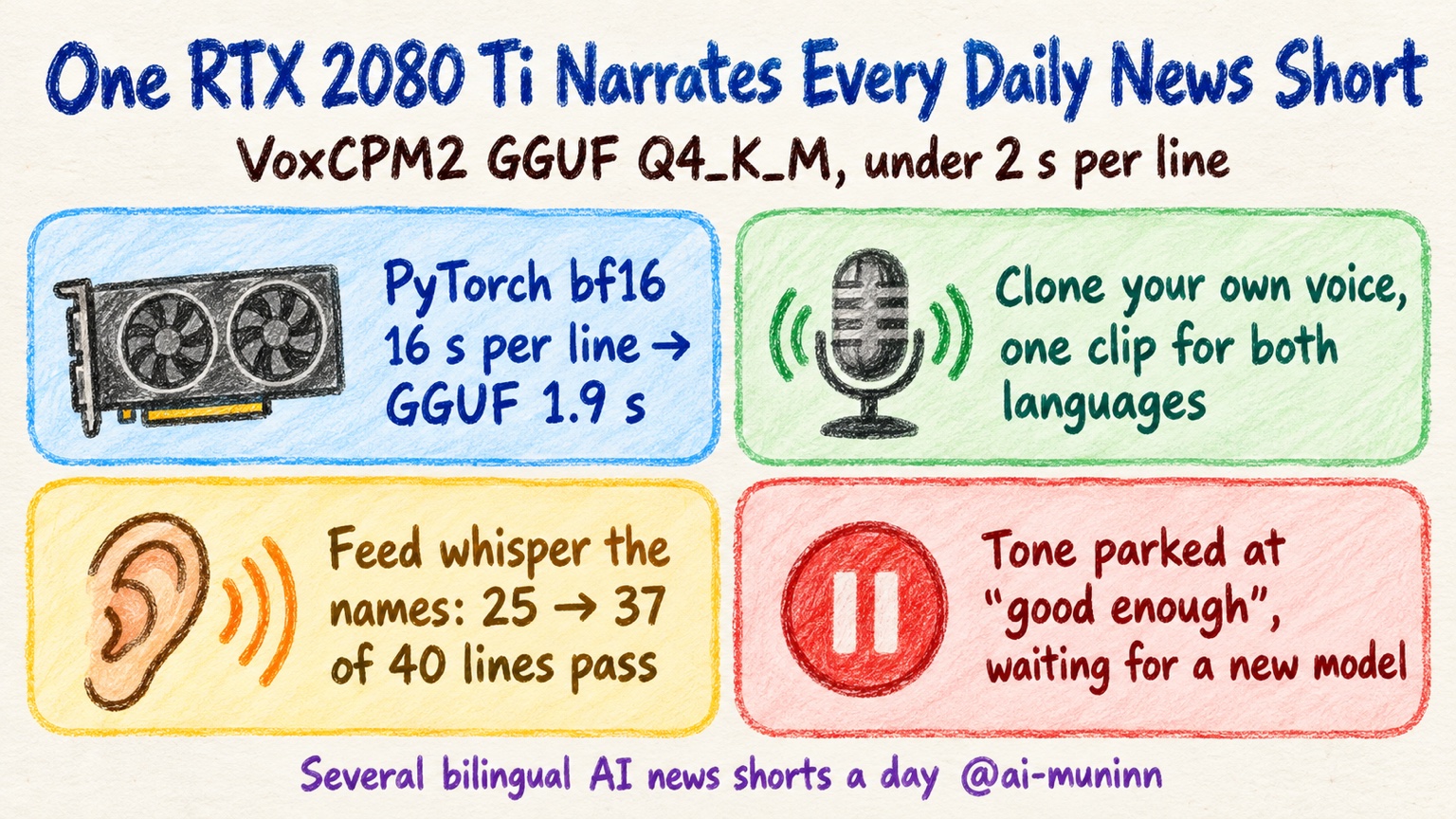
One RTX 2080 Ti now narrates every AI-news short my pipeline makes, several a day, each in Mandarin and English, in my own cloned voice. VoxCPM2 with its BaseLM quantized to GGUF Q4_K_M and the acoustic model kept at F16, run through llama.cpp-omni: 1.38 s per real script line. In a separate test on the same card, GGUF Q8 took 1.90 s where PyTorch bf16 took 16.2 s. The speedup comes from llama.cpp's CUDA kernels, not the bit width. Turing has no bf16 hardware. Most lines my whisper gate rejected were whisper misspelling proper nouns, fixed by putting each line's names in initial_prompt. Caveat: this clone mode has no tone control.
Preface
A fully automated pipeline on my machines picks an AI news story every two to four hours, writes a script, narrates it, renders it and uploads it to YouTube. Each topic is published as a Mandarin short and an English short, so the channel gets several bilingual shorts a day. Narration is the only stage where every single line has to pass.
So the TTS had a short list of requirements. Free. Local. My own voice, not a preset. Both languages. And it had to fit on one RTX 2080 Ti, the 22 GB modded kind, because that is the card the pipeline has.
Before this setup, it fit badly. When another job held the GPU, narration fell back to CPU. The Mandarin short took 38 minutes on CPU. The English short took 51 minutes on a MacBook that was also busy re-narrating another job.
The quality gate was its own problem. Each line goes through whisper, which transcribes it so the pipeline can compare against the script. One night that gate killed 4 of 8 shorts. I listened to all 4 and they sounded fine.
The current setup is one 2080 Ti running 4-bit VoxCPM2, under two seconds a line, in my voice. The tone is still not perfect, and tone is hard for every open-weight TTS model I have tried. Most of what looked like misreads turned out to be whisper failing to spell proper nouns. If you want to hear the result, the shorts are on @ai-muninn.
You need one Turing card, two GGUF files and 24 seconds of your own voice
The base model is openbmb/VoxCPM2, Apache-2.0. It ships as two parts, a BaseLM and an Acoustic model. I run them as GGUF files through a fork of llama.cpp, tc-mb/llama.cpp-omni, pinned at commit 88bd37e.
Why not PyTorch? Because the 2080 Ti is Turing, and Turing has no bf16 hardware. PyTorch bf16 still runs there, but it is emulated. On the same test lines, PyTorch bf16 took 16.2 s per line and llama.cpp GGUF Q8 took 1.90 s. With Q4_K_M, real script lines take 1.38 s.
The files:
| File | Size | Where |
|---|---|---|
VoxCPM2-BaseLM-Q4_K_M.gguf | 1.00 GB | coolthor/VoxCPM2-Q4_K_M-GGUF (I quantized this one) |
VoxCPM2-Acoustic-F16.gguf | 1.83 GB | DennisHuang648/VoxCPM2-GGUF |
VoxCPM2-BaseLM-Q8_0.gguf | 1.73 GB | same repo, if you prefer Q8 |
Only the BaseLM is quantized. The Acoustic model stays F16. Once loaded as a resident service, the whole thing occupies 5,248 MiB on the card. During synthesis, Q4_K_M peaks 620 MiB below Q8_0. Peak VRAM for every runtime I tried is in the deep dive.
The voice comes from a reference recording. You need 20 to 30 seconds of clean speech plus its transcript, word for word. Mine is 23.9 s, 24 kHz mono, the same clip I used for the MacBook voice-cloning post. There is no training step. The model reads the recording and the transcript together in every call.
Build llama.cpp-omni for sm_75 and patch one macOS-only line
git clone https://github.com/tc-mb/llama.cpp-omni && cd llama.cpp-omni
git checkout 88bd37e
cmake -B build -DCMAKE_BUILD_TYPE=Release -DGGML_CUDA=ON -DCMAKE_CUDA_ARCHITECTURES=75
cmake --build build -j
75 is Turing. Set it explicitly so the build targets the card you have.
On Linux the first build fails in src/llama-moe-slot.cpp. That file calls F_NOCACHE, which only exists on macOS, in two places. Guard both:
#ifdef F_NOCACHE
    // ...the existing F_NOCACHE block, unchanged...
#endif
Rebuild and it goes through.
On a Mac, -DGGML_METAL=ON builds clean with no patch. It is slow, though. GGUF Q8 runs about 11 s per line on my MacBook, so I keep it as a backup only.
One command clones your voice in under 2 seconds a line
Once it builds, run one line through the CLI to confirm the model files, the recording and the card all work together before you wrap anything around it. The whole idea: hand it your recording and its transcript, and it reads new text in your voice.
CUDA_VISIBLE_DEVICES=2 ./build/bin/voxcpm2-cli \
  -t "Today: how an old GPU carries the daily narration." \
  --prompt-wav my_ref.wav --prompt-text "$(cat my_ref.txt)" -r my_ref.wav \
  --seed 42 -o out.wav VoxCPM2-BaseLM-Q4_K_M.gguf VoxCPM2-Acoustic-F16.gguf
Three flags matter here.
--prompt-wav + --prompt-text + -r together is what the VoxCPM2 docs call Ultimate Cloning. All of my production narration uses it. Passing -r alone is the other clone mode, reference audio without a transcript. That difference comes back later when I get to tone.
CUDA_VISIBLE_DEVICES pins the job to one card. Set it to your card's index if the machine has more than one GPU.
--seed is your reroll button. Change the number and you get a different take of the same line. Do not put 0 in a reroll loop. Seed 0 means this runtime skips reseeding. Inside a resident service the RNG just keeps rolling from wherever it was, so you cannot tell what that retry actually got you.
Keep the model loaded in a small local HTTP service
Each CLI call reloads the model, which takes about 3.4 s. That is longer than speaking the line. So wrap the model in a small HTTP service that loads the model once and keeps it in memory. Two endpoints are enough:
GET /healthreports whether the model is loaded and the filename of the model actually loaded.POST /synthesizetakes text and returns a WAV.
Bind it to localhost. Nothing outside the machine needs to reach it.
If the card is shared with another GPU job, start the service only when that job is idle. Loading 5,248 MiB on top of a job that is still holding memory can push that job into OOM.
Send English names as English, and tag pronunciation only after a reroll fails
AI news is full of names. Hugging Face, NVIDIA, Nemotron, model version strings. The order that works for me:
- Read it as written.
- If it comes out wrong, reroll with a new seed.
- Only then add pronunciation tags.
English names go in as English. I tried writing Beam, Hugging Face and token as Chinese syllables. Whisper passed those lines. My ears did not.
Numbers stay as written too: 12B, 1M, V4.1-Flash-1017. VoxCPM2 reads them fine.
Pronunciation tags use VoxCPM2's official brace markup, and a tag replaces the characters it stands for. Mandarin takes toned pinyin, like {xun4}{lian4}. English takes CMU phonemes, like {AH0 P AE1 CH IY0}. NVIDIA often loses its initial N, and {EH1 N V IY1 D IY0 AH0} helps.
Things that did nothing useful:
- Language tags like
[en]or<en>. There is no such mechanism.<en>gets dropped, and[en]gets read as noise. - Extra spaces for a pause. They collapse to one.
- A bracketed note like
(slightly faster). It nudges pace or emotion, not how a word is pronounced.
One warning if you build your own worker. Mine first tokenized the braces differently from the PyTorch runtime, so tags were silently wrong. Test one tagged line before you trust tags in a batch.
In production this became a two-take rule. Take 1 goes in as written. Whisper transcribes it. Only the words that came back different get pinyin or CMU tags, and only that one line is re-narrated. The pipeline uses take 2 without checking it again.
A real example: 「較快成績」 came back as 「較快層級」, and 「短生成測試」 came back as 「短深層測試」. Take 2 sent this:
而開頭的較快{cheng2 ji4},只是短{sheng1 cheng2}測試。
Give whisper the line's proper nouns, or it fails lines the TTS read correctly
This continues the whisper CER gate from the previous part. The gate uses mlx-whisper large-v3-turbo, and it kept failing good lines. It spelled NVIDIA as NVDA, Nemotron as Memotron and Bolt as BOT. The TTS had read all three correctly.
The fix was to give whisper the names. Each line's English names and numbers go into initial_prompt. Thresholds and matching stay the same.
import mlx_whisper
result = mlx_whisper.transcribe("line_07.wav", path_or_hf_repo="mlx-community/whisper-large-v3-turbo",
    language="zh", initial_prompt="NVIDIA Nemotron Hugging Face")  # names and numbers from this line only
Names only. I tried a Chinese preamble followed by the names. Whisper then hallucinated a full-width 「7」 at every pause.
Scoring changed too. I switched Mandarin scoring to toneless pinyin, so homophone pairs like 部署/不屬 or 沙箱/沙香 count as correct. The Mandarin threshold is 0.15. English uses word error rate with a threshold of 0.2. The old rule, character error rate (CER) under 0.1, failed my own reference clip against its own transcript at 0.128.
Real misreads still exist, and a keyword check catches them. It looks for error-prone words, the script's keywords and English names. 「訓練」 (training) was heard as 混練 or 婚戀 three times. The sentence-level pinyin CER was 0.083, inside the threshold, but the keyword was missing, so all three were blocked.
After the night the gate killed 4 of 8 good shorts, I switched it to trust mode. It only warns. Numbers, names and error rates that do not match go to a listen-later list. The only thing that still blocks a short is a missing audio file.
Tone is not fixable in this mode, so I stopped trying
Ultimate Cloning has no tone control. I tested what was available and it either did nothing audible or broke the line. The details are in the deep dive.
On 2026-10-19 I called it good enough. Tone is where every open-weight TTS model I have tried stalls. I am not writing more tickets for it. I will wait for a new model.
Deep dive: shootout, speed sets, Q4 quality, tone and the golden set
You can skip this section and still run everything above. It holds the measurements behind each choice, for anyone who wants the numbers and for whatever model you paste this page into.
Five open-weight TTS models on the same 2080 Ti: VoxCPM2 won the blind listen, not the CER table
On 2026-09-28 I ran five open-weight TTS models on the same 2080 Ti. Same 23.9 s reference, same 16-line Mandarin script, fixed seed. Each line was scored with whisper large-v3-turbo CER. For listening, I normalized everything to -16 LUFS and shuffled it into a blind pack labelled A to E.
| Engine | Mean CER | Max CER | 16 lines synth (s) | Peak VRAM | License |
|---|---|---|---|---|---|
| IndexTTS-2.5 | 0.035 | 0.125 | 83.2 | 8,662 MiB | bilibili custom license; a separate license above 100M MAU or RMB 1B revenue |
| Qwen3-TTS 1.7B Base 8-bit | 0.044 | 0.125 | reused earlier files | — | Apache-2.0 |
| VoxCPM2 | 0.067 | 0.250 | 61.7 | 7,428 MiB | Apache-2.0 |
| Fun-CosyVoice3-0.5B | 0.127 | 0.588 | 75.4 | 6,582 MiB | Apache-2.0 |
| Breeze-TTS-2 | 0.127 | 0.278 | 159.5 | 8,608 MiB | research-only, non-commercial |
IndexTTS-2.5's official interface has no transcript parameter, so it ran reference-only. Its row is not the same comparison as the others.
In the blind listen, VoxCPM2 came first and Breeze-TTS-2 second. Breeze is non-commercial, which ruled it out. CER screens out broken reads.
Qwen3-TTS was replaced because of how it sounded, which no metric caught
Part 21 used Qwen3-TTS. Its Mandarin sounded odd after the script was split into sentences. I ran an energy analysis looking for trailing noise and found none. The problem was timbre and intonation, the kind of thing no metric I had would catch.
On 10-06 I moved English narration to the same VoxCPM2 clone, replacing Qwen3's preset English voice, ryan. The cross-lingual clone test on 09-28 needed a reroll on 2 of 8 English lines.
Speed: GGUF is 8.5x faster than PyTorch bf16, and quantization is not the reason
These are four separate measurement sets with different methods. Do not merge numbers across tables.
Set 1 (10-18). Same 3 Mandarin and 2 English lines, same reference, cold start per line, load time excluded. Seconds per line.
| Runtime | Device | zh | en | Peak VRAM |
|---|---|---|---|---|
| PyTorch bf16 | CPU | 197–315 (mean 238) | — | — |
| PyTorch bf16 | 2080 Ti | mean 16.2 (12.4–20.1) | 16.7–21.0 | 7,434 MiB |
| PyTorch fp16 | 2080 Ti | 12.5 | 12.2 | 7,484 MiB |
| GGUF Q8_0 | 2080 Ti | 1.90 | 2.19 | 8,352 MiB |
| MLX int8 | MacBook | 14.7 | 28.5 (one 45 s outlier) | 7,593 MiB |
Going from bf16 to fp16 gave only 1.29x on Mandarin. GGUF Q8 gave 8.5x. The gain is llama.cpp's CUDA kernels, not the bit width.
Quantization did not save VRAM either. The Q8 weight files total 3.56 GB, but peak use was 8,352 MiB, above bf16's 7,434 MiB. FP8 W8A8 would need Ada or newer, so the 2080 Ti cannot try it.
Set 2 (10-18). Q4_K_M against Q8_0, paired, same session.
| BaseLM | zh (s) | en (s) | BaseLM file |
|---|---|---|---|
| Q4_K_M | 1.76 | 2.04 | 1.00 GB |
| Q8_0 | 1.96 | 2.40 | 1.73 GB |
Set 3 (10-18). Six real script lines from production.
| BaseLM | Seconds per line | Peak VRAM |
|---|---|---|
| Q4_K_M | 1.38 | 620 MiB lower than Q8 |
| Q8_0 | 1.54 | baseline |
Q4 was 11% faster here.
Set 4 (10-02). 20 consecutive lines, median seconds per line.
| Runtime | Device | Median (s) | Notes |
|---|---|---|---|
| PyTorch, 4 workers × 7 threads | CPU | 186.1 | |
| PyTorch MPS fp32 | MacBook | 5.56 | |
| PyTorch bf16 | 2080 Ti | 6.88 | CER 0.1008, 7 of 20 lines above 0.1 |
At that point the 2080 Ti was judged slower than an idle MacBook and unusable for narration. GGUF reversed that verdict.
Set 4's 6.88 s and set 1's 16.2 s are both labelled 2080 Ti PyTorch bf16. They came from different methods and I have not reconciled them.
Backup. MacBook Metal GGUF Q8 averages 11.0 s per line.
Making Q4_K_M took 11.3 s and cost almost nothing I could hear
Only the BaseLM gets quantized. The Acoustic model stays F16.
python tools/omni/voxcpm2/convert_voxcpm2_to_gguf.py --dtype f32 \
    --model model.safetensors --vae audiovae.pth --config config.json --output ./out
./build/bin/llama-quantize VoxCPM2-BaseLM-F32.gguf VoxCPM2-BaseLM-Q4_K_M.gguf Q4_K_M
llama-quantize accepted the architecture without complaint. The BaseLM went from 6,188 MiB at 32 bits per weight to 953 MiB at 4.93 bits per weight, in 11.3 s.
Quality, Q4 against Q8:
| Q4_K_M | Q8_0 | |
|---|---|---|
| zh mean CER | 0.101 | 0.083 |
| en mean CER | 0.090 | 0.095 |
The worst lines were all names: whisper turned Vera Rubin into Verobeam and NVIDIA into Venback. Q4 once read Apache 2.0 as 5.0. I listened to six lines, judged Q4 fine, and switched production to it.
Earlier on 10-18 I ran a five-version blind listen. Only one clip failed: Mandarin line 1 on GGUF Q8, CER 0.163, while the other Q8 lines scored 0.075–0.076. At about 2 s a line, a reroll costs almost nothing.
Tone A/B: Ultimate Cloning reads the tone instruction aloud
On 10-04 I generated 6 lines × 4 tones (none, relaxed, calm, excited) × 2 clone modes, 48 clips in total. This ran on CPU and took 78.3 minutes.
Ultimate Cloning, with a bracketed tone instruction prepended: 18 of 18 clips read the English instruction aloud. Whisper transcribed things like Calm, Steady and Reassuring Tone at the start of the line. One clip also read the reference transcript aloud, CER 1.35.
Reference-only mode did not read the instruction. Its pitch variation:
| Tone | F0 standard deviation |
|---|---|
| none | 28.2 Hz |
| relaxed | 33.8 Hz |
| calm | 41.4 Hz |
| excited | 43.5 Hz |
The calm instruction produced more pitch variation than no instruction at all, so the labels did not predict what came out. Pace stayed at 5.0–5.4 characters per second for all four. In a blind listen the emotion was barely audible, and some clips sounded robotic.
Two alternatives I listed and have not tried: IndexTTS-2.5, which takes an emotion reference plus a strength value, and Step-Audio-EditX, which edits audio after generation.
Golden set: name prompts took real clips from 39 passes to 57
The golden set is 40 labelled lines, including deliberate misreads.
| Pass | Flagged missing words | |
|---|---|---|
| No prompt | 25 | 16 |
| Name prompt | 37 | 1 |
Across all 85 real production clips, passes went from 39 to 57 and missing-word flags from 44 to 16. Real misreads let through stayed at 0 in both runs. Apache 2.0 read as 5.0 was still caught, along with 14 numeric misreads.
I also tried Qwen3-ASR-1.7B with hot words. It scored 36 of 40 with 3 flagged. It broke 3 lines whisper had right, turning 23.8 into 二至三點八. Worse, it normalized a real misread, 順練, back into 訓練, hiding the error. I kept whisper.
Some failures are not the recognizer's fault. DogukanUrker came back as Dogukhan Urker every single time, so that fix belongs in the script. Acronyms do the same: MoE came back as Moei or M01.
Dead ends: number expansion, transliteration, rule files, pinyin as a cure
Expanding numbers. I tried writing 12B out in Chinese as 一百二十億. Whisper heard 120E, and a correct line got blocked. 1M token became 一 M, whisper heard EM token, blocked again. First I loosened the rule so that only a different value or unit counted as an error and a missing digit was a warning. Then I dropped expansion entirely.
Transliteration. In the Beam short, line 2 scored CER 0.094 against the transliterated text and 0.673 against the original script. Transliteration is banned now, except for three Taiwan readings I verified by ear: 知識, 步驟, and LINE read as 賴.
Stacking pronunciation rule files. A fix for 步驟, the Taiwan reading with zòu, was added on 10-13. On 10-19 it was still wrong.
Pinyin tags are not a silver bullet either. In the Beam Mandarin redo, line 4 had 「詞只」 tagged with pinyin. Ten rerolls scored CER 0.206–0.647, and the best one was still heard as 持指. On line 5, the pinyin for 部署 came out right every time and the line still failed.
Open issues
- 步驟 in the Taiwan reading.
- The initial N of NVIDIA.
- In trust mode, Apache 2.0 read as 5.0 passes the gate and only surfaces on the listen-later list.
- The two-take rule has only been measured on single lines.
- The next candidate is bosonai/higgs-tts-3-4b, 4B parameters. It is the only Mandarin candidate that was not in the 09-28 round, and it is untested.
Also in this series: Zero-Shot Voice Cloning on a MacBook: 24 Seconds In, Faster Than Realtime Out · Whisper CER as an Audio Quality Gate: 40 Lines, Three Traps
FAQ
- Why run VoxCPM2 through llama.cpp instead of PyTorch on an RTX 2080 Ti?
- Turing has no bf16 hardware, so PyTorch bf16 is emulated on a 2080 Ti. On the same three Mandarin lines, PyTorch bf16 averaged 16.2 s per line and fp16 12.5 s, while GGUF Q8_0 through llama.cpp-omni took 1.90 s. That is 8.5x, against 1.29x for the bf16 to fp16 switch, so the gain comes from llama.cpp's CUDA kernels rather than from the smaller bit width.
- How do I fix the F_NOCACHE error when building llama.cpp-omni on Linux?
- src/llama-moe-slot.cpp uses F_NOCACHE, which only exists on macOS. Guard both call sites with #ifdef F_NOCACHE and #endif, then rebuild. For a 2080 Ti, configure with -DGGML_CUDA=ON and -DCMAKE_CUDA_ARCHITECTURES=75.
- Why does changing the seed in voxcpm2-cli produce the same audio?
- Seed 0 is special in this runtime: it skips reseeding, so a reroll loop that hits 0 is not a controlled retry. Use any other number.
- How do I fix VoxCPM2 mispronouncing a word?
- Read it as written first, then reroll with a new seed, and only then add pronunciation tags. Tags use VoxCPM2's brace markup and replace the characters: toned pinyin such as {xun4}{lian4} for Mandarin, CMU phonemes such as {AH0 P AE1 CH IY0} for English. Send English names as English. Transliterating them into Chinese syllables passed the whisper check and still sounded wrong.
- Why does whisper flag TTS lines that were read correctly?
- Whisper misspells proper nouns. large-v3-turbo returned NVDA for NVIDIA, Memotron for Nemotron and BOT for Bolt on lines the TTS had read correctly. Putting that line's English names and numbers into initial_prompt raised a 40-line labelled set from 25 passes to 37, and no real misread got through in either run. Put names only in the prompt. A Chinese preamble made whisper hallucinate a full-width digit at every pause.
- Is VoxCPM2 Q4_K_M worse than Q8_0 for narration?
- Not in a way I could hear. In my Q4 against Q8 comparison, mean CER was 0.101 for Q4 against 0.083 for Q8 in Mandarin, and 0.090 against 0.095 in English. On six real script lines Q4 was 11% faster, its BaseLM file is 1.00 GB instead of 1.73 GB, and peak VRAM was 620 MiB lower. Only the BaseLM is quantized. The acoustic model stays F16.
- Can VoxCPM2 control tone or emotion in voice cloning?
- Not in Ultimate Cloning mode, the one with reference audio plus transcript. A bracketed tone instruction got read aloud in 18 of 18 clips. Reference-only mode did not read it, but the emotion was barely audible in a blind listen and the pitch variation did not follow the instruction.
Read next
- 2026-10-07Testing EmbeddingGemma 2 on Our Knowledge Base: Recall@5 from 50% to 58.3%
I tested EmbeddingGemma 2 against v1 on my AI's note search on an M1 Max: recall@5 went from 50% to 58.3%, code search improved, and memory rose to 2.75 GiB.
- 2026-09-11[Dev Workflow] Zero-Shot Voice Cloning on a MacBook: 24 Seconds In, Faster Than Realtime Out
Preset TTS voices don't sound like you. Zero-shot cloning with Qwen3-TTS and mlx-audio needs 24 seconds of reference audio and ten lines of Python, all local.
- 2026-10-12[Dev Workflow] I Had an AI Reverse-Engineer My Own iOS App With Free Tools (REA + Ghidra)
I gave REA and Ghidra only the compiled binary of my own iOS app. In 16 minutes it rebuilt my P&L formula exactly: two answers right, one half right.
- 2026-10-04[Claude Code] Build a Resource Dashboard Inside Claude Code With Six Prompts
Claude Code mods let a plugin draw a live pane in your session. Six prompts, each run in a fresh session, build a GPU, disk, quota and local-model dashboard.
Don't miss the next one
Subscribe, and you won't.
One-click unsubscribe anytime.