AI Workflow · part 28
[Dev Workflow] MOSS-Image Renders Traditional Chinese Correctly: 37 s to 2.2 s per Image on an RTX 5090, Then Comic Cards
❯ cat --toc
- Why I tested this
- MOSS-Image is a 5B model whose prompt is a JSON layout
- On the same headline, MOSS got 4 of 4 right and Qwen-Image 2.1 got 0 of 4
- Installing on an RTX 5090 takes one patch to the official plugin
- A 4-step LoRA brings it from 37 s to 2.2 s per image
- Grep the log to confirm the LoRA actually loaded
- On a 2080 Ti 22G, move the text encoder to CPU and MOSS shares the card with the voice service
- Four-panel comic cards got 147 of 147 characters right, with characters in the wrong panels
- The comic version
- Deep dive: LoRA keys, fusing q/k/v, W4A8 on CPU, the voice service and ConditioningZeroOut
- 378 lines of "lora key not loaded", and the images still render
- Fusing q/k/v: concatenate the down matrices along the rank, build a block-diagonal up matrix
- The plugin's fused-qkv patch, full diff against OpenMOSS commit 52b87fc
- The W4A8 text encoder is slower on CPU
- My first attempt on the 2080 Ti squeezed the voice service down to 477 MiB free
- ConditioningZeroOut removes the negative encode at no cost
- Still unresolved
TL;DR
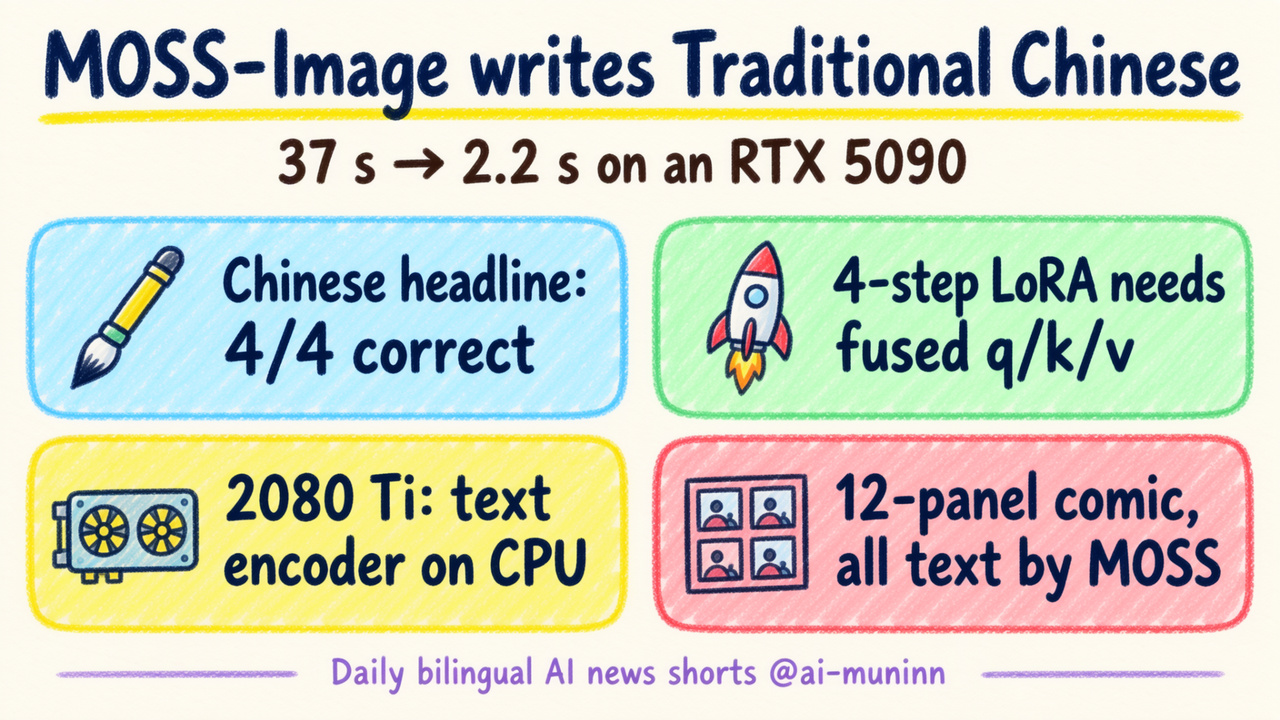
MOSS-Image is a 5B open-weights image model from OpenMOSS. Its prompt is JSON, and each text string gets its own box on the canvas. On the same Traditional Chinese news headline it was right in 4 of 4 images. Qwen-Image 2.1 was right in 0 of 4, writing 全 as 佺 every time. At the official 50 steps it takes 37 s per image on an RTX 5090. A community 4-step LoRA brings that to 2.2 s, once you fuse its q/k/v into the weights' single qkv layer. On a 2080 Ti 22G shared with a voice service, it runs at 58 s with the text encoder on CPU. Comic cards: 147 of 147 characters right. The weak spot is characters showing up in the wrong panel.
Why I tested this
Every short video and social post I publish needs a thumbnail with a Traditional Chinese headline on it. My workflow so far has been two steps per image: an image model draws the background, and a web layout puts the text on top.
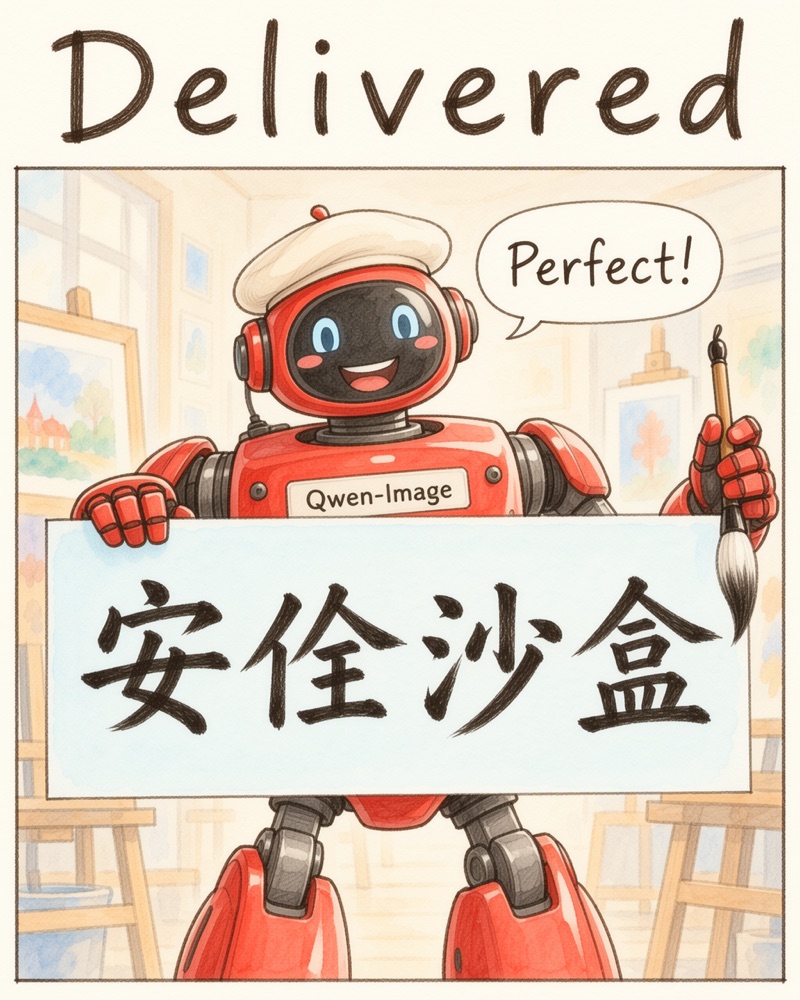
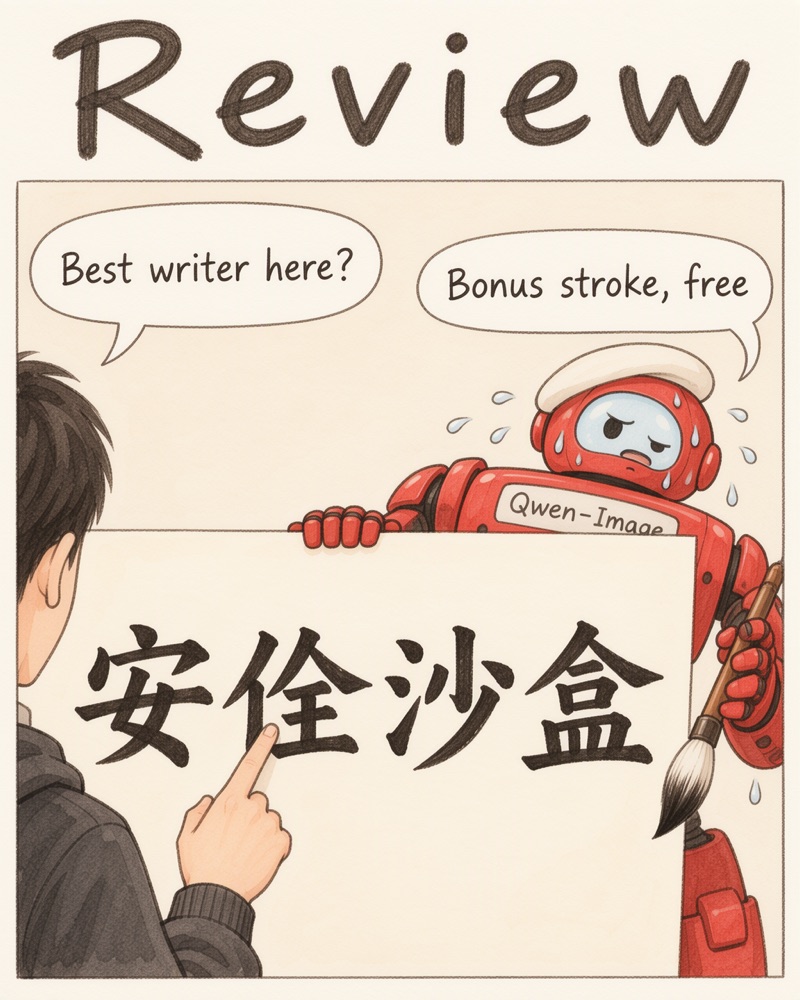
I wanted to drop the second step. Qwen-Image 2.1 is good at in-image text, so I gave it real news headlines. In all four test images it wrote the same character wrong. 「安全沙盒」 ("security sandbox") came out as 「安佺沙盒」, with an extra radical bolted onto 全.
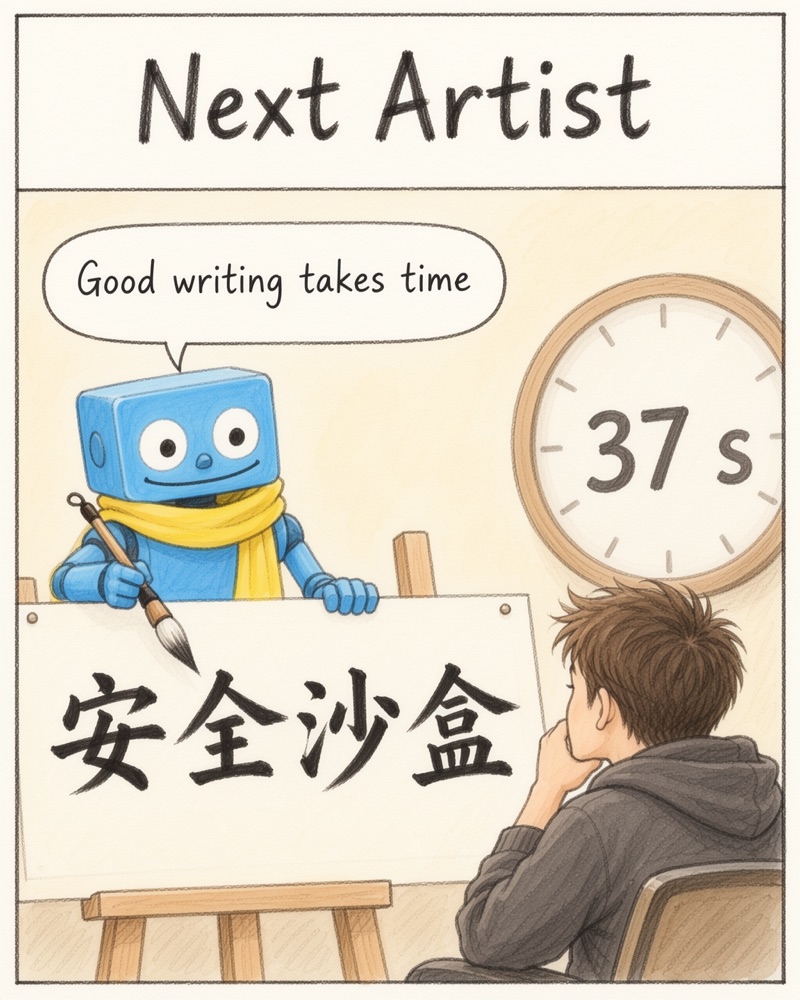
OpenMOSS released MOSS-Image on October 16. It promises the two things I needed: accurate text inside the image, and control over where each piece of text goes. It also came with two problems. At its official settings it took 37 s per image on my RTX 5090, about 2.4x slower than Qwen-Image 2.1. And the always-on machine I wanted to run it on has a 2080 Ti 22G that already hosts my voice-narration service, with not enough free VRAM for both.
The first half of this post is a tutorial: what MOSS-Image is, the Traditional Chinese test, installing it on a 5090, getting from 37 s to 2.2 s, running it on the 2080 Ti, and making four-panel comic cards. The second half is the debugging log.
MOSS-Image is a 5B model whose prompt is a JSON layout
MOSS-Image has a 5B backbone and comes in Base and SFT variants. I use SFT. ComfyUI supported it on day 0, and Comfy-Org repackaged the weights on Hugging Face. License is Apache-2.0.
The prompt is JSON. summary describes the whole image. items lists the elements, such as a character, a scene or a piece of text. Each item has a bbox, and text items add a text field with the exact string to render. This is the portrait 1088x1920 thumbnail I tested with:
{
  "summary": {
    "meta": ["news thumbnail", "professional graphic design"],
    "canvas": "single",
    "caption": "Professional technology news thumbnail, dark navy studio background ..."
  },
  "items": [
    {"label": "character", "caption": "An adult East Asian female news anchor ...", "bbox": [-634, -490, 730, -44]},
    {"label": "text", "caption": "Large bold clear white headline in the upper right ...", "bbox": [-730, -11, 38, 500], "text": "輝達發表 AI 安全沙盒"},
    {"label": "text", "caption": "Small bright yellow rectangular news badge ...", "bbox": [307, 65, 518, 490], "text": "本週新聞"},
    {"label": "text", "caption": "Small white channel name along the bottom margin ...", "bbox": [787, -413, 922, 435], "text": "AI-Muninn"}
  ],
  "bbox_coord_space": "abs_centralized",
  "bbox_format": "yxyx"
}
Two things about bbox will trip you up. The origin is the center of the canvas and the unit is pixels, so on a 1088x1920 portrait x runs from -544 to 544 and y from -960 to 960. And the order is [y_min, x_min, y_max, x_max]. Y comes first.
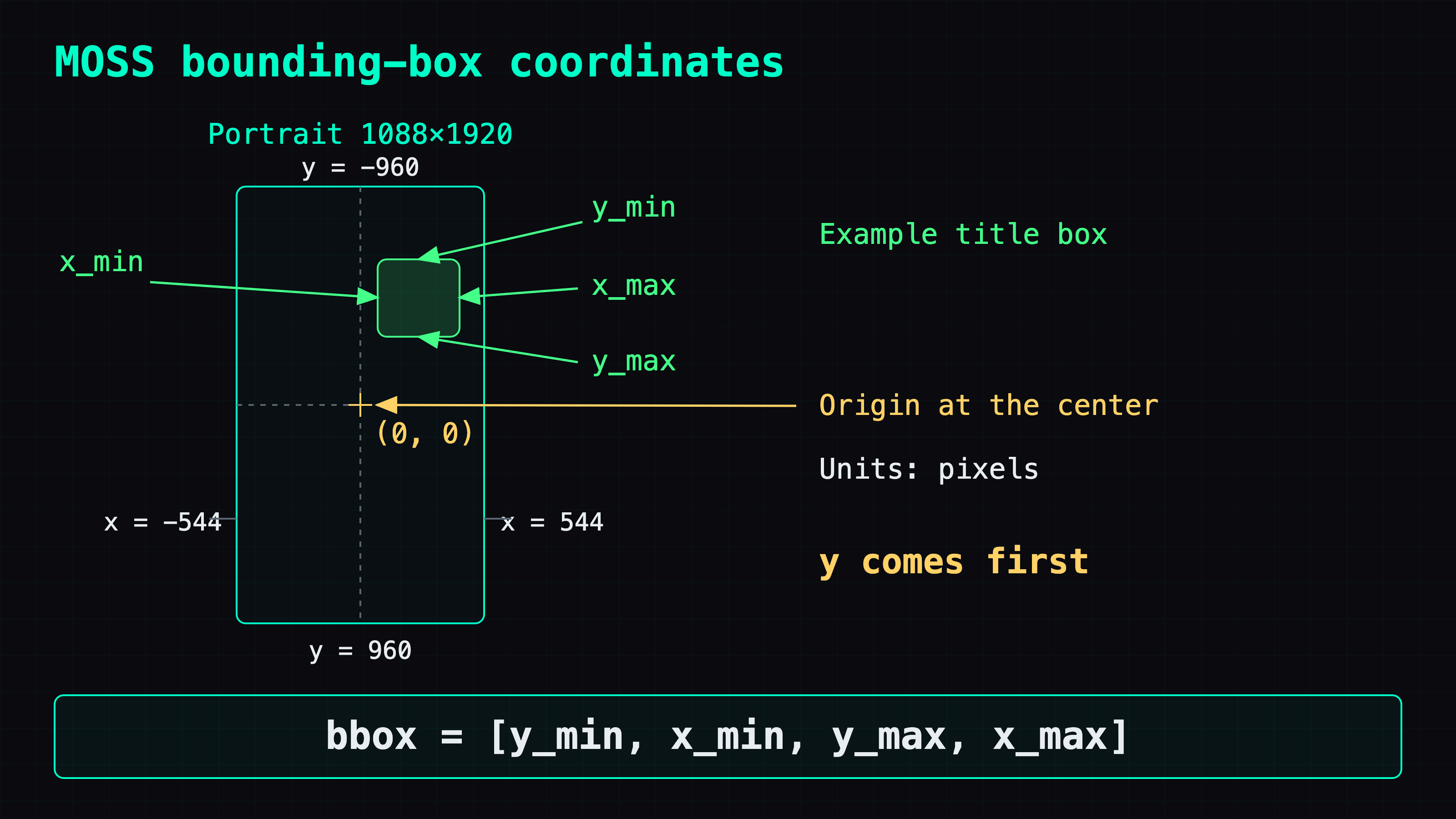
The box is a suggestion, not a crop. Text mostly stays inside it. Characters spill out of theirs in nearly every image I generated. Use it for coarse layout, like headline top right and badge bottom right, not for pixel-exact placement.
On the same headline, MOSS got 4 of 4 right and Qwen-Image 2.1 got 0 of 4
I used the same news-thumbnail layout throughout: an anchor on the left, the headline 「輝達發表 AI 安全沙盒」 ("NVIDIA announces AI security sandbox") top right, a yellow 「本週新聞」 ("this week's news") badge, and the channel name AI-Muninn along the bottom. I ran it in portrait and landscape, with Chinese and English text sets, at seeds 42 and 123, and kept every image. Each model ran at its official recommended settings: MOSS 50 steps at CFG 3, Qwen-Image 2.1 40 steps at CFG 1.
The middle column is the one that matters for Traditional Chinese:
| Model (RTX 5090) | avg s/image | zh-TW headline + badge all correct | all 3 text areas clean |
|---|---|---|---|
| MOSS-Image SFT int8 | 37.25 | 4/4 | 4/8 |
| Qwen-Image 2.1 int8 | 15.12 | 0/4 | 2/8 |
Qwen-Image 2.1 made the same mistake every time. The 全 in 安全沙盒 gets a 亻 radical in front of it, and one image looks closer to 俭. In landscape at seed 42 it also turned 發 into a malformed character that does not exist. Rerolling the seed does not fix a mistake that repeats like that.

MOSS has its own weak spot: the wide, flat channel-name box along the bottom of a landscape image. All 4 landscape images failed there. Two repeated "AI-Muninn" a second time, one wrote "AI—Mungiicinn", and one added three letter-shaped decorations. All 4 portrait channel names were clean.

So in practice MOSS writes the headline, and I still overlay fixed small text like the channel name afterwards. The next two sections fix that.
Installing on an RTX 5090 takes one patch to the official plugin
My environment was ComfyUI 0.37.0 with torch 2.13.0+cu130, neither touched.
The plugin lives in the official repo under comfyui/moss-image/. Copy that folder to ComfyUI/custom_nodes/moss-image/. Its pyproject.toml has dependencies = [], so there is nothing to install. I used commit 52b87fc. After a restart you get six MOSS nodes.
Download three files from the Comfy-Org repo:
| Folder | File | Size |
|---|---|---|
models/diffusion_models/ | moss_image_sft_int8_convrot.safetensors | 5.4 GB |
models/text_encoders/ | qwen3.5_9b_int8_convrot.safetensors | 9.7 GB |
models/vae/ | flux2-vae_small.safetensors | 250 MB |
The first run fails at KSampler:
AttributeError: 'NoneType' object has no attribute 'dtype'
The official plugin defines q, k and v as three separate linear layers. The Comfy-Org int8 weights fuse them into a single qkv layer, so the plugin looks for proj.q and finds nothing. The fix is two edits inside the plugin folder. In loaders.py, detect the fused layout by checking for layers.0.proj.qkv.weight. In model.py, give _Block a fused branch that builds one 3x-wide linear layer and splits its output in three. Keep the separate branch too, because the 8-step Turbo weights I tried later still have separate q/k/v. The core change:
# model.py, _Block.forward
if self.fused_qkv:
    q, k, v = self.proj["qkv"](y).chunk(3, dim=-1)
else:
    q, k, v = self.proj["q"](y), self.proj["k"](y), self.proj["v"](y)
With that, the official example workflow runs, and all 8 comparison images above came out of it. The full diff is in the deep dive. The patch only touches the plugin folder, and it may become unnecessary once the official plugin or a native ComfyUI node catches up, so check the ComfyUI README in the official repo before you apply it.
A 4-step LoRA brings it from 37 s to 2.2 s per image
There are two community speedups. One is an 8-step Turbo checkpoint, toxicdog/MOSS-Image-SFT-Turbo-INT8-ConvRot, which replaces the main model and runs at 8 steps, CFG 1, Euler/simple. The other is a 4-step LoRA, akhaliq/MOSS-Image-SFT-4-steps (v2.0), which sits on top of the SFT int8 weights at strength 1 and runs at 4 steps, CFG 1, Euler/simple. Both are on Hugging Face. I used each one's model-card settings and the same prompts.
Read the first row. Warm averages exclude the first image:
| Original 50 steps | 8-step Turbo | 4-step LoRA | |
|---|---|---|---|
| Warm avg (s) | 37.31 | 3.86 | 2.22 |
| First image, incl. load (s) | n/a | 6.96 | 5.17 |
| zh-TW target text all correct | n/a | 3/3 | 3/3 |
The 4-step LoRA is 16.8x faster than the original. That is the combined effect of fewer steps, CFG 3 dropping to 1, and a different scheduler, not any single one of them.

Faces at 4 steps are softer than at 50. Text is just as sharp, and for a thumbnail that trade is fine. Both fast versions drew a blurry fake-English string in the upper-left background at seed 123, which made that image unusable. The landscape channel-name duplication did not show up this time, but I only tried one seed, so I am not calling it fixed.
Grep the log to confirm the LoRA actually loaded
If you load the 4-step LoRA with ComfyUI's built-in LoraLoaderModelOnly on the fused int8 weights, it silently skips the q/k/v parts of the LoRA and still produces images. A good-looking image proves nothing here. Check the log:
grep -c "lora key not loaded" comfyui.log
With the built-in loader I got 378 lines. That is 42 layers, times q, k and v, times 3 tensors each. A typical line:
lora key not loaded: diffusion_model.layers.0.proj.q.lora_down.weight
Any non-zero count means the LoRA is only partly applied, to the output projection and the FFN.
The fix is a custom loader node, MOSSImageFusedLoraLoader, which I added to the plugin's nodes.py. It fuses the LoRA's q/k/v into one qkv adapter. Use it in place of LoraLoaderModelOnly. A full load shows three signals, and all three must hold:
lora key not loadedappears 0 times.- The loader's stat line reads
fused_blocks=42 targets=168 tensors=504 applied=168. - The log prints
168 patches attachedbefore each sampling run.
As an on/off control I ran the same seed and JSON at 4 steps with the LoRA disconnected. Face and text came out badly distorted. With it connected, both were clear.
If your weights already have separate q/k/v, like the 8-step Turbo file, the built-in loader works. Run the same grep anyway.

On a 2080 Ti 22G, move the text encoder to CPU and MOSS shares the card with the voice service
My always-on AI Lab machine has a modded 2080 Ti 22G that already hosts a ComfyUI instance (about 8.4 GB), my voice-narration service (about 5.4 GB) and a second image-generation ComfyUI. The voice service refuses jobs when less than 2048 MiB is free.
On the 5090, MOSS used 15.5 GiB of card memory. Most of that is the 9.7 GB Qwen3.5-9B text encoder. So the encoder goes to CPU. In the workflow, change device on MOSSImageCLIPLoader from default to cpu. Everything else is the 5090 4-step LoRA workflow, fused loader included:
"102": {"class_type": "MOSSImageCLIPLoader",
        "inputs": {"clip_name": "qwen3.5_9b_int8_convrot.safetensors", "device": "cpu"}}
The last column is why this works for me:
| per image (warm) | CPU text encode | voice service | |
|---|---|---|---|
| 5090, all on GPU | 2.2 s | n/a | n/a |
| 2080 Ti, text encoder on CPU | 58.5 s | about 26.8 s | available throughout, min free 4,695 MiB |
58.5 s is 26x slower than the 5090, and about half of it is CPU text encoding. But it runs on a machine that is already on, without waking the 5090. Target zh-TW text was correct in 4 of 4 images, and the seed 123 background-text flaw showed up here too, same as on the 5090. When I started, the card had 6,010 MiB in use. If it is busier than that, wait.
Two more things on this card. At CFG 1 the negative prompt is never used, but the empty-string negative CLIPTextEncode still runs on CPU and burns about 27 s. Replace it with ConditioningZeroOut fed from the positive encoder's output. The output is pixel-identical, and the first image dropped from 89.7 s to 62.4 s. And the smaller W4A8 text encoder is slower on CPU, not faster: 108 s per image. Both are in the deep dive.

Four-panel comic cards got 147 of 147 characters right, with characters in the wrong panels
The thing I actually wanted out of all this was comic-style social cards. Four 1024x1280 (4:5) cards, one panel each, for a carousel post. The story: my AI assistant Yui is moving data and gets stuck waiting on the disk, and Claude, drawn as an orange octopus with round glasses, comes to the rescue.
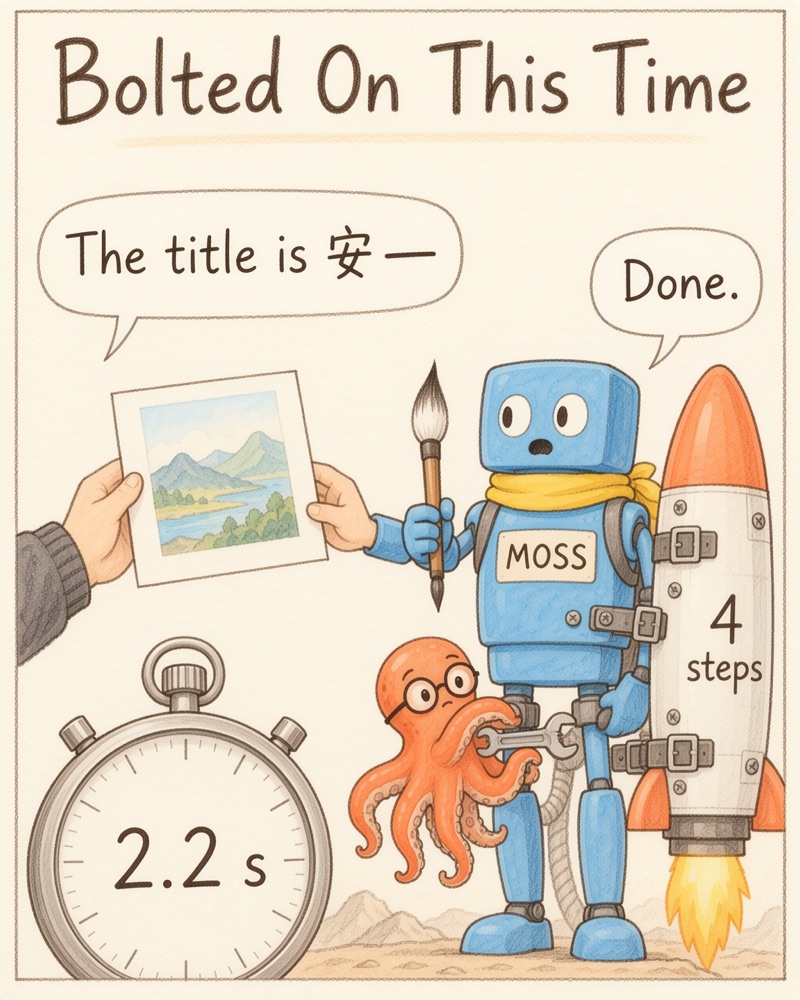
On the 5090 with the 4-step LoRA, each card took about 1.5 s warm. I generated each of the four panels with three seeds, 12 images total. Across titles and dialogue that is 147 Chinese characters, and all 147 were correct.
Each card's JSON has four parts:
summary.caption: pencil, brown ink lines, light watercolor, cream paper, what the characters look like, and "top 18% reserved for handwritten title, no color blocks".- One
sceneitem. - One title
textitem, boxed at 8 to 92% of the width and 4 to 15.5% of the height. - One or two dialogue
textitems, each described as "hand-drawn rounded speech bubble, tail pointing at X".
The model draws the speech bubbles and their tails itself. Nothing is added in post. That hand-drawn feel is better than overlaid text, which is why I went with this version.
The alternative is a text-free base image plus a PIL overlay in the 標楷體 (Kaiu) font. The text is always right and the lines are easy to edit, but the font looks too formal for a comic. If your lines change often, pick that.

The real limitation is characters showing up in panels they should not be in. My first version put this in the global summary.caption:
Claude when present is a tiny orange octopus with round spectacles.
The octopus appeared in panels 1, 2 and 4, three out of four, which spoils the panel-3 reveal where the rescue arrives. Three changes fixed it:
- The global description only lists characters present in every panel.
- Each panel's
scenenames who is in it. - Each panel says "exactly one or two speech bubbles in this panel, each character appears once".
In a second round I used the same trick on the version where MOSS writes the text itself: each panel's prompt describes only the characters in that panel, with no global cast list, and every character's look is repeated word for word wherever it appears. Across 88 images (four new stories plus six art styles), the octopus stopped showing up early in the picks. The watercolor set still needed one repair pass, and a bear shopkeeper wandered into the windows of the flat-vector set. The 36 picks still had 2 wrong characters (种 for 種, and 位位 for 位子), and the watercolor style often gave lines to the wrong character.
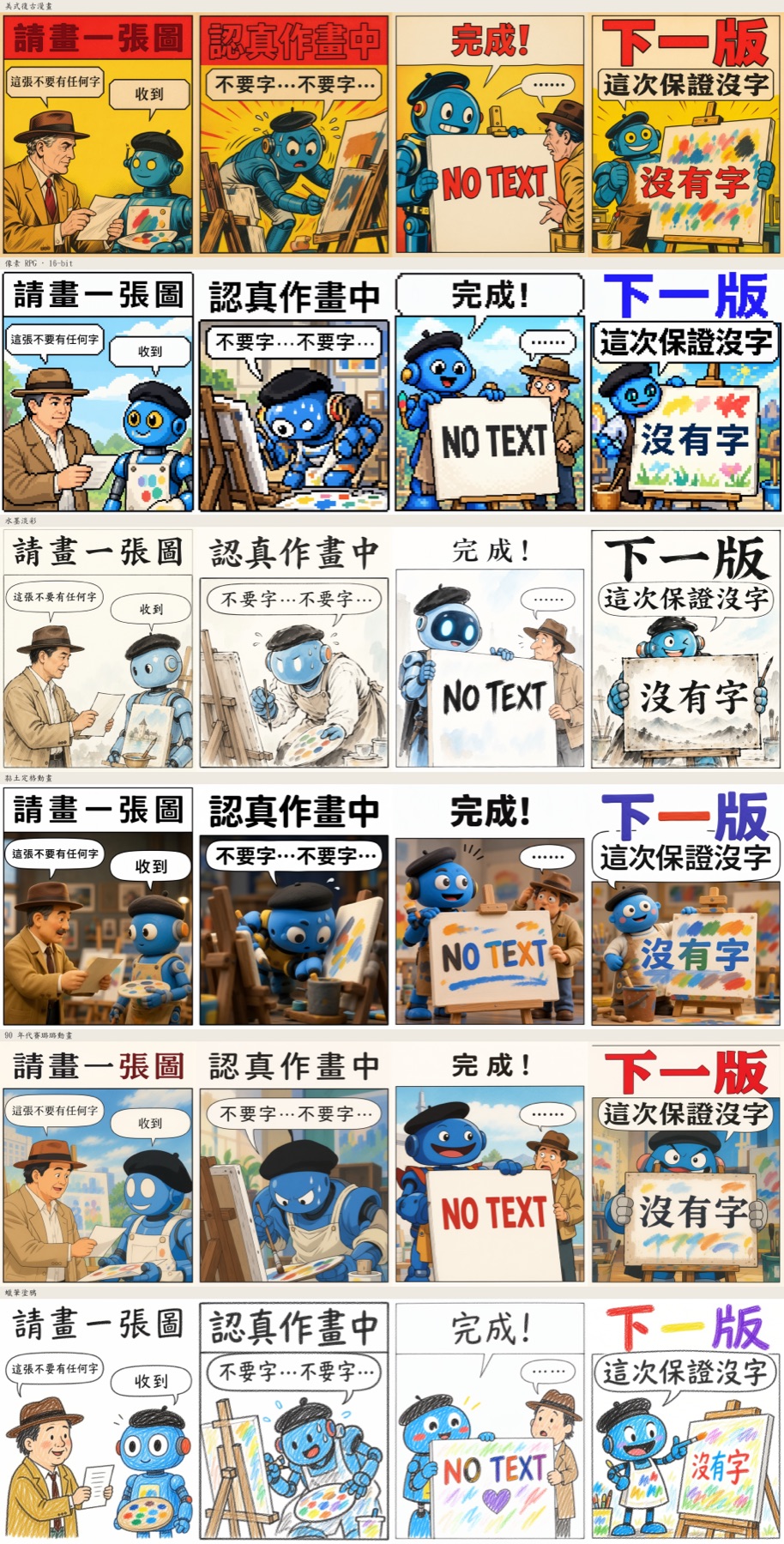
One more trap: writing an uppercase "NO TEXT" in the prompt makes the model print "NO TEXT" as the title.
Character consistency is "recognizably the same", no better. Hairstyle, headphones and jacket color hold across the four panels. Head-to-body ratio, hair length and the number of boxes Yui carries drift, and so does the number of octopus tentacles. I used no reference image and no character LoRA.
The comic version
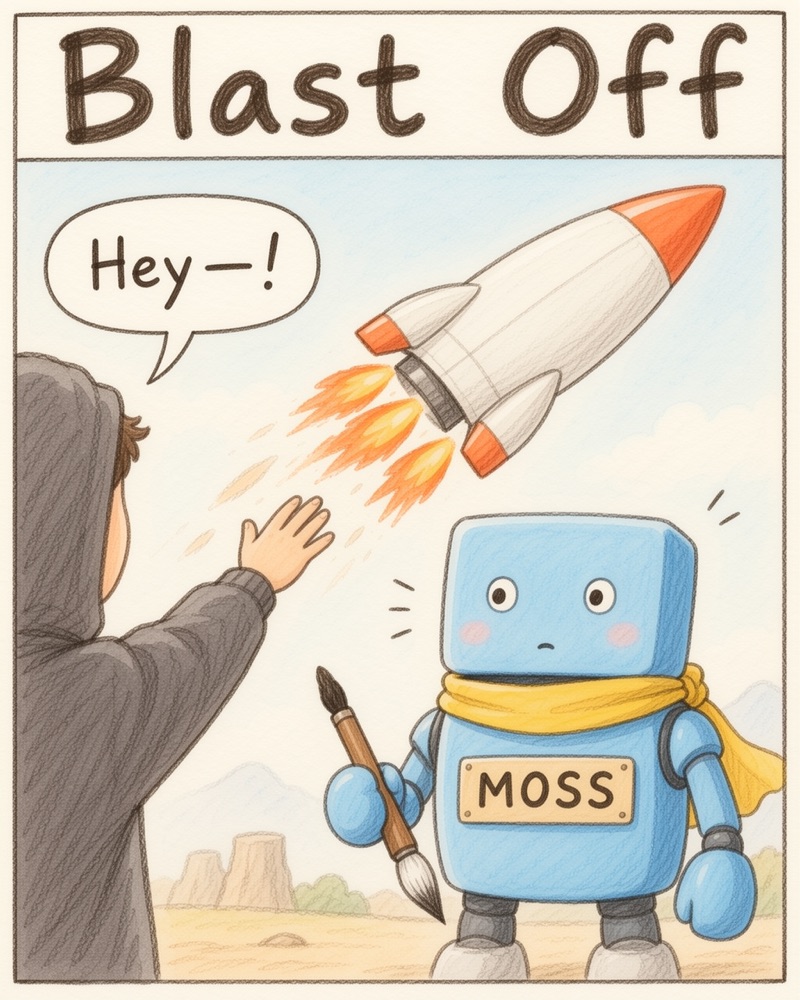
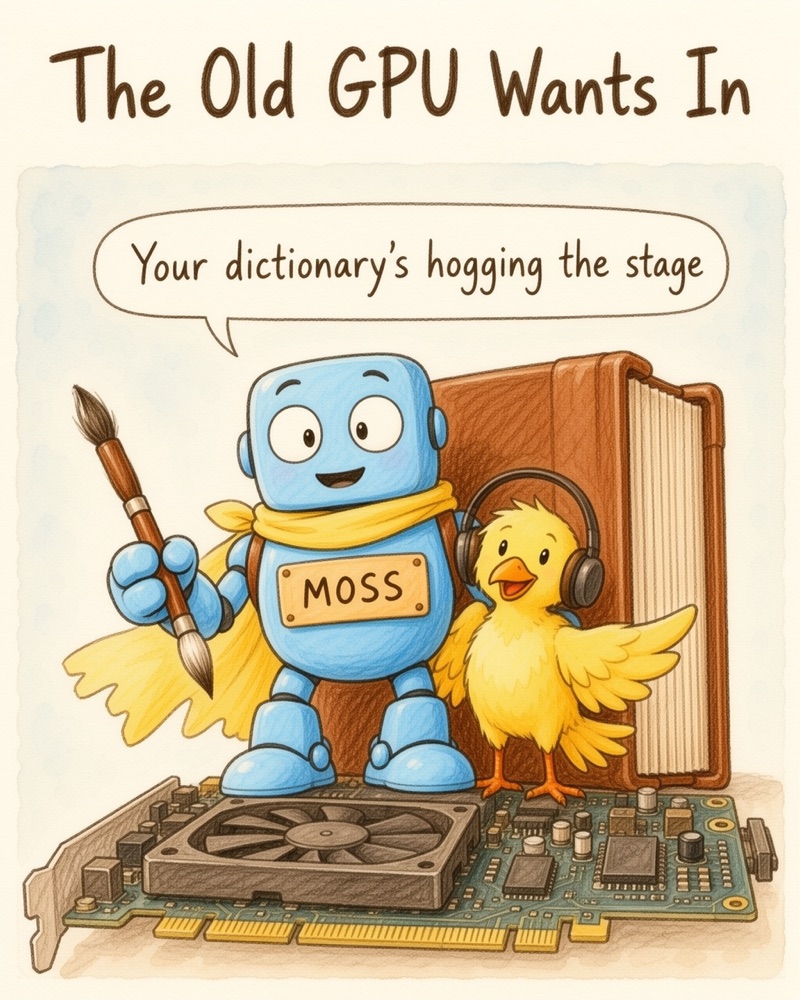
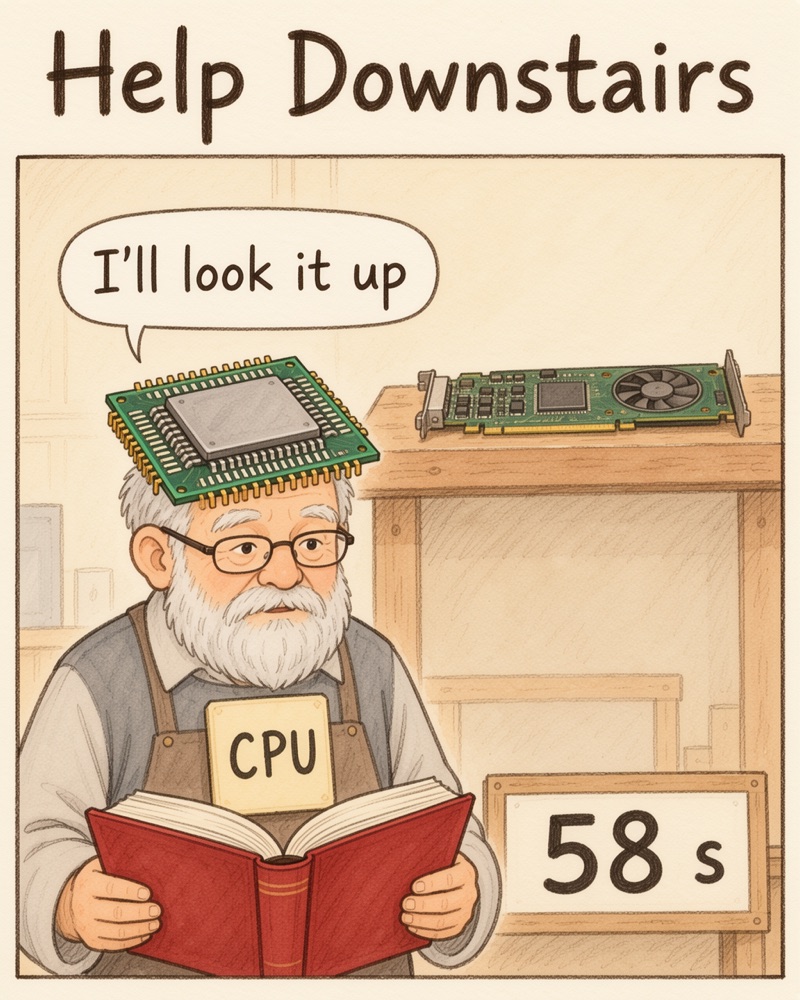
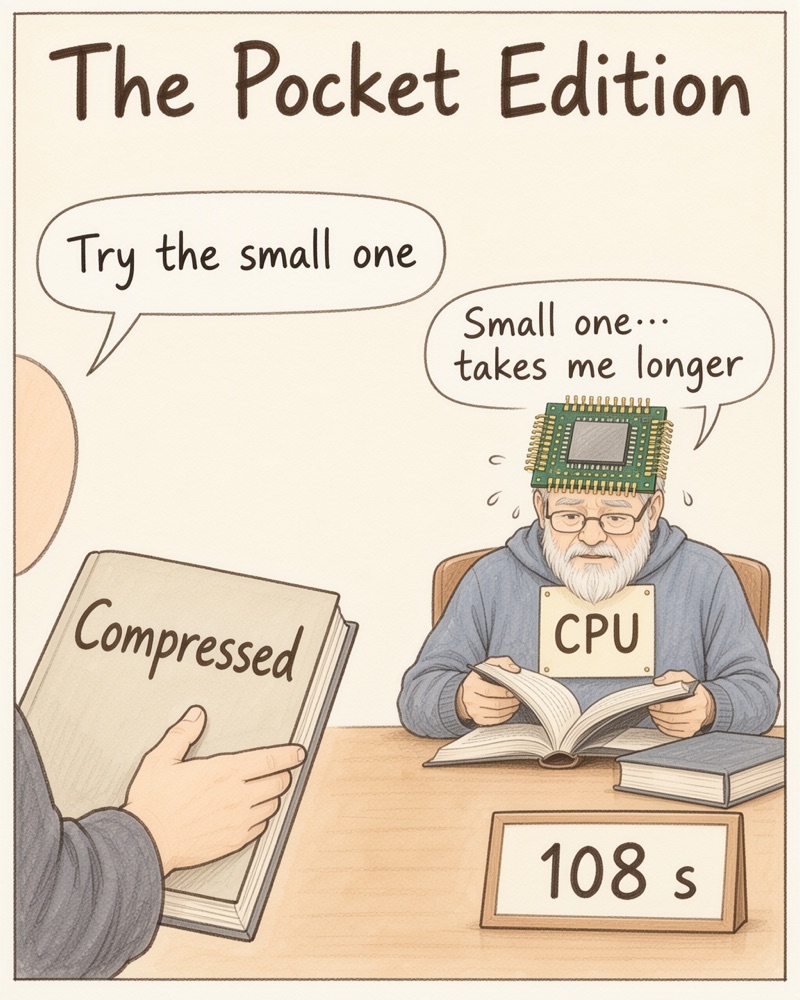
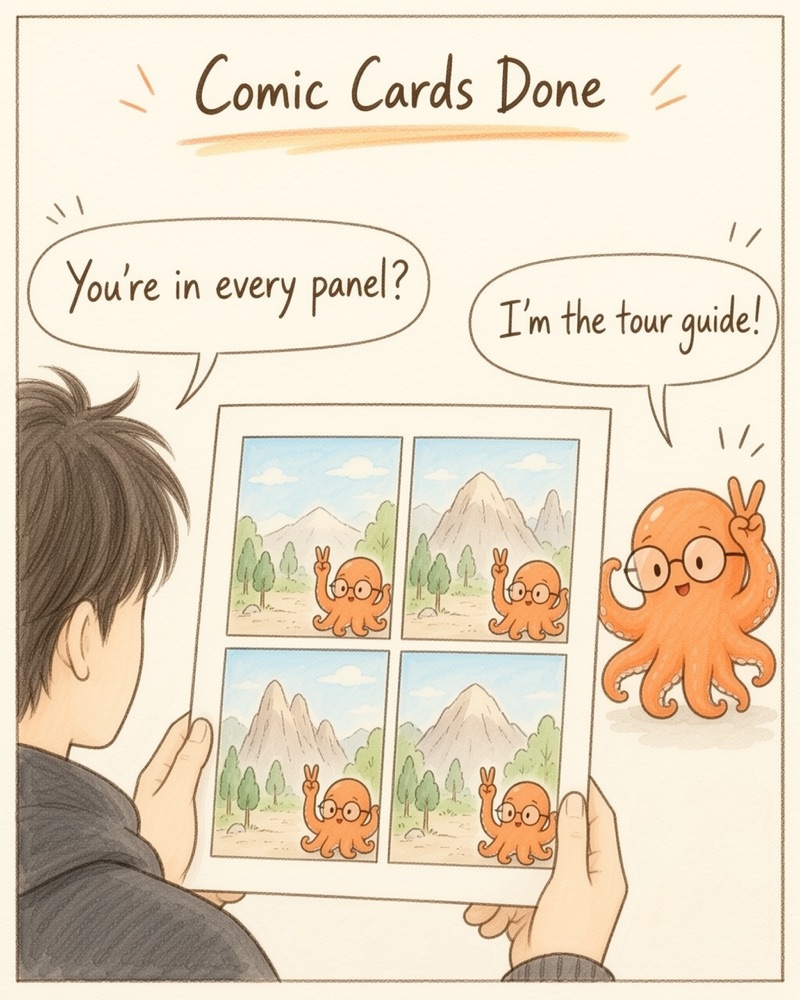
Every title and speech bubble in these 12 panels was lettered by MOSS with the 4-step LoRA, no overlay. The signs stay in Chinese on purpose: the joke is the miswritten character. Each panel took four candidates to find one with every letter right, and the English set needed one title swap after "Liftoff" came out as "Lifetoff" four times in a row. The hero image at the top is MOSS too; 3 of 8 English candidates had every word right.



Deep dive: LoRA keys, fusing q/k/v, W4A8 on CPU, the voice service and ConditioningZeroOut
You can skip this section. Everything you need to run the workflow is above; this is the evidence and the debugging detail behind it.
378 lines of "lora key not loaded", and the images still render
The 4-step LoRA has 252 adapters: q, k, v, o and FFN in every layer. The fused int8 weights only have proj.qkv, so the 126 q/k/v adapters find no target. Each one reports its alpha, down and up tensors, so 126 x 3 = 378 lines, 126 each for q, k and v.
The o and FFN adapters apply normally, which is why a partially applied LoRA still produces a clean-looking image. I did not run a blind test between full and partial application.
The on/off control in numbers, at seed 42, same JSON, 4 steps, CFG 1: mean absolute pixel difference 35.7/255, RMS 70.2/255. With the LoRA off, face and text are distorted.
Fusing q/k/v: concatenate the down matrices along the rank, build a block-diagonal up matrix
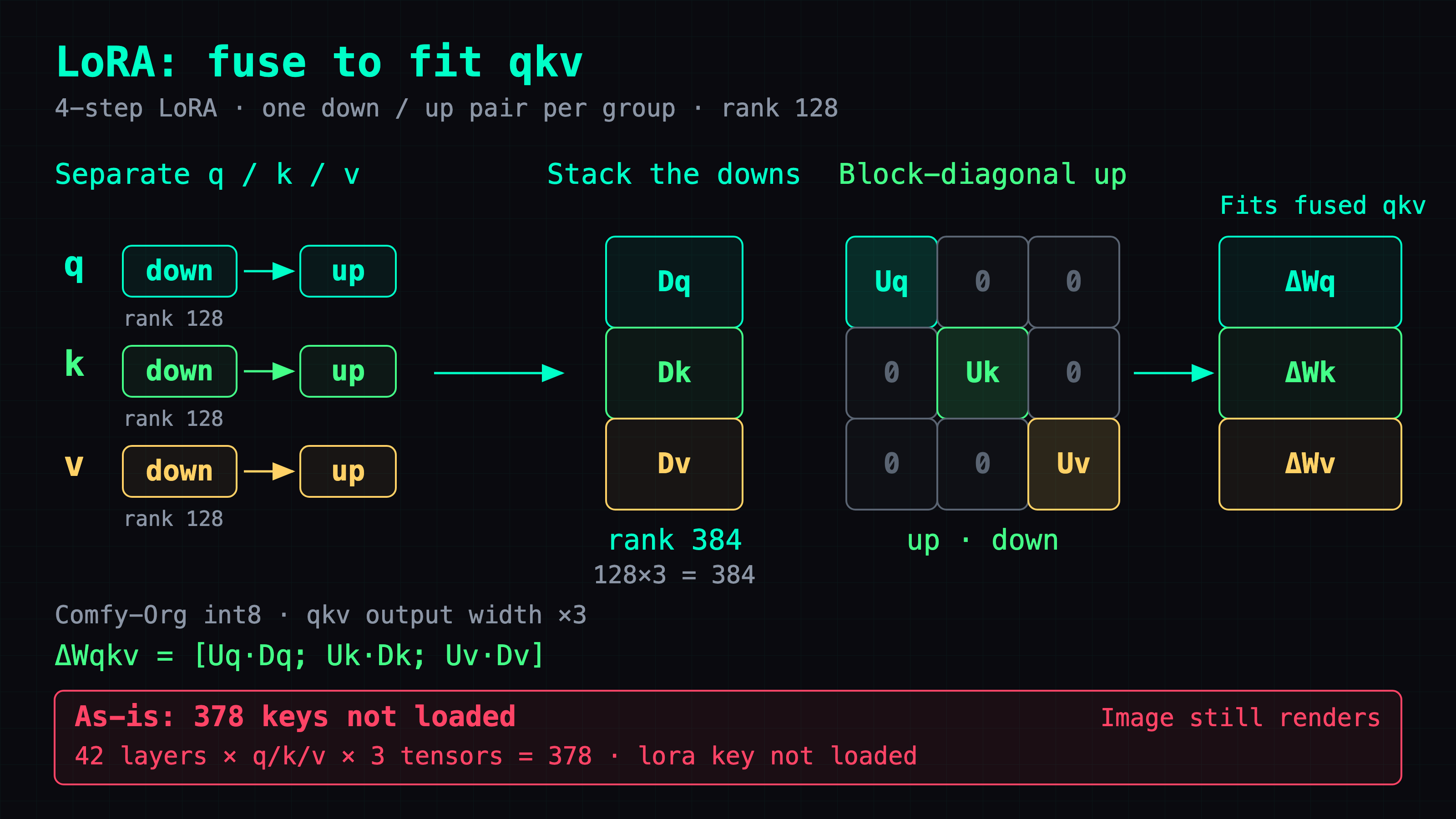
The fused forward pass computes qkv = W_qkv · x and splits the result in three. So the fused LoRA delta has to be the three deltas stacked:
ΔW_qkv = cat(ΔWq, ΔWk, ΔWv; dim=0)
Each delta is ΔW = (alpha/r) · B · A, where A is the down matrix and B is the up matrix. The three A matrices differ, so you cannot share one A across q, k and v. The correct fusion:
A_fused = cat(Aq, Ak, Av; dim=0)                          # stack the ranks: 128 each, 384 total
B_fused = block_diag((αq/rq)·Bq, (αk/rk)·Bk, (αv/rv)·Bv)  # fold each group's scale into B
alpha_fused = rank_fused = 384                             # so the outer scale is 1
The loader's core code. It runs on CPU in fp32 and does not rewrite the int8 model file:
downs = [state[s + ".lora_down.weight"].float() for s in sources]   # sources = q, k, v
ups = [state[s + ".lora_up.weight"].float() for s in sources]
scales = [float(state.get(s + ".alpha", a.shape[0])) / a.shape[0]
          for s, a in zip(sources, downs)]
down = torch.cat(downs, dim=0)
up = torch.block_diag(*[b * scale for b, scale in zip(ups, scales)])
state[target + ".lora_down.weight"] = down
state[target + ".lora_up.weight"] = up
state[target + ".alpha"] = torch.tensor(float(down.shape[0]))
The loader errors out instead of silently under-applying. It compares each layer against a test vector before and after fusion, checks that no adapter tensor is left unmapped, and requires the patch count ModelPatcher accepts to equal the number of converted targets. The actual log:
MOSS_TURBO raw adapter roots=252 unmapped=126
MOSS_TURBO VERIFIED fused_blocks=42 targets=168 tensors=504 applied=168 strength=1 concat_max_abs_error=0
168 is 42 fused qkv layers plus 126 o/FFN targets. On random matrices with different ranks and alphas, the max error was 3.8e-6. The same loader on the 2080 Ti gave 3.7e-9.
One caveat. This goes through ComfyUI's ModelPatcher on int8 weights, so the precision differs from the LoRA author's diffusers path, which uses a bf16 base and keeps the LoRA unmerged in fp32.
The plugin's fused-qkv patch, full diff against OpenMOSS commit 52b87fc
--- upstream/loaders.py
+++ trial/loaders.py
@@ -83,6 +83,7 @@
             "text_dim": 4096,
             "freq_dim": 256,
             "rope_base": 10000.0,
+            "fused_qkv": "layers.0.proj.qkv.weight" in state,
         }
     )
--- upstream/model.py
+++ trial/model.py
-    def __init__(self, dim, ffn_dim, heads, device, dtype, operations):
+    def __init__(self, dim, ffn_dim, heads, device, dtype, operations, fused_qkv=False):
         super().__init__()
         self.heads = heads
+        self.fused_qkv = fused_qkv
@@
-                name: operations.Linear(dim, dim, bias=False, device=device, dtype=dtype)
-                for name in ("q", "k", "v", "o")
+                name: operations.Linear(dim, 3 * dim if name == "qkv" else dim, bias=False, device=device, dtype=dtype)
+                for name in (("qkv", "o") if fused_qkv else ("q", "k", "v", "o"))
@@
-        dtype = self.proj["q"].weight.dtype
+        dtype = self.proj["qkv" if self.fused_qkv else "q"].weight.dtype
         y = y.to(dtype)
-        q = self.q_norm(self.proj["q"](y).unflatten(-1, (self.heads, -1))).flatten(2)
-        k = self.k_norm(self.proj["k"](y).unflatten(-1, (self.heads, -1))).flatten(2)
-        x = x + self.proj["o"](_attention(q, k, self.proj["v"](y), rope, self.heads)) * gate_a[:, None]
+        if self.fused_qkv:
+            q, k, v = self.proj["qkv"](y).chunk(3, dim=-1)
+        else:
+            q, k, v = self.proj["q"](y), self.proj["k"](y), self.proj["v"](y)
+        q = self.q_norm(q.unflatten(-1, (self.heads, -1))).flatten(2)
+        k = self.k_norm(k.unflatten(-1, (self.heads, -1))).flatten(2)
+        x = x + self.proj["o"](_attention(q, k, v, rope, self.heads)) * gate_a[:, None]
The model's main __init__ in model.py also has to accept fused_qkv=False and pass it to each _Block. The fused chunk order is q, then k, then v, and the LoRA fusion has to stack in the same order.
After the patch, 42 harmless "unexpected" lines remain for layers.N.comfy_attention.config. Their value is comfy_kitchen_int8, an attention-backend hint the plugin does not read.
The W4A8 text encoder is slower on CPU
Comfy-Org also ships a W4A8 GPTQ text encoder, 7.3 GB against 9.7 GB for int8. Same 2080 Ti machine, same 4 prompts, encoder on CPU:
| Text encoder | positive encode (warm avg) | per image (warm avg) | first image | load (log) |
|---|---|---|---|---|
| int8 ConvRot | 26.8 s | 58.5 s | 89.7 s | 8,061 MB |
| W4A8 GPTQ | 76.9 s | 108.4 s | 175.8 s | 5,568 MB |
Encoding is 2.87x slower and the whole image 1.85x slower. There is no W4A8-specific CPU kernel. The generic comfy-kitchen implementation dequantizes before it computes, so 4-bit only saves memory. The file is also mixed precision, not 4-bit throughout. Text accuracy was the same, 4 of 4. On CPU, use int8.
My first attempt on the 2080 Ti squeezed the voice service down to 477 MiB free
Before I tried MOSS, the card's baseline was about 14,170 MiB used: ComfyUI 8,442, voice 5,412, the image ComfyUI 312. The voice service reported 7,831 MiB free.
I first ran a 512x512 Qwen-Image 2.1 workflow with its text encoder still on the GPU. It finished in 6.46 s, and the voice service's health check went to available=false, free_mib=477, used_mib=21524. Its threshold is 2048 MiB. The process did not die. It refused jobs.
I rolled the service config back per a rule I had written in advance, restarted, and stopped there. Then I reran the Qwen workflow with CLIPLoader set to device=cpu at 256x256. It took 57.04 s, the card peaked at 18.7 GiB, and the voice service stayed available throughout with a minimum of 3,515 MiB free. That is where the text-encoder-on-CPU setup for MOSS came from.
It also hit my automated news pipeline: early that morning it skipped the entire batch because the narration service reported itself unavailable. The pipeline now waits up to 20 minutes for voice, re-checking every 30 s, and never preempts a running job.
For the real MOSS run on the 2080 Ti I polled voice health once a second: 267 checks during the int8 group and 503 during the W4A8 group. Every one returned available=true, and the minimum free memory was 4,695 MiB.
ConditioningZeroOut removes the negative encode at no cost
At CFG 1, KSampler only uses the positive conditioning, but the negative CLIPTextEncode with an empty string still executes. On the 2080 Ti's CPU that is 26.8 s, part of the 89.7 s first image.
Swap the negative encoder for ConditioningZeroOut, feed it the positive CLIPTextEncode output, and connect KSampler's negative input to it.
To verify, I rendered the same seed and JSON both ways and compared pixel by pixel. The images were pixel-identical (mean absolute difference: 0). The first image went from 89.7 s to 62.4 s.
This is only free at CFG 1. Above CFG 1, a zeroed negative and an empty-string encoding are different inputs, and the results change.
Still unresolved
- The fast versions add fake English to the background at seed 123. The sample is small, so I do not know how often it happens. Do not publish their output unreviewed.
- Whether the fast versions really fix the landscape channel-name box: one seed is not enough to say.
- The 4-step LoRA's model card suggests 6 to 8 steps above 1024². I kept 4, and soft faces at 1088x1920 are the cost.
- Comic character consistency relies on text description alone, and head-to-body ratio and prop counts drift. I have not tried reference images or a character LoRA.
- I used the official OpenMOSS plugin plus my own patch. I have not compared its speed against the native ComfyUI nodes that came later.
Also in this series: One RTX 2080 Ti Narrates Every Daily AI-News Short: VoxCPM2 GGUF Q4_K_M at Under 2 s per Line
FAQ
- Does MOSS-Image render Traditional Chinese text accurately?
- On the same news-thumbnail prompt, in portrait and landscape with two seeds each, MOSS-Image got the Traditional Chinese headline and badge right in 4 of 4 images. Qwen-Image 2.1 got 0 of 4, writing 全 as 佺 in every one. The weak spot in MOSS is a wide, flat text box along the bottom of a landscape image: all 4 landscape channel names came out with extra or repeated characters, so I still overlay fixed small text afterwards.
- How do I know the MOSS-Image 4-step LoRA actually applied?
- Check the ComfyUI log, not the image. The built-in LoraLoaderModelOnly on the Comfy-Org int8 weights prints 378 'lora key not loaded' lines, because the LoRA has separate q/k/v keys and the weights have one fused qkv layer. Images still render. Fuse the LoRA's q/k/v into the qkv shape; a full load prints 0 of those lines.
- Can an RTX 2080 Ti run MOSS-Image?
- Yes. On a 2080 Ti 22G that also hosts a voice-narration service, putting the Qwen3.5-9B text encoder on CPU and using the 4-step LoRA gives about 58 s per image, and the voice service stayed available the whole time. The same workflow takes 2.2 s on an RTX 5090.
- Is a W4A8 text encoder faster on CPU than int8?
- No, it is slower. With the text encoder on CPU, int8 took 58.5 s per image and the Comfy-Org W4A8 GPTQ file took 108.4 s. Text encoding alone was 2.87x slower. The file is smaller, but there is no CPU kernel for W4A8, so it gets dequantized before compute and you save memory, not time.
- In a multi-panel comic, why does a character appear in panels where it should not?
- Usually because it is described in the global caption. My first version had 'Claude when present is a tiny orange octopus with round spectacles' in the global summary, and the octopus showed up in panels 1, 2 and 4. Keeping the global caption to characters present in every panel, naming who is present in each panel's scene, and saying each character appears once fixed it.
Read next
- 2026-10-19[Dev Workflow] One RTX 2080 Ti Narrates Every Daily AI-News Short: VoxCPM2 GGUF Q4_K_M at Under 2 s per Line
VoxCPM2 cloned in my own voice, quantized to GGUF Q4_K_M, runs on one RTX 2080 Ti under 2 s a line. Build, resident service, and the whisper gate fixes.
- 2026-05-05How a zh-TW Linter Found 128 Mainland-China Drift in My Own Writing
I ran sysprog21/zhtw-mcp across 72 of my Traditional Chinese articles. Three sweeps, 128 cross-strait substitutions across 42 files. The real takeaway wasn't the count — it was discovering my blindspot isn't 'I don't know the right Taiwanese term,' it's 'when a Mainland term shows up I don't auto-doubt it.'
- 2026-10-12[Dev Workflow] I Had an AI Reverse-Engineer My Own iOS App With Free Tools (REA + Ghidra)
I gave REA and Ghidra only the compiled binary of my own iOS app. In 16 minutes it rebuilt my P&L formula exactly: two answers right, one half right.
- 2026-10-07Testing EmbeddingGemma 2 on Our Knowledge Base: Recall@5 from 50% to 58.3%
I tested EmbeddingGemma 2 against v1 on my AI's note search on an M1 Max: recall@5 went from 50% to 58.3%, code search improved, and memory rose to 2.75 GiB.
Don't miss the next one
Subscribe, and you won't.
One-click unsubscribe anytime.