AI Agent Life, from Zero · part 3
[Agent 101 #3] The fixed combo we'll use: ChatGPT as the brain, Hermes as the body
❯ cat --toc
- The plain version: one combo that works beats a menu of options
- The setup: an assistant is a brain plus a body
- The brain: just use your ChatGPT, no need to choose
- The body: just use Hermes
- Why "one fixed combo" is best for beginners
- What it can do once it's installed
- Before you install, get these two things ready
TL;DR
An AI assistant splits into two pieces: a brain (the AI model that thinks) and a body (the layer that wraps the brain and gives it memory, hands, and feet). This series locks in one combo for you: the ChatGPT you already pay for as the brain, Hermes as the body — nothing to pick, nothing to compare, just follow along. Before you install, all you need is a computer and a paid ChatGPT account.
The plain version: one combo that works beats a menu of options
A lot of tutorials open with "there are models A, B, and C, and frameworks X, Y, and Z, and you can mix and match like so…" — and you close the tab halfway through.
This series goes the other way. I picked one fixed combo for you; follow it and it just works. Once it's installed and you're comfortable, you'll naturally figure out what you'd swap and how. But that's later — right now, the priority is getting an assistant running in front of you.
This post explains that combo and lists what to have ready before we install.
The setup: an assistant is a brain plus a body
Here's the analogy.
An AI assistant is like a person: it needs a brain to think, and it needs a body — hands and feet to do things, memory to remember things, a mouth to talk to you.
- The brain is the AI model itself. When you chat with ChatGPT, that's the brain doing the talking.
- The body is the layer that wraps that brain: it gives it memory, hooks it to your Telegram, lets it run on a schedule. That layer is the agent framework from the last post.
A brain alone, in plain chat mode, mostly just sits there and answers you. Give it a body and it becomes an assistant that does things and can reach you. What we're doing is pairing a ready-made brain with a ready-made body.
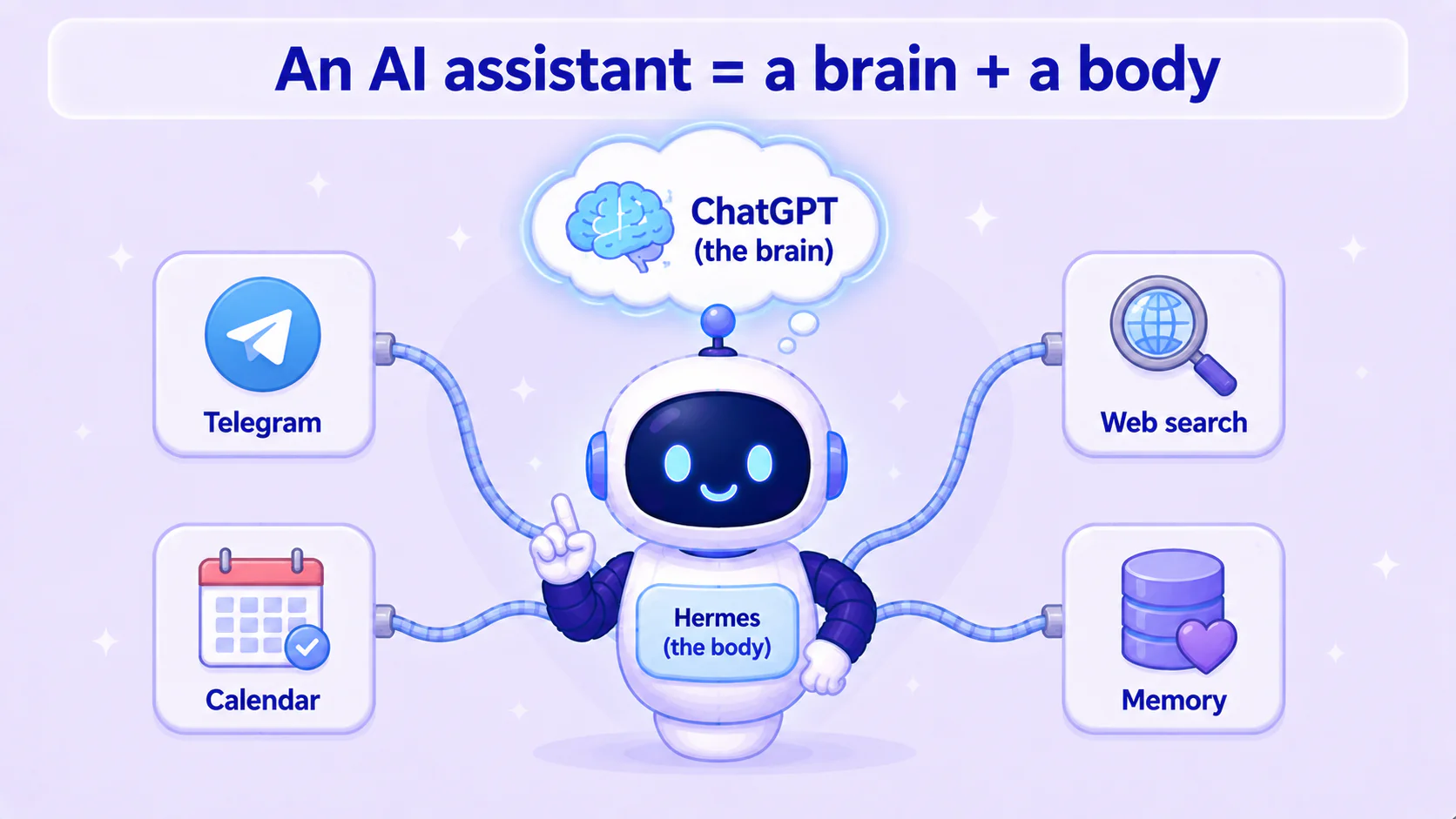
The brain: just use your ChatGPT, no need to choose
There are countless AI models, but you don't have to research them.
The reason is simple: you're probably already paying for ChatGPT. So use it as your assistant's brain — not a cent more per month, and you skip the "but which model is best" question that traps beginners.
Hermes supports signing in with your own ChatGPT account as the brain (through OpenAI's official login authorization — you're not handing over your password). Your existing ChatGPT subscription now powers a second assistant that does work for you.
Later you can swap in something stronger, or a free model running on your own machine. For your first setup, use the ChatGPT account you already have — it's the least hassle.
The body: just use Hermes
The body (the agent framework) is the same deal — as the last post said, this series picks Hermes for you, no comparing, no agonizing.
You only need to know a few things that make it beginner-friendly:
- Free and open source: no subscription, and the code is public.
- Runs on your own computer: your data stays with you, not on a rented service.
- Built-in memory, connects to messaging apps, runs on a schedule: all those "body" features from the last post come ready to go.
Pair the Hermes body with the ChatGPT brain and you've got an assistant that's yours.
Why "one fixed combo" is best for beginners
You might think: wouldn't it be better to leave the choice to me?
For a beginner, it's exactly the opposite. The more options up front, the easier it is to get stuck on "choosing" and never take the first step. Use one combo that works and go through the whole flow once, and you'll actually understand what this stuff does — and then you'll know whether you'd swap anything, and what.
So "ChatGPT + Hermes" isn't "the strongest combo," it's the easiest one to get started with. Get it working first, optimize later.
What it can do once it's installed
At first you'll probably have it do small things: summarize the news every morning, watch a price, look something up and report back.
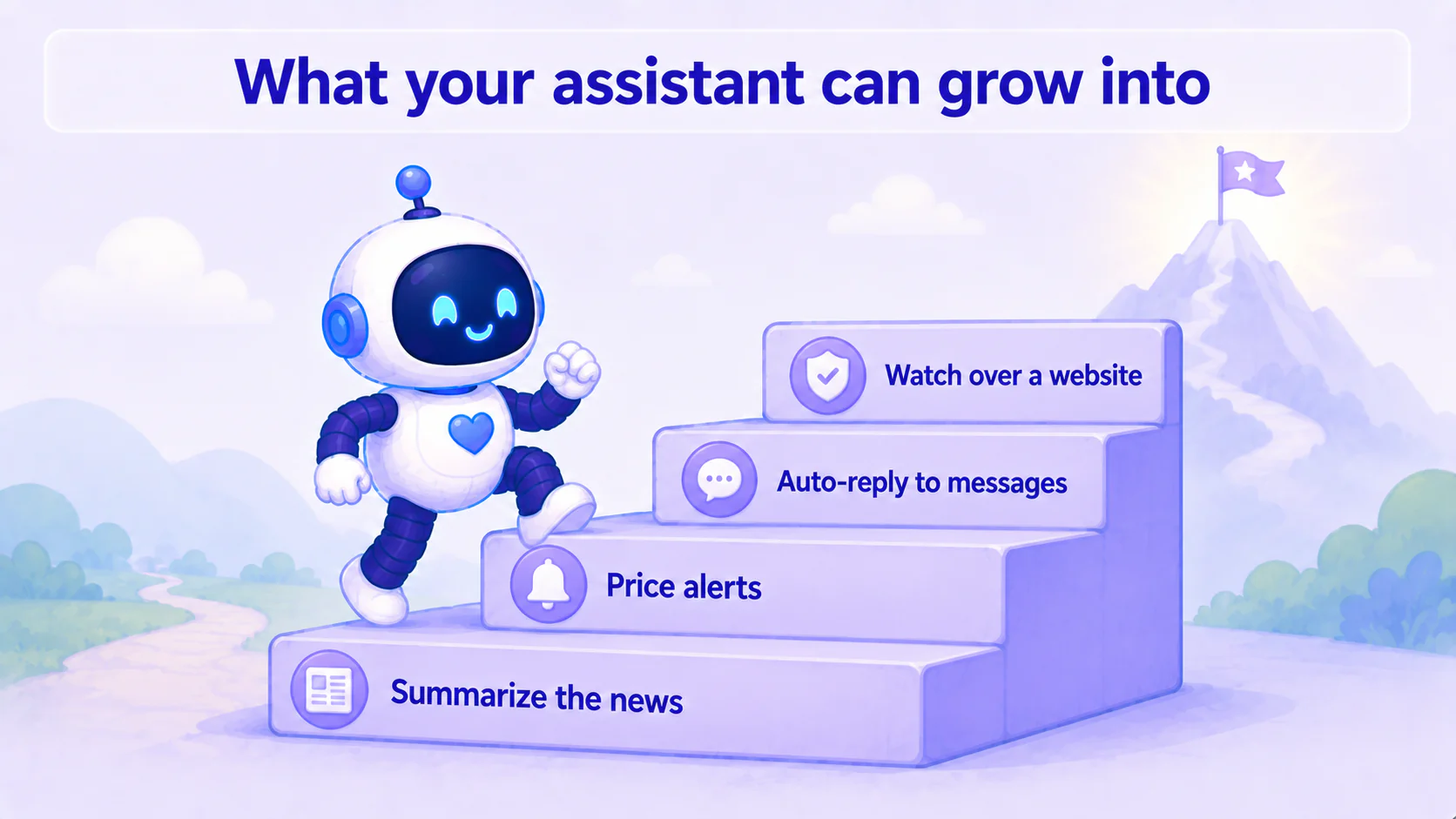
But the same assistant, with a little more setup, does more than you'd think. Two examples that "take some effort but are completely doable":
- Auto-reply to messages: hook it to your Telegram and let it handle some routine replies, or cover for you when you're busy.
- Keep an eye on a website: have it regularly check whether your site is down, handle issues when something's off, even schedule content updates.
These advanced capabilities take extra setup, but the point is — it can do them, and once it does, the whole thing still runs locally and is yours. This series gets the basics running first; the advanced stuff is there for when you're comfortable.
Before you install, get these two things ready
The next post is hands-on. Before then, have just two things ready:
- Your own computer — the one you already use is fine; the assistant runs on it.
- A paid ChatGPT account (Plus or Pro) — this is the source of your assistant's brain.
That's it. Other things — like a Telegram account, which you only need later to order the assistant around from your phone — can wait.
With those two ready, the next post installs Hermes and gets your first assistant running.
This series — AI Agent Life, from Zero:
- Part 1: AI assistant vs ChatGPT
- Part 2: What is an agent framework
- Part 3: The ChatGPT-brain + Hermes-body combo (this post)
- Part 4: Install Hermes Desktop
- Part 5: Connect Hermes to Telegram
- Part 6: Let your assistant run on its own
- Part 7: Give your AI assistant eyes and ears
FAQ
- What do the 'brain' and 'body' of an AI assistant mean?
- The brain is the AI model itself — the part that thinks and answers, like the model behind ChatGPT. The body is the layer that wraps that model and gives it memory and hands and feet (that's the agent framework — this series uses Hermes). Take that same brain, add a body, and it becomes an assistant that gets things done for you.
- Why use ChatGPT as the brain instead of picking some other model?
- Because you're probably already paying for ChatGPT. Using it as your assistant's brain costs nothing extra and saves you from researching a pile of models. For a beginner, one fewer decision means you get running faster.
- What do I need before I install?
- Just two things: your own computer, and a paid ChatGPT account (Plus or Pro). Other things — like a Telegram account — only matter later if you want to hook it to your phone, so don't worry about them yet.
Read next
- 2026-06-16[Agent 101 #4] How to install Hermes Agent Desktop: your first AI assistant, no terminal
Install the Hermes Agent desktop app — no terminal. Download it, let it auto-install dependencies, sign in with your ChatGPT account, and your first AI assistant is running in about 15 minutes.
- 2026-06-20[Agent 101 #10] Installed it, now what? Give your assistant hands — connect your own tools
Your assistant is installed, but right now it only talks — it's all mouth. This post gives it hands: connect tools so it actually checks your folders, runs your commands, calls services you wrote yourself. The key idea is MCP, the 'universal outlet' standard for tools — plug one in and the assistant can use it. All running on your side, connected to your own stuff.
- 2026-06-16[Agent 101 #6] Let your assistant run on its own: daily research that pings your Telegram
The last and most satisfying step: set up a task that runs itself. Tell it in plain words, and every day it researches what you care about, sums it up, and messages your Telegram. Set it once, close the laptop, and it pings you the next morning.
- 2026-06-16[Agent 101 #5] Use your AI assistant from your phone: connect Hermes to Telegram
Order your assistant around from your phone. Chat with one official Telegram bot, get a key (token), hand it to Hermes — done. No public URL, no webhook, no tunnel, because Hermes fetches messages from Telegram itself.
Don't miss the next one
Subscribe, and you won't.
One-click unsubscribe anytime.