AI Agent Life, from Zero · part 1
[Agent 101 #1] AI assistant vs ChatGPT: one answers you, one uses your tools to get things done
❯ cat --toc
- The plain version: why I wanted my own AI assistant
- Intro: the chat box is a help desk; the assistant is your personal secretary
- One scenario and you'll feel the difference immediately
- The assistant finishes the job with your own tools, not just an answer
- The assistant's memory is yours, not locked inside someone else's app
- The assistant runs on its own and comes find you when it's done
- The assistant plugs into the tools you use every day
- So do I need to code? No — that's the next post
TL;DR
You mostly open ChatGPT, ask one thing, and get one answer. An AI assistant (an "agent") wraps a layer around that same AI brain so it can finish tasks with your own tools, run on your side, and plug into the apps you use every day. ChatGPT has since added memory and scheduling too, but they live inside its own app; running your own assistant moves all of that onto your turf. This series takes you from zero — using the ChatGPT subscription you already have as the brain — to your own assistant.
The plain version: why I wanted my own AI assistant
There's an unremarkable little computer at my place running an AI assistant of my own. I send "tidy up what I should look at today" from Telegram on my phone, and a moment later it sends the summary back; I say "make me an image like this" and it goes and draws it.
The "brain" it uses is just the ChatGPT I was already paying for. The only difference is — instead of opening that chat page to talk to it, I've turned it into an assistant that does things for me on its own and remembers how I like things.
This series is about getting you to that same place. But before we start, one idea has to be clear: the ChatGPT you use every day is not the same thing as an "AI assistant". Get this and the rest won't trip you up.
Intro: the chat box is a help desk; the assistant is your personal secretary
Here's the analogy.
Opening ChatGPT to ask things is like walking up to the information desk at a department store. You ask, the person answers — polite and sharp. But their range is that desk: they answer what you ask; they won't take your house keys, run home, and turn off your gas. Everything they can do for you stays within the desk.
An AI assistant is more like your personal secretary. Just as smart, but it remembers you, knows your habits, goes off and handles what you ask, comes back to report — and sometimes does the routine stuff before you even ask.
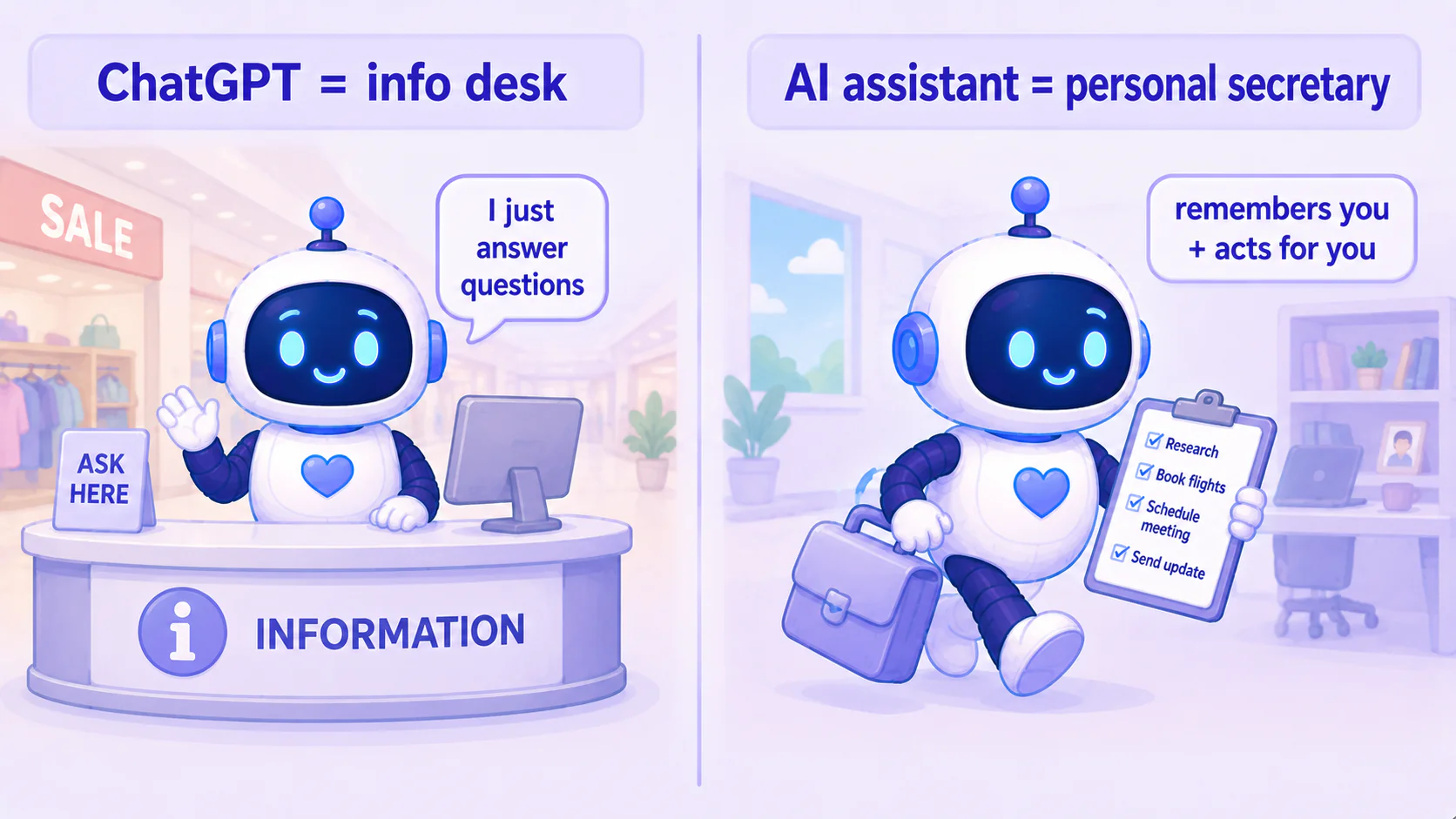
Behind both is the same brain (the same AI model). The difference is the layer wrapped around it — whether it can only stand at the desk and answer, or has hands and feet to go do things. This post pulls that difference apart.
One scenario and you'll feel the difference immediately
Say you've got your eye on a camera, but the current price is too steep — you want to wait for it to drop.
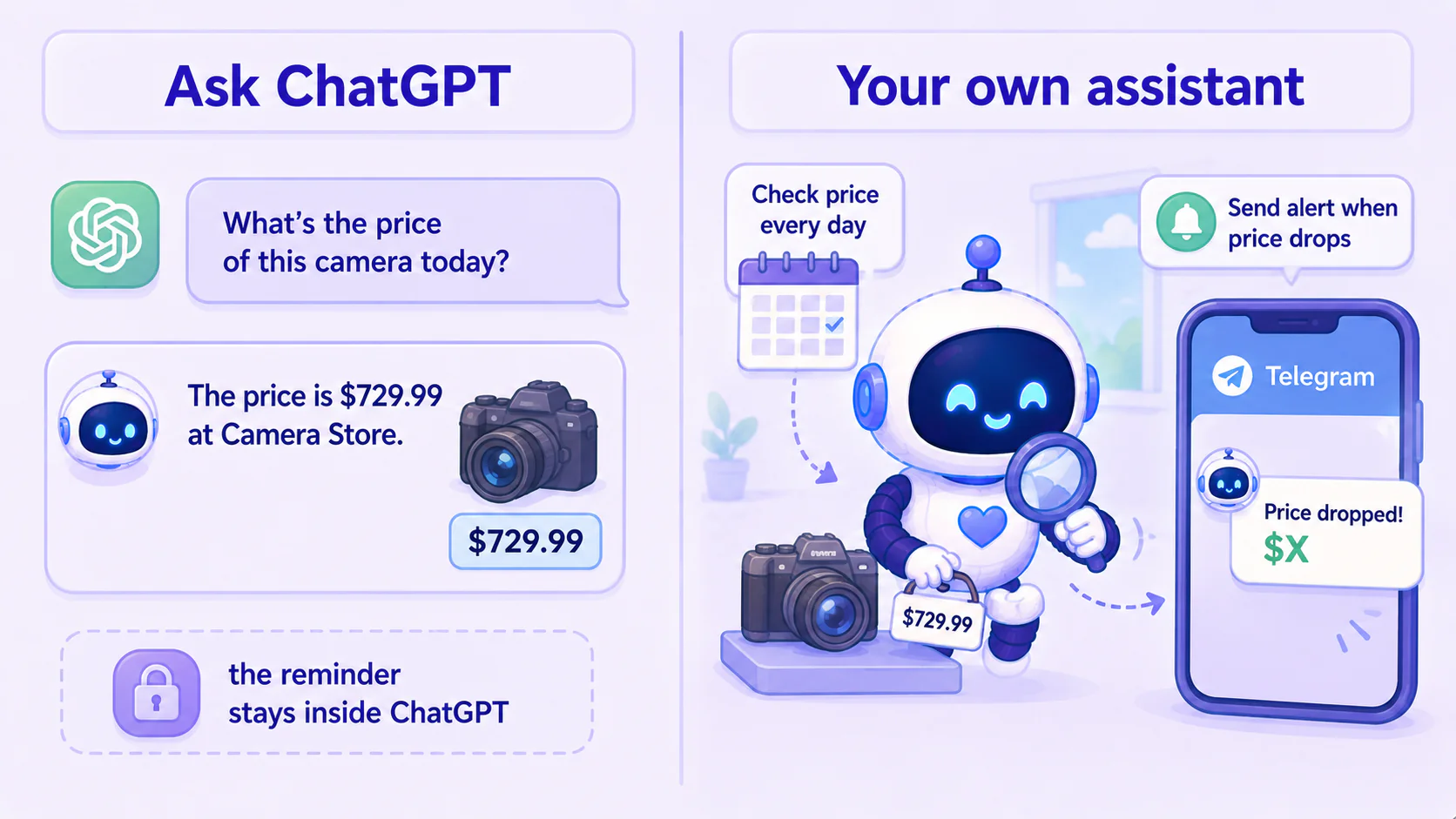
Ask ChatGPT: it'll helpfully tell you the going price, the historical low, and which sites to compare on. Even if you use its newer "scheduled tasks" to check once a day, that reminder still goes through ChatGPT's own notification or email — it all stays inside ChatGPT's flow.
Hand it to your own assistant: you say once, "watch this camera and tell me when it drops to $X." It checks daily on its own, and the moment it hits your price it sends you a Telegram message directly: "It dropped! It's $X now, here's the link." — delivered to the place you're already hanging out, no special app to go open.
See the difference? Same task: ChatGPT keeps the answer and the reminder on its own turf; your own assistant delivers the result to your side, on the tools you use every day. It remembers what you asked, runs on its own, uses tools to check, and pushes the result to your phone — and the whole thing is yours. Let's pull these apart one at a time.
The assistant finishes the job with your own tools, not just an answer
Ask ChatGPT "will it rain in Taipei tomorrow" and you'll get a nicely written answer. ChatGPT can now search the web and even do small online tasks too — but those actions happen on its own turf.
Your own assistant is different: it finishes the job with your own tools. Say "check tomorrow's Taipei weather and remind me to bring an umbrella if it'll rain," and it looks it up, puts the reminder into your own phone calendar, and pings your Telegram when it's done — wired into the things you use daily, not parked in a chat window waiting for you to come back.
The difference in one line: ChatGPT gives you an answer; your own assistant uses your tools to get the job done.
The assistant's memory is yours, not locked inside someone else's app
You might say: doesn't ChatGPT remember me now? True — it did add memory. But that memory is "its" — you can manage some of it, but it isn't a notebook on your side that you can pack up and take, and it only works while you're chatting with it.
An AI assistant's memory is a different thing: it has its own notebook, kept on your side. What you work on, how you like answers, the thing you left half-done last week — it remembers, and you can see, edit, and wire that notebook into your other tools.
So the difference isn't "remembers or not" — it's whose memory it is, and whether you can actually use it.
The assistant runs on its own and comes find you when it's done
ChatGPT later added "scheduled tasks" that run prompts on a timer and remind you. But what it can do, and where the result lands, are still boxed inside its own app.
Your own assistant is different: tell it "every morning at 7, hand me a summary of last night's important news," and it just runs — and the summary is delivered to where you wired it (sent to your Telegram, written to your calendar), not left sitting in a chat window for you to go open.
Your assistant goes from "a tool that waits for you to speak" to "a helper that moves on its own and brings the result to you." It can get things done while you sleep.
The assistant plugs into the tools you use every day
ChatGPT is still mostly used through its official site or app — you usually have to go open it.
An AI assistant can plug into the tools you already use. The most common one is a messaging app — I hooked mine to Telegram, so I can order it around from the same place I text friends, no separate web page. It can also plug into your calendar, your inbox, the things you touch daily.
In short: ChatGPT wants you to go open it; the assistant shows up where you already are.
So do I need to code? No — that's the next post
By now you might be thinking: this sounds great, but isn't this "remembers, runs on its own, uses tools" stuff something only an engineer can build?
It used to be. Years ago you'd have to write code to chain "receive message → ask AI → get answer → store it → run on a schedule" step by step, and fix it yourself when it broke. For non-coders, the bar was high.
Not anymore. Someone has packaged all that hassle into a ready-made tool you just install and use. This series uses one of them — it's called Hermes.
Next post: why you should just use a ready-made one instead of wiring code yourself — and then we start building.
This series — AI Agent Life, from Zero:
- Part 1: AI assistant vs ChatGPT (this post)
- Part 2: What is an agent framework
- Part 3: The ChatGPT-brain + Hermes-body combo
- Part 4: Install Hermes Desktop
- Part 5: Connect Hermes to Telegram
- Part 6: Let your assistant run on its own
- Part 7: Give your AI assistant eyes and ears
FAQ
- What's the difference between an AI assistant (agent) and ChatGPT?
- ChatGPT is a chat box: you ask, it answers, and it stays focused on answering. An AI assistant wraps a layer around that same chat ability so it can act — use tools (send messages, look things up, run on a schedule), finish a task, and do it on your side, hooked to your own tools. Same AI brain; the difference is the 'hands and feet' wrapped around it.
- Do I need to know how to code to have my own AI assistant?
- No. Early on you did have to wire every step together yourself, but today there are ready-made tools (this series uses Hermes) that have done that for you — you just install and use it. The next few posts walk you through the install step by step.
- Is running my own AI assistant expensive?
- This series uses the ChatGPT account you already subscribe to as the assistant's brain, so you don't pay per answer on top. Same monthly fee, plus an assistant that actually does things for you.
Read next
- 2026-06-16[Agent 101 #4] How to install Hermes Agent Desktop: your first AI assistant, no terminal
Install the Hermes Agent desktop app — no terminal. Download it, let it auto-install dependencies, sign in with your ChatGPT account, and your first AI assistant is running in about 15 minutes.
- 2026-06-16[Agent 101 #3] The fixed combo we'll use: ChatGPT as the brain, Hermes as the body
An AI assistant = a brain + a body. Use your ChatGPT account as the brain and Hermes as the body — one fixed combo, nothing to choose. Here's why it's set up this way, and what to have ready before you install.
- 2026-06-20[Agent 101 #10] Installed it, now what? Give your assistant hands — connect your own tools
Your assistant is installed, but right now it only talks — it's all mouth. This post gives it hands: connect tools so it actually checks your folders, runs your commands, calls services you wrote yourself. The key idea is MCP, the 'universal outlet' standard for tools — plug one in and the assistant can use it. All running on your side, connected to your own stuff.
- 2026-06-16[Agent 101 #6] Let your assistant run on its own: daily research that pings your Telegram
The last and most satisfying step: set up a task that runs itself. Tell it in plain words, and every day it researches what you care about, sums it up, and messages your Telegram. Set it once, close the laptop, and it pings you the next morning.
Don't miss the next one
Subscribe, and you won't.
One-click unsubscribe anytime.