AI Agent Life, from Zero · part 2
[Agent 101 #2] What is an agent framework? Why you shouldn't roll your own — just use one that exists
❯ cat --toc
- The plain version: I did it the hard way first, then gave up
- Build a house, or move into one that's already built
- What "writing your own code" actually means
- The real problem with rolling your own: you become a full-time repairman
- An agent framework is that whole bundle, pre-assembled by someone else
- Don't burn time picking "the best one" — pick one and get it running
- Using a ready-made one — it's still yours
TL;DR
There are two ways to get your own AI assistant: write the code yourself, wiring every step together by hand (tedious, and it keeps breaking), or use a ready-made bundle of all that plumbing — which is what an agent framework is. The framework already did the annoying parts; you install it and it runs. This series uses a free one called Hermes. The key move: don't burn time comparing "which framework is best" — pick one that works and get it running.
The plain version: I did it the hard way first, then gave up
After the last post — how an assistant differs from a chat box — the obvious next question is: so how do I get one?
Honestly, I started by doing it the hard way: writing my own code to wire up "receive a message → ask the AI → store memory → run on a schedule," one piece at a time. It worked. But I spent far more time fixing it than using it. Then I switched to a ready-made bundle, and the same thing got so much easier that I half-regretted ever hand-rolling it.
This post is me handing you the shortcut I didn't take: you don't need to write code — just use one that exists. First I'll show you what "writing it yourself" actually means and why it's a bad deal, then what the ready-made option is.
Build a house, or move into one that's already built
Picture it this way.
You want a house. You could buy the bricks, lay the walls, and run the plumbing yourself. It's doable — but you have to know a lot, and the day a pipe bursts, you're the one crawling under the floor to fix it.
Or you move into a house that's already built. Plumbing works, furniture's in place, you walk in with your bags and live there.
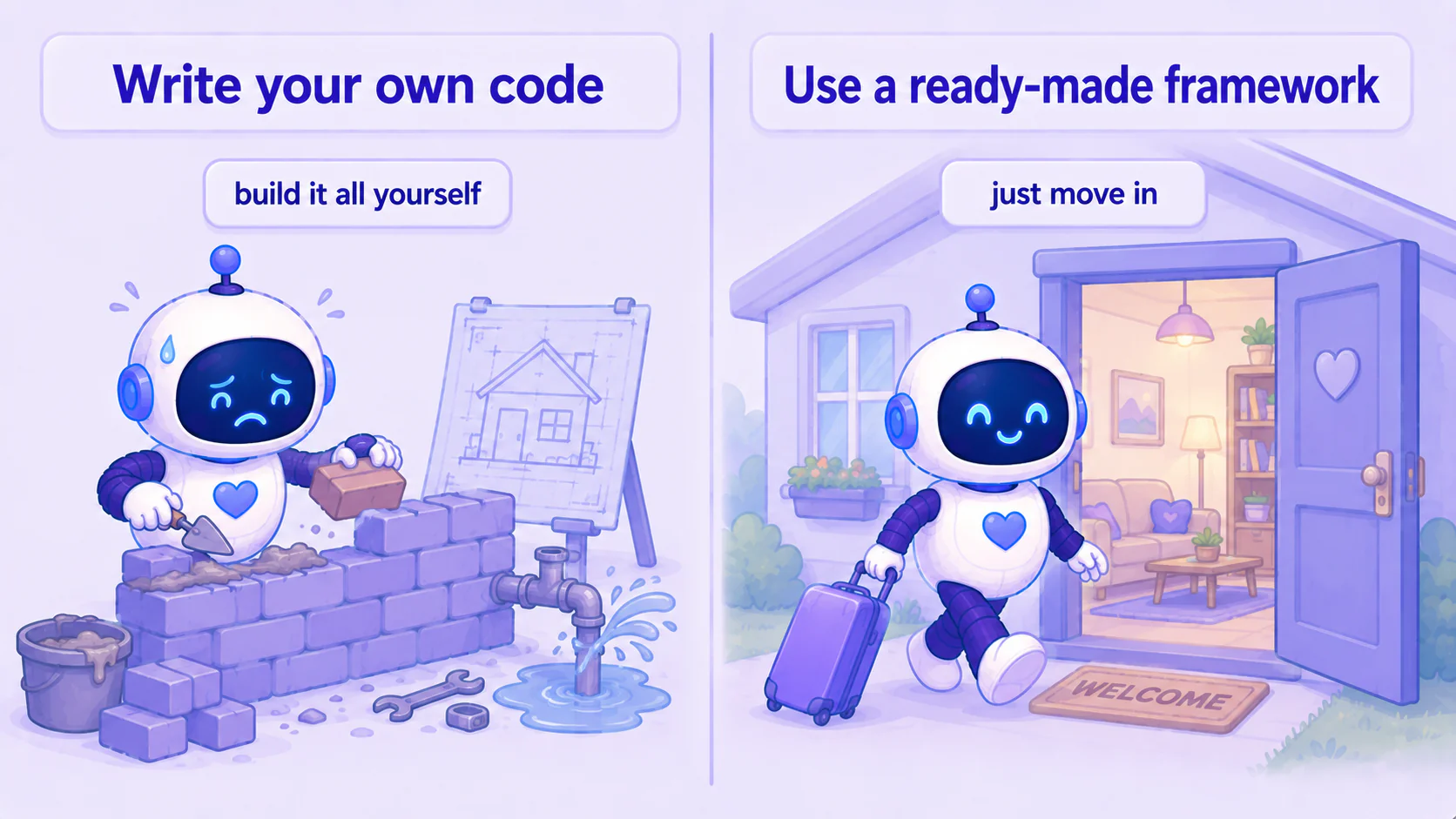
Getting an AI assistant is the same choice. "Write your own code" is building the house; "use a ready-made framework" is moving into one. For a beginner the answer is obvious — and here's why.
What "writing your own code" actually means
You'll often hear "just write a little script to glue it together." If you've never coded, that sentence is meaningless. Let me unpack it in plain terms.
For an AI assistant to work, there's a chain of steps running underneath:
- A message comes in → something has to catch it
- Once caught → the message has to be handed to the AI to process
- The AI answers → the answer has to be sent back to you
- Anything important → has to be stored, so it's remembered next time
- When nobody's talking to it → it still has to run on a timer by itself
"Writing your own code" means: you personally write every one of those steps in code and wire them together. Each one is a little program you own.
Sounds tiring already, right? And that's just the start.
The real problem with rolling your own: you become a full-time repairman
Even if you grit your teeth, write every piece, and get it running — that's when the real trouble starts.
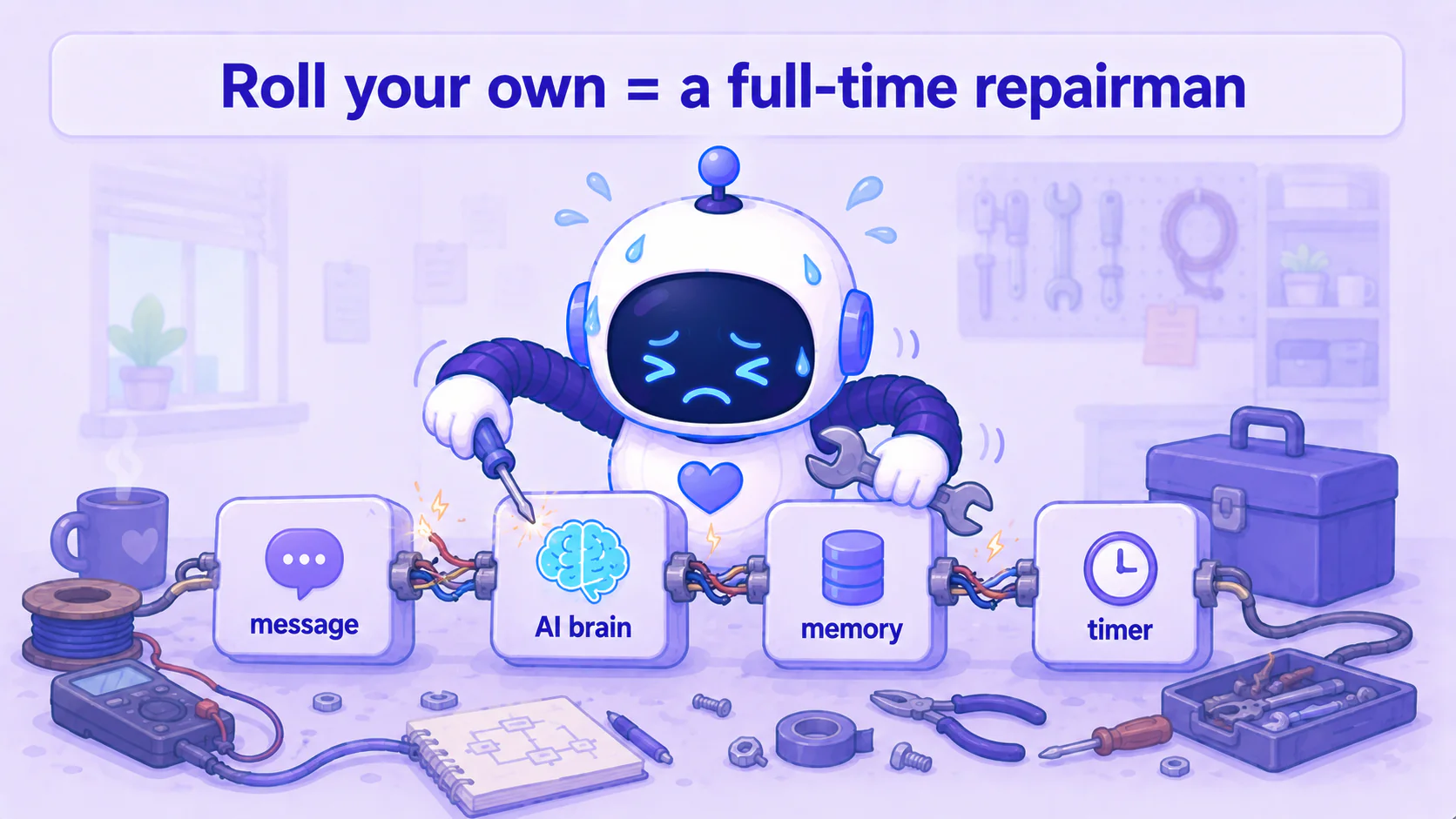
Because these things break. The AI provider ships an update and your integration stops working. Your messaging app changes and you have to keep up. Something falls over at 3am and nobody's coming to help — you get up and fix it.
So the thing you wanted — an assistant that does work for you — turns into you doing full-time maintenance on a machine that loves to break. You spend more effort keeping it alive than it ever saves you.
That's why, unless you're already an engineer and you enjoy this, rolling your own from scratch usually isn't worth it.
An agent framework is that whole bundle, pre-assembled by someone else
The good news: all that plumbing has already been built for you.
Someone took "catch the message, ask the AI, store memory, run on a schedule" and assembled all the parts into one package, and handled the fragile bits that love to break. You install that package and it runs. That pre-assembled bundle is an agent framework (think of "framework" as a toolkit where the parts are already wired together).
With a framework, your role goes from "the worker building the house" to "the resident moving in." You don't need to know how to lay bricks — just how to open the door and use the furniture inside.
The framework this series uses is Hermes. It's free and open source (the code is public, anyone can use it), and from the next post on I'll walk you through actually installing it.
Don't burn time picking "the best one" — pick one and get it running
Search around and you'll find there's more than one of these frameworks, and every one has someone claiming it's the best. Beginners get stuck right here, comparing endlessly, getting more anxious, and installing nothing.
My advice is simple: at this stage, don't compare.
When you're starting out, "which one is theoretically strongest" doesn't matter at all. What matters is whether you actually installed one and started using it. One framework that runs, has clear docs, and an active community is more than enough. Once you're comfortable and know what you actually need, there's plenty of time to look at the others.
So this series picks for you: we're using Hermes. Not because it's "objectively the strongest," but because it's good enough and smooth enough to get you from zero to "there's an assistant actually doing things for me" the fastest. Save the comparison shopping for later, when the decision actually matters.
Using a ready-made one — it's still yours
Last, a common worry: if I use someone else's framework, is the assistant still "mine"?
Yes, completely. Hermes is free and open source. It runs on your own computer, uses your own account as the brain, and what it remembers is stored locally. Nobody's taking a cut in the middle, and it's not a service you're renting. (Your prompts still go to whichever model you chose to be processed — same as when you use ChatGPT normally.)
You just skipped the work of building one from scratch; the whole thing is yours end to end. It's like buying a pre-built computer — you didn't plug in every component yourself, but it's 100% your computer.
Next post (Part 3): I'll lay out the fixed combo this series uses — Hermes as the body, the ChatGPT subscription you already have as the brain — plus what to get ready before we install.
This series — AI Agent Life, from Zero:
- Part 1: AI assistant vs ChatGPT
- Part 2: What is an agent framework, and why not roll your own (this post)
- Part 3: The ChatGPT-brain + Hermes-body combo
- Part 4: Install Hermes Desktop
- Part 5: Connect Hermes to Telegram
- Part 6: Let your assistant run on its own
- Part 7: Give your AI assistant eyes and ears
FAQ
- What is an agent framework?
- It's a ready-made bundle of all the plumbing an AI assistant needs. To turn a plain AI model into something that remembers you, uses tools, and runs on its own, a lot of parts have to be wired together. A framework wires them for you and ships it as one package — you install it and it works, no coding from scratch. This series uses one called Hermes.
- Can I just build my own AI assistant in code?
- You can, but it's usually not worth it. Rolling your own means writing every step yourself and fixing it yourself when it breaks — you end up spending more time maintaining it than using it. A ready-made framework already did that work. For a beginner, just use one.
- If I use a ready-made framework, is the assistant still mine?
- Yes. The framework is free and open source, it runs on your own computer, it uses your own account as the brain, and what it remembers is stored on your side. (Your prompts still go to whichever model you picked to be processed — same as using ChatGPT normally.) You just skipped the work of building one from scratch; the thing is entirely yours.
Read next
- 2026-06-20[Agent 101 #10] Installed it, now what? Give your assistant hands — connect your own tools
Your assistant is installed, but right now it only talks — it's all mouth. This post gives it hands: connect tools so it actually checks your folders, runs your commands, calls services you wrote yourself. The key idea is MCP, the 'universal outlet' standard for tools — plug one in and the assistant can use it. All running on your side, connected to your own stuff.
- 2026-06-16[Agent 101 #6] Let your assistant run on its own: daily research that pings your Telegram
The last and most satisfying step: set up a task that runs itself. Tell it in plain words, and every day it researches what you care about, sums it up, and messages your Telegram. Set it once, close the laptop, and it pings you the next morning.
- 2026-06-16[Agent 101 #5] Use your AI assistant from your phone: connect Hermes to Telegram
Order your assistant around from your phone. Chat with one official Telegram bot, get a key (token), hand it to Hermes — done. No public URL, no webhook, no tunnel, because Hermes fetches messages from Telegram itself.
- 2026-06-16[Agent 101 #4] How to install Hermes Agent Desktop: your first AI assistant, no terminal
Install the Hermes Agent desktop app — no terminal. Download it, let it auto-install dependencies, sign in with your ChatGPT account, and your first AI assistant is running in about 15 minutes.
Don't miss the next one
Subscribe, and you won't.
One-click unsubscribe anytime.