AI Agent Life, from Zero · part 6
[Agent 101 #6] Let your assistant run on its own: daily research that pings your Telegram
❯ cat --toc
- The plain version: from "acts when you ask" to "comes and finds you"
- The payoff first: here's what it sends you every day
- Step 1: Set up a task that "runs itself" (again, just tell it)
- Step 2: Step away and go live your day
- Then wait for the next morning
- How far it goes: what people have already built with it
- What you've got by the end of the series
TL;DR
The last step, and the most fun. You've installed your assistant and connected it to your phone, but right now it only acts when you poke it. This post fixes that: set up a task that runs itself — tell it in plain words, and every day it researches what you care about, sums it up, and pings your Telegram on its own. Set it once, step away, go live your day, and the next morning your phone buzzes — it's your assistant. Going from "a tool that waits for you" to "a helper that moves on its own and brings you the result" is the moment it really clicks.
The plain version: from "acts when you ask" to "comes and finds you"
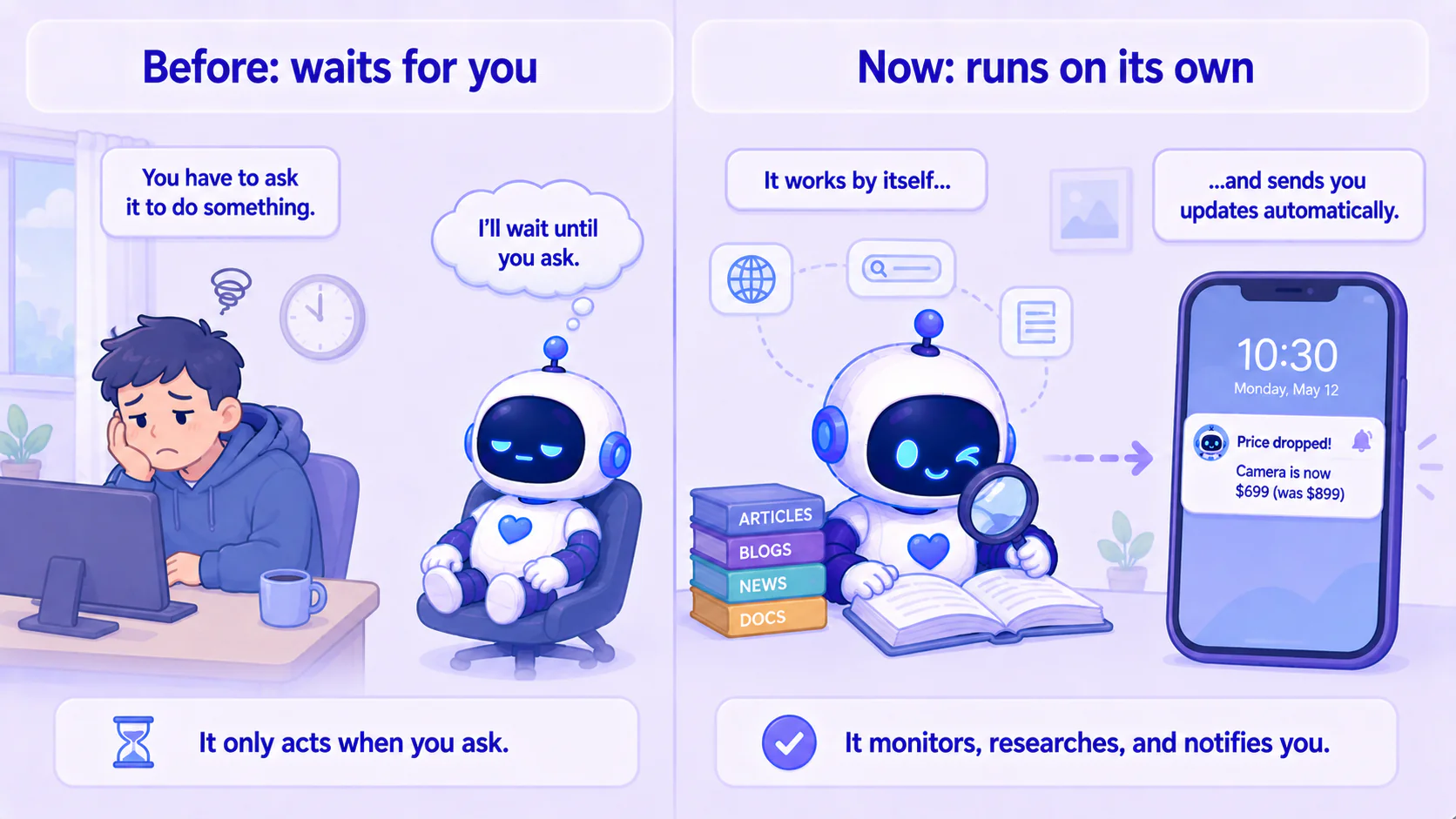
In the last post you connected your assistant to Telegram, so your phone can command it. But up to now it's still waiting for you to speak — you ask, it answers.
This post takes the final step, and the one with the biggest payoff: make it act on its own. You set it up once, and every day it goes online, researches, sums up, and messages your Telegram on its own. It gets things done while you sleep.
And the way you set it up will make you laugh — you just tell it.
The payoff first: here's what it sends you every day
Picture setting up, once: "Every morning at 8, check what's new in the things I care about and sum it up into the key points."
The next morning, while you're still in bed, your phone buzzes on Telegram — it's your assistant:
Morning. Three worth your time today:
- …
- …
- …
You didn't open a computer, you didn't type. It went online, researched, summed up, and sent it. Here's how to set that up.
Step 1: Set up a task that "runs itself" (again, just tell it)
Hermes scheduled tasks are set up by plain words. Open the desktop app, or just message it from Telegram on your phone:
Set up a scheduled task: every morning at 8, go online and check what's new in "(the topic you care about — e.g. new AI tools / how a team is doing / an industry you follow)", sum it up into three to five key points, and send it to my Telegram.
It saves that. Under the hood, the always-on background service (the gateway) checks the schedule once a minute, and when it's time, it kicks off a separate task to go online, research, sum up, and send it to you.
It understands plain-language schedules: "every weekday at 9am," "Mondays and Thursdays at 6pm," "every hour" — all fine.
Step 2: Step away and go live your day
Once it's set, there's nothing left for you to do. The gateway watches the schedule in the background, so you don't keep the Hermes window open or sit at the computer — you just need that computer to be awake (not shut down).
Heads-up: scheduling runs off the gateway on that computer, so it has to stay on. If you want it to fire even while the machine sleeps, set the computer to not sleep, or just give it a home on a machine that rarely shuts down.
Then wait for the next morning
8am the next day, your phone buzzes — your assistant, sending today's key points on its own. You gave no command, you weren't at the computer; it ran itself and came to find you.
This is the moment you really feel it: this isn't a chat box you have to poke, it's an assistant that does work for you.
How far it goes: what people have already built with it
What you just did (daily research, proactive report) is the entry level. The same Hermes — here's what people have already taken it to, so you can picture how big your assistant could grow:
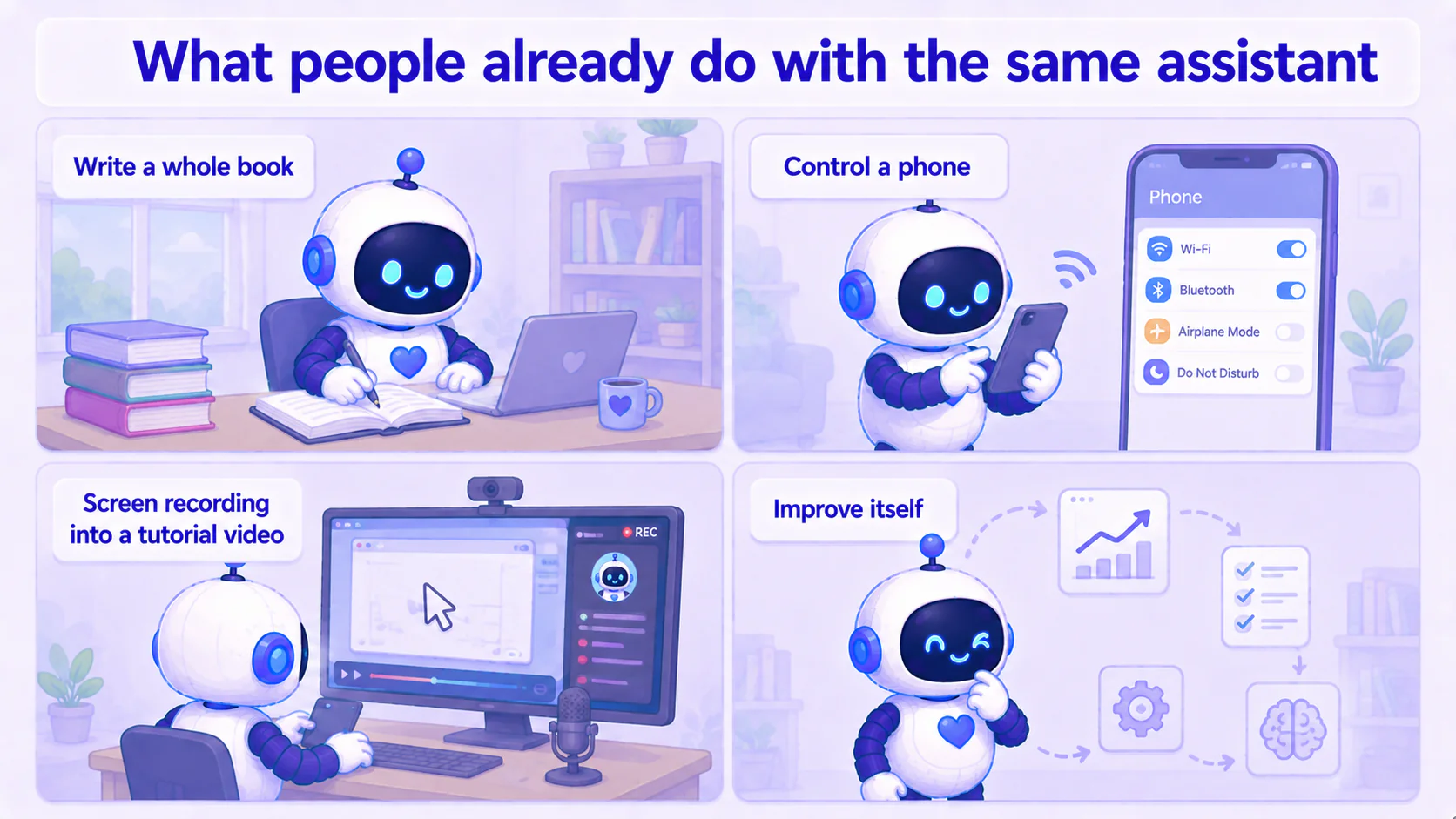
- Author a whole book: people have used Hermes to produce a novel end to end — audiobook and website auto-generated too.
- Control a phone: people let it operate an Android phone straight from chat — tap, swipe, screenshot, read the screen.
- Turn a screen recording into a tutorial: hand it a screen capture and it edits it into a how-to video.
- Make itself better: it reads back its own session history, spots weak skills, and proposes new skills.
These are real cases (links at the bottom). The point isn't to go do them now — it's to know that the little assistant sending you three bullets each morning is the same framework as all of that. How big it grows is up to how far you want to take it.
What you've got by the end of the series
From the first post to here, you've pulled off something a lot of people assume takes an engineer:
- You understand how an assistant differs from a chat box, and why you use a ready-made framework;
- You stood up an assistant that's your own, with ChatGPT as the brain and Hermes as the body;
- You connected it to your phone over Telegram, so you can command it on the go;
- And finally you made it run on its own, coming to find you every day.
And the whole thing runs on your own computer, with your own account, with your data staying local. What's left is just taking it further.
This series — AI Agent Life, from Zero:
- Part 1: AI assistant vs ChatGPT
- Part 2: What is an agent framework
- Part 3: The ChatGPT-brain + Hermes-body combo
- Part 4: Install Hermes Desktop
- Part 5: Connect Hermes to Telegram
- Part 6: Let your assistant run on its own (this post)
- Part 7: Give your AI assistant eyes and ears
Further reading (ceiling cases): Hermes User Stories, awesome-hermes-usecases
FAQ
- How do I make Hermes run a task every day on its own?
- Use its scheduled-task feature, and just say it in plain words. For example: 'Every day at 8am, look up the latest on X, sum it up into a few bullets, and send it to my Telegram.' It saves that and runs it on time, every day. Under the hood a background service (the gateway) checks the schedule every minute.
- Once it's set up, does my computer have to stay on?
- Scheduling is handled by the background gateway, so that computer needs to be awake (or set to stay on / run while sleeping). You don't have to sit at the computer or keep the Hermes window open, but the machine itself has to be awake for the task to fire.
- How complex can an autonomous task get?
- From small things like daily news roundups and price-watching, all the way to maintaining a website or authoring a whole book — people do all of it with the same Hermes. This post gets the simplest 'daily research + proactive report' running; the advanced stuff is there once you're comfortable.
Read next
- 2026-06-20[Agent 101 #10] Installed it, now what? Give your assistant hands — connect your own tools
Your assistant is installed, but right now it only talks — it's all mouth. This post gives it hands: connect tools so it actually checks your folders, runs your commands, calls services you wrote yourself. The key idea is MCP, the 'universal outlet' standard for tools — plug one in and the assistant can use it. All running on your side, connected to your own stuff.
- 2026-06-16[Agent 101 #5] Use your AI assistant from your phone: connect Hermes to Telegram
Order your assistant around from your phone. Chat with one official Telegram bot, get a key (token), hand it to Hermes — done. No public URL, no webhook, no tunnel, because Hermes fetches messages from Telegram itself.
- 2026-06-16[Agent 101 #4] How to install Hermes Agent Desktop: your first AI assistant, no terminal
Install the Hermes Agent desktop app — no terminal. Download it, let it auto-install dependencies, sign in with your ChatGPT account, and your first AI assistant is running in about 15 minutes.
- 2026-06-16[Agent 101 #3] The fixed combo we'll use: ChatGPT as the brain, Hermes as the body
An AI assistant = a brain + a body. Use your ChatGPT account as the brain and Hermes as the body — one fixed combo, nothing to choose. Here's why it's set up this way, and what to have ready before you install.
Don't miss the next one
Subscribe, and you won't.
One-click unsubscribe anytime.