MiniMax-H3 on RTX 5090 · part 18
How to run Viggle Remake character swap on an RTX 5090 (int8, ComfyUI)
❯ cat --toc
- What you need: a single 32 GB RTX 5090 and about 42 GB of checkpoints
- How to run a Viggle Remake swap on a 5090, step by step
- Step 1: Install the node pack
- Step 2: Download the int8 checkpoints
- Step 3: Fix up the official workflow
- Step 4: Cut the source to 24 fps and a legal frame count
- Step 5 (optional): Crop in on the person
- Step 6: Make the character and the painted frames
- Step 7: Write the six-part prompt
- Step 8: Set the sampler and run
- Remake beats my hand-built swap 89 to 74, and the background makes the difference
- Real footage: a 30-second dance becomes two 12.25 s grandma clips that both score 80
- Changing the scene: two passes win in a rainy qilou arcade and tie at a night market
- Deep dive: full scores, timing, VRAM and every defect I logged
- Run count and what's comparable
- Blind comparison setup
- Time and VRAM
- Real-footage swap, per window
- Scene change, every defect
- Judge caveats
- Sources and credits
- Also in this series
TL;DR
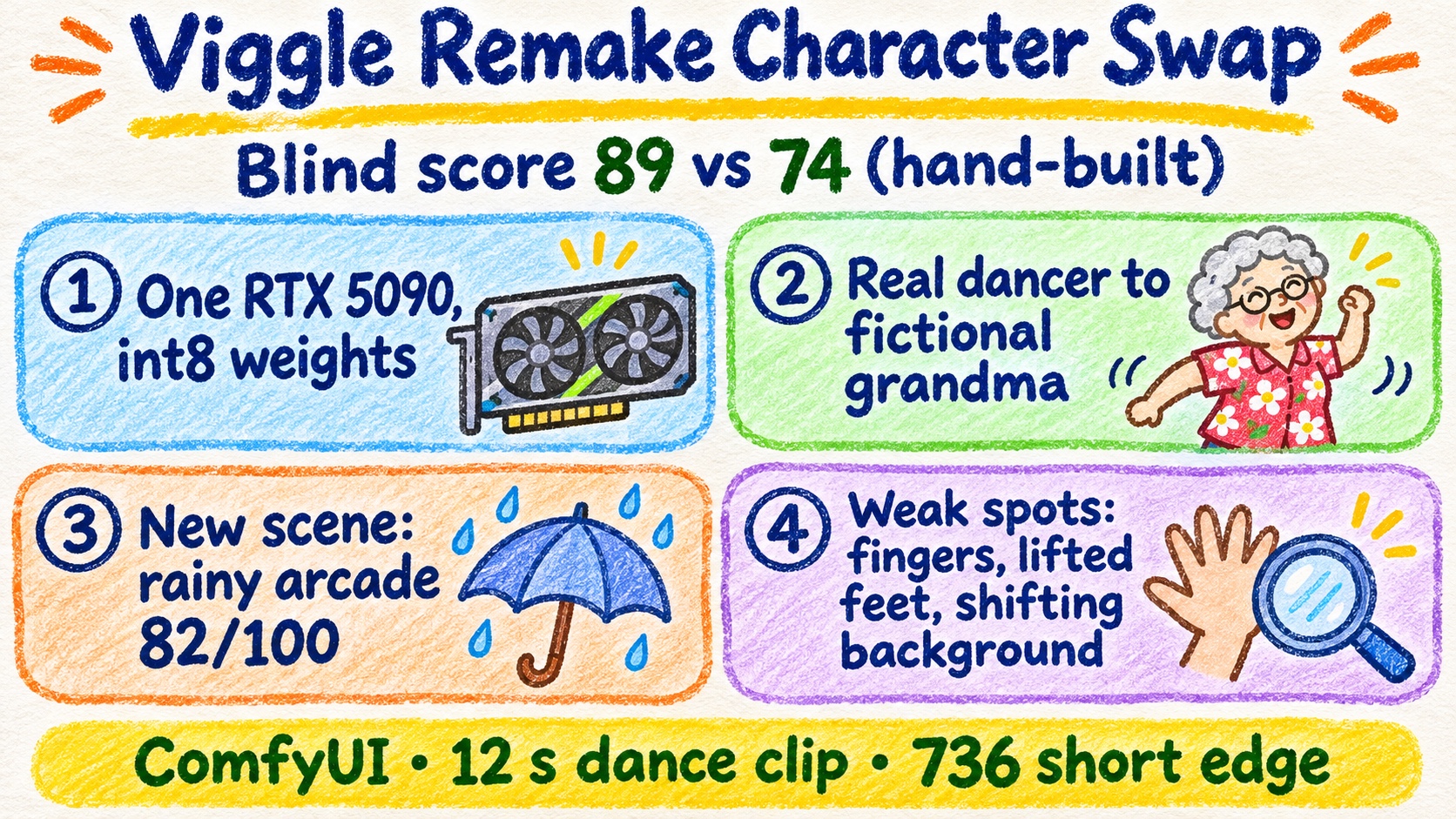
Viggle Remake (Viggle's weights trained on MiniMax-H3) runs on a single 32 GB RTX 5090 in ComfyUI with the int8 checkpoints, about 21 GB each with the LoRA merged. In a blind comparison on the same 294-frame clip, a local vision model scored it 89 vs 74 against my hand-built SAM mask + H3 Character Swap, and it finished sooner: about 181 s vs 236 s. A real 12.25 s dance at short edge 736 takes about 603 s per clip. Caveat: one seed per version, judged from extracted frames only.
Left: the original dancer. Right: a fictional grandma generated with Qwen-Image 2.1, swapped in by Viggle Remake swap mode. Short edge 736, 12.25 s. Source dance: “DAME HOMBRO Give Me a ShoulderDance Trend tutorial” by JD Dance Tutorial on YouTube
Swapping the person in a video used to mean a pipeline: segment the person with SAM, mask them out, have H3 Character Swap draw the new character, then live with whatever the inpainting does to the background. I built that pipeline. Then Viggle Remake came out: Viggle's weights trained on top of MiniMax-H3, which take the original video, 1 to 4 painted frames and a six-part prompt, and do the swap in one model.
It has two modes. swap replaces the person. edit changes other things, such as the background, and keeps the person.
So I put it on my RTX 5090, took a dance tutorial clip and replaced the dancer with a grandma who doesn't exist. Then I ran it blind against my hand-built pipeline. Remake won 89 to 74, and finished sooner. This post is how to set it up and run it yourself.
What you need: a single 32 GB RTX 5090 and about 42 GB of checkpoints
My setup:
- GPU: a single RTX 5090, 32 GB
- ComfyUI 0.37.0, PyTorch 2.13.0+cu130. Viggle's official test version is ComfyUI 0.42.0.
- Disk: two int8 checkpoints, 20,970,379,616 bytes each, plus the text encoder and two VAEs
The checkpoints are already pruned to int8 with the LoRA merged in. You load one file and attach no LoRA.
| Role | File | Notes |
|---|---|---|
| Swap model | viggle_remake_swap_pruned_int8_convrot.safetensors | LoRA merged |
| Edit model | viggle_remake_edit_pruned_int8_convrot.safetensors | LoRA merged |
| Text encoder | qwen3vl_32b_minimax_h3_nvfp4_awq.safetensors | Load CLIP, type minimax |
| VAE | minimax_h3_video_vae_fp16.safetensors, minimax_h3_audio_vae_fp32.safetensors |
If you only want to replace a person, you only need the swap checkpoint. The edit checkpoint is for changing the scene afterward.
How to run a Viggle Remake swap on a 5090, step by step
ComfyUI is an open-source program where you build a generation pipeline by wiring nodes together. Work through these steps and you end up with the same dance video, with your character dancing in it. This part is written for people who already have a 5090 and have installed ComfyUI before. If you haven't, skip ahead to the results first.
Step 1: Install the node pack
hf download Viggle/Viggle-Remake --include "comfyui/*" --local-dir ./Viggle-Remake
cp -r Viggle-Remake/comfyui/ComfyUI-Viggle-Remake custom_nodes/
On ComfyUI 0.37.0 the pack won't load, because 0.37.0 has no comfy.audio. I added a torchaudio resample fallback inside the node pack, and after that it loaded. Viggle tested on 0.42.0, so on a newer ComfyUI you may not hit this.
Step 2: Download the int8 checkpoints
hf download Viggle/Viggle-Remake --include "int8/viggle_remake_swap_pruned_int8_convrot.safetensors" --local-dir ./Viggle-Remake
hf download Viggle/Viggle-Remake --include "int8/viggle_remake_edit_pruned_int8_convrot.safetensors" --local-dir ./Viggle-Remake
mv Viggle-Remake/int8/*.safetensors models/diffusion_models/
Put the text encoder and the two VAEs from the table above in their usual ComfyUI model folders.
Step 3: Fix up the official workflow
Open comfyui/workflows/remake_swap_ui.json. It ships with a Load Diffusion Model node plus a LoRA loader. Replace both with one Load Diffusion Model that loads the int8 checkpoint, and wire it into Viggle Remake Keyframe Until. In Load CLIP, set the type to minimax.
Step 4: Cut the source to 24 fps and a legal frame count
Remake only takes frame counts of the form 17n+5, from 90 to 345. I used 294 frames (17×17+5), which is 12.25 s at 24 fps. Convert to 24 fps first, then trim:
ffmpeg -i dance.mp4 -r 24 dance-24fps.mp4
ffmpeg -i dance-24fps.mp4 -frames:v 294 source.mp4
The official docs list 480 and 736 as the two standard short_edge settings. The node itself accepts anything from 480 to 736 in steps of 32; I only ran 480 and 736.
Step 5 (optional): Crop in on the person
If you skip this, the node scales the video to fit and center-crops it. In a wide dance shot that leaves the dancer small in the frame.
My source was a fixed camera, so I found the person in each frame by background subtraction, smoothed the box center over 21 frames, and cropped to a vertical frame: person height targeted at 78%, capped at 85%, with at least 3% margin on every side, output 736×1280. After cropping, the person averaged about 78% of frame height (77.85% and 77.37% for the two windows I ran).
The original is 832×480, so the crop gives the model a bigger person to work with. It doesn't add any detail the original didn't have.
Step 6: Make the character and the painted frames
The new character needs a reference image. My grandma is fictional, generated with Qwen-Image 2.1 int8 and the 4-step Turbo LoRA Qwen-Image-2.1-viggle-turbo-4step-lora-r64.safetensors at 768×1152: about 70, short curly gray-white hair, a red floral short-sleeve top, dark trousers, white canvas shoes.
Then make the painted frames: frames from your source with the new character already painted in. I made mine with Qwen-Image 2.1 int8 edit, 40 steps, CFG 1, feeding it the source frame plus the character image. You can use 1 to 4. I used two, pinned at frames 73, 144 (00:03.042 and 00:06.000).
Step 7: Write the six-part prompt
The prompt has six sections, in this order:
subject_definitionssummaryretention_analysisdetailed_descriptionoverall_soundscapenon_diegetic_music
Refer to inputs with the tags <Video 1>, <Picture N> and <Subject N>. Four things mattered:
- Describe the finished video. Don't write instructions to the model.
retention_analysisgets followed literally, so only put in it what you actually want kept.- Any timestamps you write have to line up with the frame count.
- You don't need to copy anyone's prompt word for word. Tell Claude what the person, the character and the timing are, and have it draft the six sections in this format.
Step 8: Set the sampler and run
| Setting | Value |
|---|---|
| pins | 73, 144 |
| keyframe_until | 0.9 |
| sampler | euler, 6 steps |
| seed | 904239 |
| swap sigmas | 1.0, 0.990476, 0.965243, 0.923077, 0.8, 0.631579, 0.0 |
| edit sigmas | 1.0, 0.983607, 0.96, 0.923077, 0.857143, 0.705882, 0.0 |
At short edge 736, I wired in the H3RelaySamplingMemory node from H3 Relay (GPL-3.0) with a 30 GiB sampling workspace estimate. The 480 runs used a 24 GiB estimate. Viggle's own table says a 32 GB card running int8 at 1280×736 tops out at 175 frames, and 294 frames is well past that. That table was measured on a B200 with available memory capped to simulate a 32 GB card, using the CUDA 12.8 fallback path. The same doc says that with CUDA 13 and the dedicated worker, a single 5090 reaches 345 frames (about 28 minutes). At 832×480, the table says int8 needs no extra flags on a 32 GB card (Viggle measured 226 frames, under the same B200 simulation).
Expect about 156 s per 294-frame clip at 480 and about 603 s at 736. The highest peak I saw was 31,776 MiB.
Remake beats my hand-built swap 89 to 74, and the background makes the difference
Blind comparison source: a gray mannequin dancing, then a 6-second frozen orbit, 294 frames at 832×480. A (left): Viggle Remake swap. B (right): SAM mask + H3 Character Swap, built by hand
Both versions got the same 294-frame source: a gray mannequin dancing, followed by a 6-second freeze with the camera orbiting. A local vision model scored each clip out of 100 without knowing which method made it. Read the Total row first:
| Viggle Remake | SAM + H3 Character Swap | |
|---|---|---|
| Identity (40) | 37 | 33 |
| Silhouette and feet (35) | 31 | 27 |
| Background residue (25) | 21 | 14 |
| Total | 89 | 74 |
I count anything under 10 points as a tie, so this is a real gap. I swapped left and right and asked twice; both times it picked Remake. When asked to compare the two directly, it called identity and silhouette a tie. What it kept pointing at was the background: the hand-built version has gray inpainting around the person, left over from the mask. I watched them blind too and also picked Remake.
It's faster as well. Remake took about 181.3 s including the two painted frames and alignment. The hand-built SAM + H3 pipeline took 235.6 s in total.
Real footage: a 30-second dance becomes two 12.25 s grandma clips that both score 80
I took two non-overlapping 294-frame windows from the 30-second dance video, cropped them as in Step 5, and ran them at short edge 736. Each one took about 603 s. Scored on their own, both came out at 80.
In both clips she stays the same grandma in the same outfit, and she follows every big move of the dance. What's still wrong:
- Fingers come out too long, or fused together.
- When she lifts a foot, the white shoe shrinks into a thin sliver.
- The painted frame drew a door frame and a light switch that weren't in the source, and they stay in the background.
- Where the dancer drops her head and flips her hair, the grandma often keeps her head up.
Changing the scene: two passes win in a rainy qilou arcade and tie at a night market
I tried two ways to move the grandma to a rainy qilou, the covered sidewalk arcade that runs along the front of Taiwanese shophouses, and to a temple night market. Both start from the first real-footage window at short edge 480:
- Two passes: swap the person first, then run edit on the result with a prompt that keeps the person, motion and clothing and only changes background and lighting.
- One pass: a single swap whose painted frames already show the new scene.
| Scene | Swap then edit | One swap |
|---|---|---|
| Rainy qilou arcade | 82 | 65 |
| Temple night market | 78 | 79 |
Two passes (swap, then edit) into a rainy qilou arcade, scored 82. Dance motion from “DAME HOMBRO Give Me a ShoulderDance Trend tutorial” by JD Dance Tutorial on YouTube
One swap into a temple night market, scored 79. Dance motion from “DAME HOMBRO Give Me a ShoulderDance Trend tutorial” by JD Dance Tutorial on YouTube
The qilou arcade is a clear win for two passes. The night market is a one-point difference, which is a tie. In all four versions the background rearranges itself every few seconds. Of everything I tested, scene change held up the worst. Each of these runs took about 156.5 to 166.6 s; the two-pass versions also pay for the swap run before the edit.
Deep dive: full scores, timing, VRAM and every defect I logged
You can skip this section; everything you need to run Remake is above. It has the full numbers and every defect I logged, in case you're adapting this setup yourself or handing it to an AI to adapt.
Run count and what's comparable
26 GPU generations in total: 8 for the blind comparison, 6 for the real-footage swap, 12 for scene change. 0 failures, and no reruns for quality. Every method got one clip and one seed per scene.
The 89/74 blind result and the 80/80 real-footage result used different sources, framing and resolution, so don't compare them to each other. Scene change was only tested at short edge 480.
Blind comparison setup
- Source: a gray mannequin dancing plus a 6-second frozen orbit, frames 288–581, 832×480, short edge 480, 294 frames.
- The judge is a local vision model. It sees extracted frames only, hears no audio, and isn't told how either clip was made.
- 11 time points, 4 independent requests.
Time and VRAM
| Run | Time | Peak VRAM |
|---|---|---|
| Remake swap, blind source, short edge 480 | 156.4 s | 30,556 MiB |
| Remake incl. two painted frames and alignment | about 181.3 s | |
| Hand-built SAM + H3, total | 235.6 s | |
| Hand-built, H3 step only | 211.9 s | 27,443 MiB |
| Viggle's pineapple example, 226 frames, 832×480 | 131.3 s | 31,707 MiB |
| Real footage window 1, short edge 736 | 603.0 s | 31,749 MiB |
| Real footage window 2, short edge 736 | 602.1 s | 31,776 MiB |
| Scene-change runs, short edge 480 | about 156.5–166.6 s each | about 30,590 MiB |
The blind-comparison timings are one run each.
On memory: every run here used H3 Relay's H3RelaySamplingMemory, with the settings from Step 8. I never tested 294 frames at 480 without Relay, so I can't tell you whether it fits.
Real-footage swap, per window
| Window 1 | Window 2 | |
|---|---|---|
| Source frames | 0–293 | 426–719 |
| Identity (40) | 35 | 35 |
| Silhouette and feet (35) | 22 | 24 |
| Background residue (25) | 23 | 21 |
| Total | 80 | 80 |
| Person height after crop | 77.85% | 77.37% |
These were scored one clip at a time at temperature 0, not head to head. Silhouette and feet is where both lose the most points: long or fused fingers, and the white shoe that collapses into a sliver on raised-foot frames. The background loses points for the door frame and light switch the painted frame invented.
Scene change, every defect
Edit prompt (the original wording I used, in Chinese):
人物、動作、服裝不變,只換背景與光線
- All four versions: the background rearranges every few seconds. Lanterns, stalls, floor tiles, signs and pillars move or change.
- One-swap qilou arcade (65): the viewpoint jumps several times, between 0–3, 4–7, 8–10 and 11–12 s. From 11 s on there's a semi-transparent pillar-shaped ghost on the left.
- One-swap night market (79): sleeve length changes during the clip, and extra people appear in the background.
- Painted frames for one-swap: I painted the two frames separately, so their geometry didn't match each other to begin with.
- Person motion scored 30–33 out of 35 across all four versions, so the dance itself survives the scene change.
Judge caveats
All scores come from extracted frames. Three judge outputs I didn't take at face value:
- It cited 13 s and 14 s timestamps, which don't exist in a 12.25 s clip.
- The window 2 response was cut off by the length limit. The scores were complete, so I didn't rerun it.
- It described a raised foot at frame 293 that doesn't match the frame.
Sources and credits
- Source dance video: “DAME HOMBRO Give Me a ShoulderDance Trend tutorial” by JD Dance Tutorial on YouTube:
https://www.youtube.com/watch?v=-BI2vTrxAqc
- The grandma is a fictional character generated with Qwen-Image 2.1.
- Model and node pack: Viggle/Viggle-Remake
- Memory node: H3 Relay, GPL-3.0
Also in this series
FAQ
- How does Viggle Remake compare to a hand-built SAM mask + H3 Character Swap pipeline?
- In a blind comparison on the same 294-frame source, a local vision model scored Remake 89 and the hand-built version 74 out of 100. Identity and silhouette came out close; the gap was the background, where the hand-built version leaves gray inpainted patches around the person.
- Can an RTX 5090 run Viggle Remake?
- Yes. Each int8 checkpoint is about 21 GB (20,970,379,616 bytes) with the LoRA already merged. A 294-frame swap at short edge 480 took about 156 s; at short edge 736 it took about 603 s. The highest peak I saw was 31,776 MiB of the card's 32 GB.
- What frame count and resolution should I use for Viggle Remake?
- Frame count must be 17n+5, between 90 and 345. I used 294 frames (17x17+5), which is 12.25 s at 24 fps, so convert your source to 24 fps first. The official docs list 480 and 736 as the two standard short_edge settings; the node itself accepts 480 to 736 in steps of 32.
- To change the scene, should I swap and edit in two passes or do it in one swap?
- It depended on the scene. For a rainy covered sidewalk arcade (qilou), swap then edit scored 82 vs 65 for a single swap. For a temple night market, two passes scored 78 vs 79 for one swap, which is a tie. One clip and one seed per version, at short edge 480 only.
- What defects are left in Viggle Remake output?
- Fingers that come out too long or fused, white shoes that shrink into thin slivers when a foot lifts, doors and switches the painted frame invented that end up in the background, and backgrounds that rearrange every few seconds in scene-change clips.
Read next
- 2026-11-04Pika-H3-Flex on an RTX 5090: 2x faster MiniMax-H3, and a Blender blockout makes the camera obey
Pika-H3-Flex on an RTX 5090: 20.8 s per 5-second clip vs 38 s for MiniMax-H3. Text-only orbits drift; a Blender blockout got 6 of 6 clips around.
- 2026-10-30[MiniMax-H3] Open-H3-Regenerate-2K on an RTX 5090: more detail than VSR at 133 s a clip
NVlabs' Open-H3-Regenerate-2K on one RTX 5090: 133 s per clip vs 19 s for RTX VSR, real eyelash detail, and the cost: faces drift and small sign text turns into fake characters.
- 2026-10-25[MiniMax-H3] A storyboard image isn't a prompt: getting local H3 to hit 13 of 16 shots
A 4x4 storyboard plus a character sheet into MiniMax-H3 Ref2VA on an RTX 5090: one sentence hit 3/16 panels, an official-format shot timeline hit 13/16.
- 2026-10-19Turn a real dance into a depth video and have MiniMax-H3 restage it in a palace: native 768 on one RTX 5090
Real dance to grey depth video to MiniMax-H3 Ref2VA with a first-frame guide: a new character dances the routine in a palace, native 768x1376 on one RTX 5090.
Don't miss the next one
Subscribe, and you won't.
One-click unsubscribe anytime.