Ask AI Right · part 2
[Ask AI Right #2] You Opened AI — Now What Do You Say?
❯ cat --toc
- Plain-Language Version: What does "talking to AI" mean?
- You opened AI. Now what?
- First thing: AI is not Google
- Five things you can try right now
- 1. Translate something
- 2. Write a message for you
- 3. Explain something you don't understand
- 4. Organize messy notes
- 5. When you don't know what to ask
- Answer not right? Three phrases to fix it
- "Too long"
- "Explain differently"
- "Are you sure?"
- Three places beginners get stuck
- "The answer isn't what I wanted"
- "AI stopped mid-answer"
- "I don't know what else to ask"
- One sentence from this article
TL;DR
AI isn't Google — you don't need keywords, just talk naturally. Describing your situation works better than giving commands. Answer not right? Just say "too long," "explain differently," or "are you sure?" — AI adjusts instantly.
Plain-Language Version: What does "talking to AI" mean?
Talking to AI is like texting a very smart friend — you type your question in plain language, and it types back an answer. Unlike Google, you don't need keywords; just describe your situation and keep asking follow-up questions. According to an MIT study (2023), workers using AI for writing tasks saw a 37% productivity increase on average, with improved output quality as well. This article teaches you what to say when you first open an AI assistant, and how to adjust when the response isn't right.
You opened AI. Now what?
In the last article, you learned about ChatGPT, Claude, and Gemini. Let's say you picked one and opened it.
Now you're staring at an empty text box. The cursor is blinking.
You don't know what to type.
"Do I need to use English?" "Should I be formal?" "Does it understand my language?" "Is there some special format I need to follow?"
None of that. Talk to AI the same way you'd text a friend.
First thing: AI is not Google
Many people use AI for the first time like they'd use Google — typing keywords:
❌ "leave letter template"
That works, but you're wasting AI's biggest advantage. AI isn't a search engine — it's an assistant you can talk to. You don't need keywords. Just describe your situation:
✅ "I need to take tomorrow off for a doctor's appointment. Write me a short leave request for my manager — polite but not too formal."
What's the difference?
| Google-style | Conversation-style |
|---|---|
| You give keywords | You describe your situation |
| It gives you links | It gives you a direct answer |
| You pick from results | It tailors the answer for you |
| Answer is fixed | You can keep adjusting through conversation |
One principle to remember: describing your situation works better than giving commands.
Five things you can try right now
Don't know what to ask? These five tasks work for anyone, no expertise needed. Open your AI of choice, copy and paste.
1. Translate something
"Translate this to Spanish: 'Tomorrow's 3 PM meeting has been moved to Friday. Please note the new time.'"
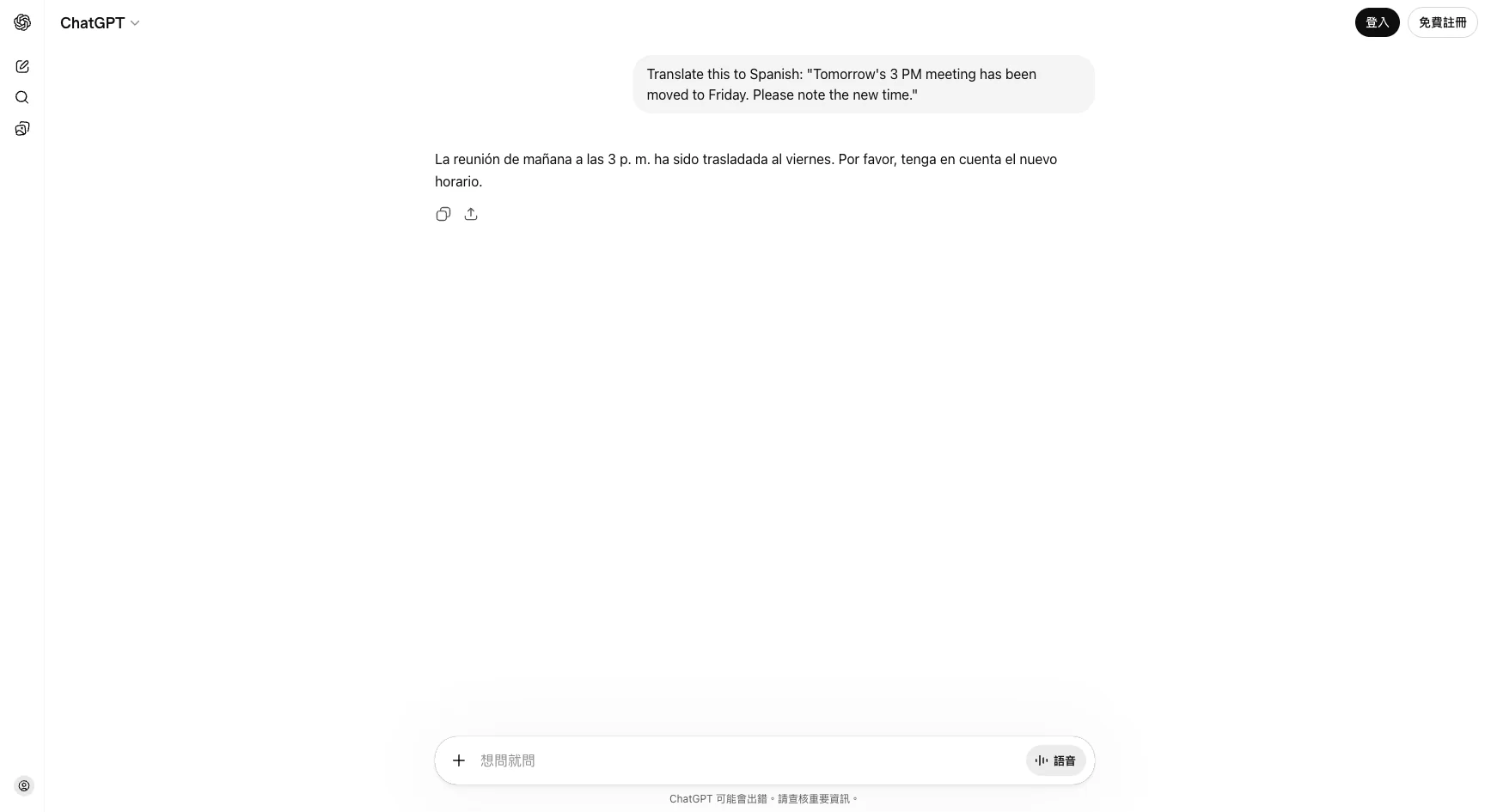
It's not just translation — you can say "make it more formal," "make it casual," or "translate to Japanese instead." Much more flexible than Google Translate because you can specify tone and style.
2. Write a message for you
"I need to take tomorrow off for a doctor's appointment. Write me a short leave request for my manager — polite but not too formal."
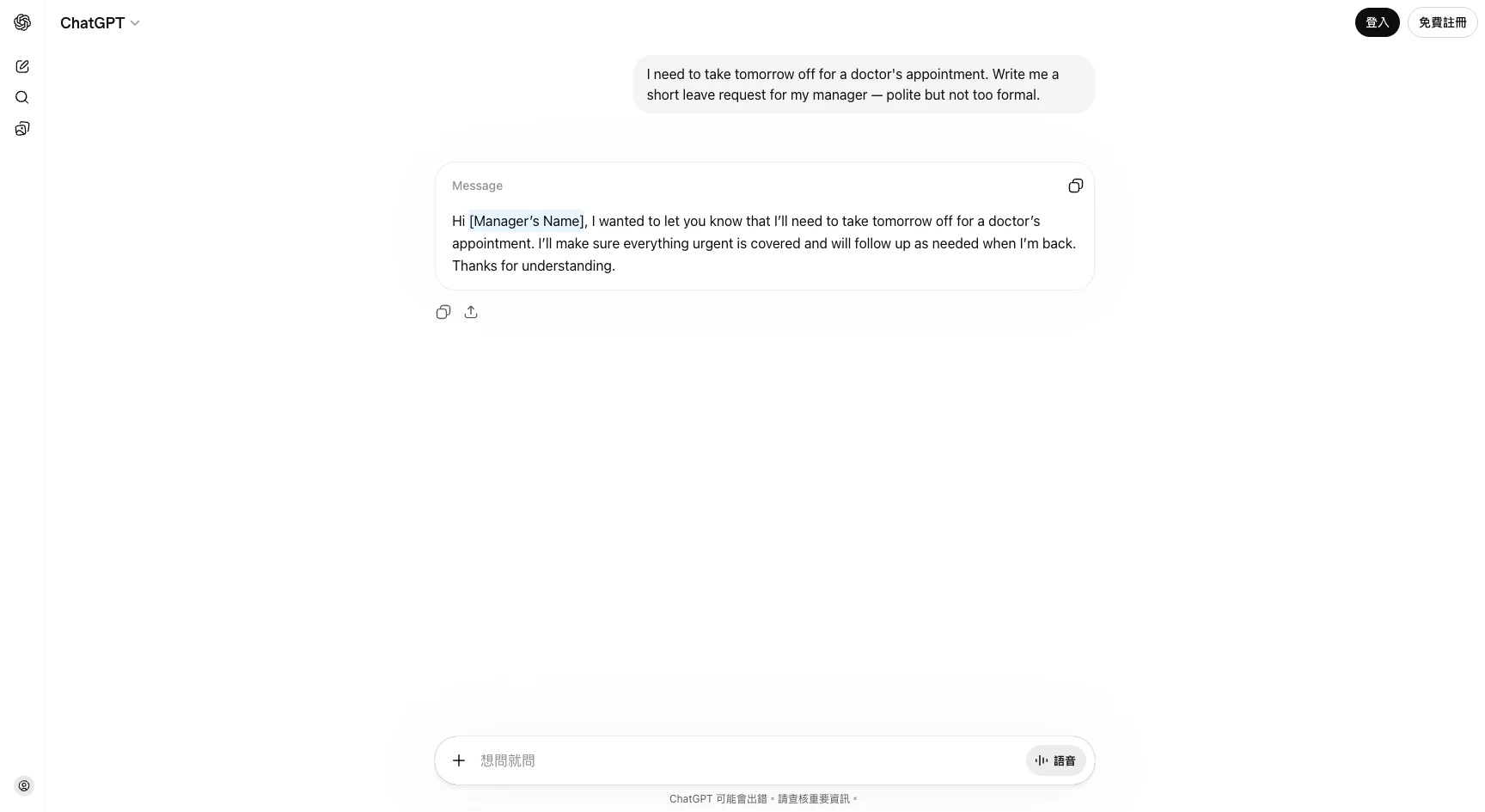
Notice how I described the context: not just "write a leave request," but the reason (doctor), the recipient (manager), and the tone (polite but not too formal). The more context you give, the closer the result to what you actually need.
3. Explain something you don't understand
"What is an ETF? Explain it in the simplest way possible for someone who knows nothing about investing."
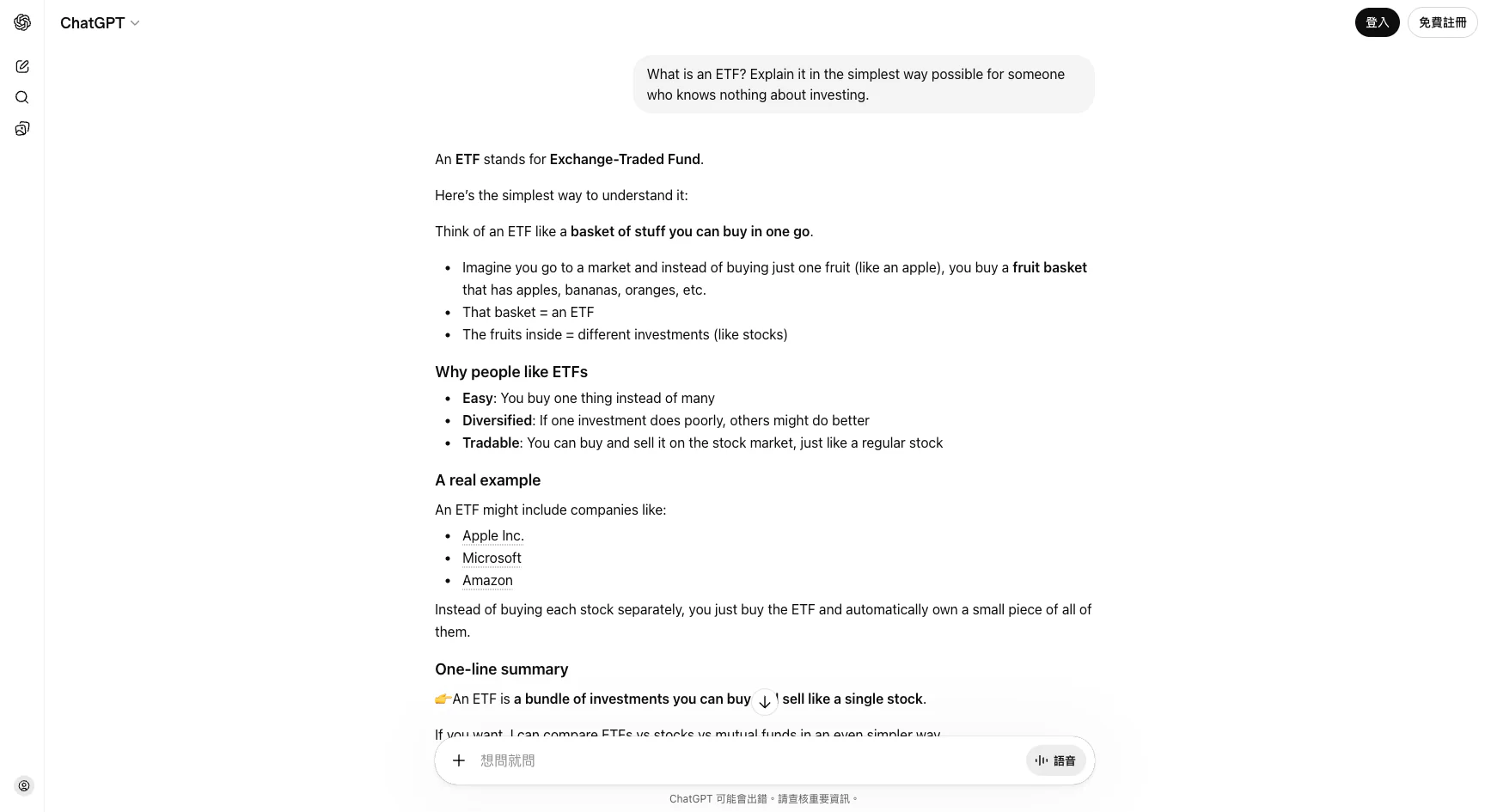
This is one of AI's most useful features. Anything you can't understand — contract terms, medical reports, technical documents — just throw it at AI and ask it to "explain in plain language."
4. Organize messy notes
"Here are my meeting notes from today. Organize them into clear action items: Report due next week. Amy handles design. Budget not confirmed yet. Boss wants to add a feature. Deadline might move up. Need to ask Tom for last quarter's data."
You don't need to organize your notes before giving them to AI — the messier the better. It will categorize, sort, and find the key points for you.
5. When you don't know what to ask
"I'm a graphic designer. My daily work mostly involves Photoshop and Illustrator. What can you help me with?"
This is the most powerful move. You don't need to know what AI can do first — just tell it who you are and what you do, and let it tell you how it can help. It usually lists use cases you never thought of.
Answer not right? Three phrases to fix it
AI's first answer isn't always what you want. That's normal. The good news: you don't need to start over. Just say so.
"Too long"
AI sometimes gives very detailed, lengthy answers. If you just want the highlights:
"Too long. Summarize in three sentences."
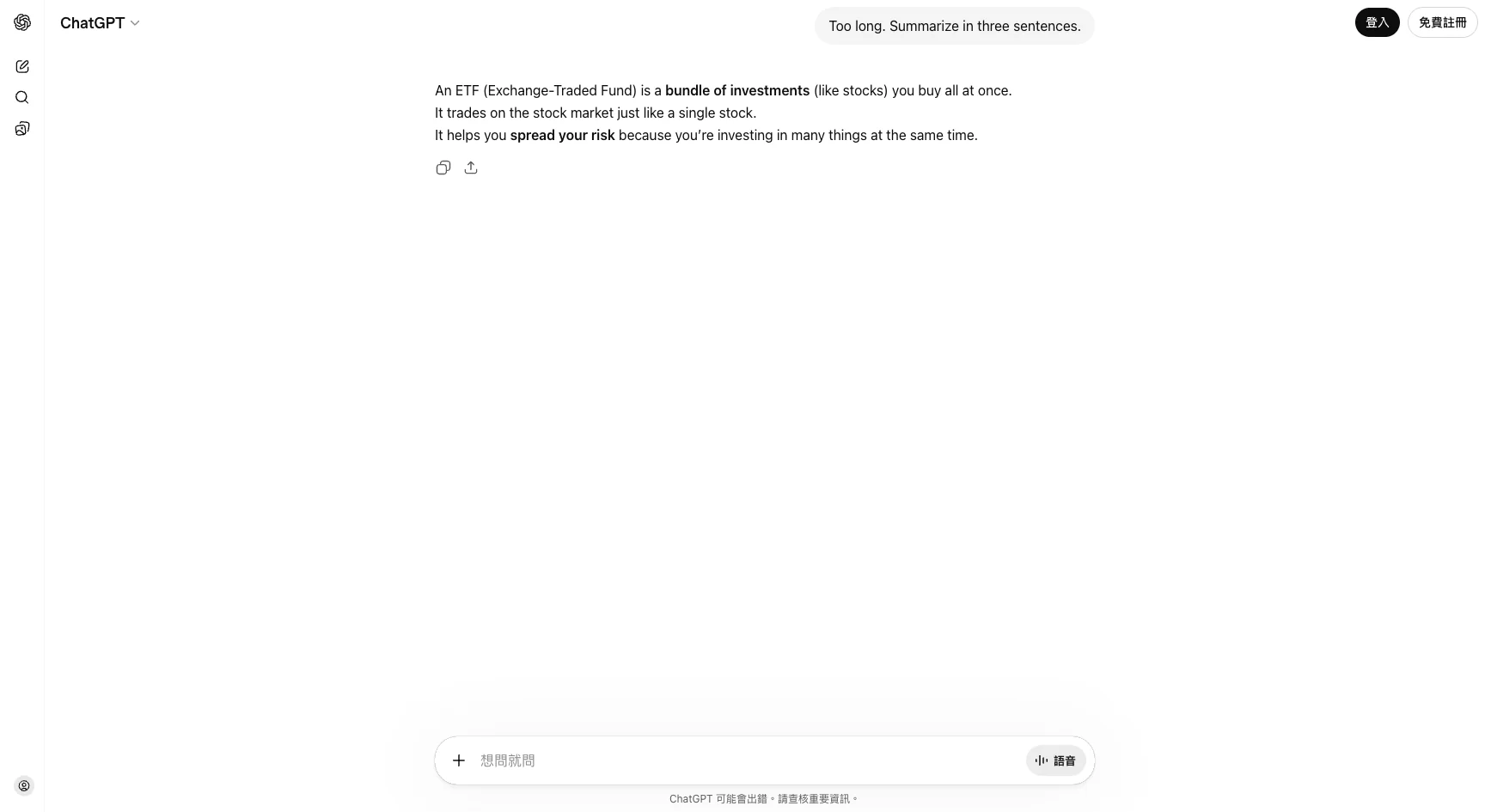
It immediately gives you the short version. This is the biggest difference between AI and search — you can adjust in real time.
"Explain differently"
"I still don't get it. Can you use an analogy?" "Give me an example instead." "Pretend I know absolutely nothing and explain again."
"Are you sure?"
AI sometimes confidently states incorrect things. If something feels off:
"Are you sure this is correct?" "Where did you get that number?"
It will recheck its answer. It won't catch every mistake, but it makes it more careful. Always verify important information yourself — don't blindly trust AI.
Three places beginners get stuck
"The answer isn't what I wanted"
Usually because you didn't give enough context. Compare:
- ❌ "Write me an email" (What email? To whom? About what?)
- ✅ "Write an email to my client telling them Friday's meeting needs to be rescheduled to next Monday. Keep it polite."
More specific = better results.
"AI stopped mid-answer"
Sometimes the answer is too long and AI stops halfway. Just say:
"Continue"
It will pick up where it left off.
"I don't know what else to ask"
Try this:
"What else?"
Or more advanced:
"Based on what we just discussed, what am I not thinking of?"
AI is great at building on what you already know to help you discover what you don't.
One sentence from this article
AI isn't Google — it's your conversation partner. Talk to it normally, tell it when something's off, and it will adjust.
You now know how to use AI. But you might be wondering: beyond translation and writing emails, what else can AI do for me?
Next article, we'll cover something more interesting: how to get AI to help you discover which parts of your daily work you don't actually need to do yourself.
This is Part 2 of the "Ask AI Right" series.
FAQ
- How is AI different from Google?
- Google takes keywords and returns links. AI takes a description of your situation and gives you a direct answer. You don't need to think of keywords — just talk naturally.
- What if AI's answer is too long?
- Just say 'too long, summarize in three sentences' or 'just the key points.' It will adjust immediately. That's the biggest difference from search — you can have a conversation.
- Can I trust everything AI says?
- No. AI sometimes sounds confident but is wrong (this is called hallucination). Always verify important information yourself. Think of AI as a smart assistant who occasionally makes mistakes.
- What if I don't know what to ask?
- Try saying 'I'm a [your job title], what can you help me with?' Let AI suggest ideas — it's more effective than trying to come up with questions yourself.
Read next
- 2026-04-16[Ask AI Right #7] What AI Does Poorly — Four Landmines to Know Before Using ChatGPT or Claude in 2026
AI is strong, but four things still trip it up in 2026: hallucinations, stale knowledge, short memory, and privacy defaults. Even Anthropic's own lawyers got caught by the first one.
- 2026-04-14[Ask AI Right #6] The Art of Follow-Up Questions — What to Do When the First Answer Is Too Shallow
The first answer AI gives you is a rough draft, not the final answer. Learn 5 follow-up techniques — adding constraints, asking for comparisons, and letting AI ask YOU questions — to get dramatically better results.
- 2026-04-11[Ask AI Right #4] Why AI Feels Useless to You — Answer Machine vs Collaboration Tool
Same AI, same question, different results. The people who find ChatGPT life-changing and the people who think it's useless are doing completely different things — and the difference is a single mindset shift.
- 2026-04-09[Ask AI Right #1] Which AI Should You Use in 2026?
ChatGPT, Claude, and Gemini — the three AI assistants you can start using right now. A no-jargon guide to what each one does best, how much they cost, and how to get started.
Don't miss the next one
Subscribe, and you won't.
One-click unsubscribe anytime.