OpenClaw · part 11
[AI Agent] openclaw + ChatGPT OAuth: Run GPT-5.4 Agents Without API Credits
❯ cat --toc
TL;DR
openclaw models auth login --provider openai-codex adds GPT-5.4 (1,050,000-token context) to your openclaw agent using a ChatGPT Plus account. No OpenAI API key required. Three gotchas: it needs an interactive terminal, the gateway must restart after auth, and the default model has to be set separately.
Updated July 2026 — Still works: the ChatGPT OAuth flow (
--provider openai-codex), zero API credits. Changed: openclaw's stable channel now supports GPT-5.5 (the beta adds GPT-5.6); the OAuth flow itself is unchanged, so you'll land on GPT-5.5+ rather than 5.4. Current pick: latest stable openclaw on GPT-5.5.
The short version: your ChatGPT Plus model, in your own agent
A lot of people pay $20/month for ChatGPT Plus — to chat, write, ask questions. What most people don't realize is that the AI model behind it (GPT-5.4) can be "borrowed" by other tools, not just the ChatGPT website.
openclaw is an open-source AI agent framework that runs on your own machine. In March 2026 it added ChatGPT Plus OAuth: log in with your ChatGPT account and your agent can call GPT-5.4 directly — no separate OpenAI API billing.
So if you already pay for ChatGPT Plus, your local agent can use that same model — a 1-million-token context window — without a separate API bill. (You're still bound by your ChatGPT plan's usage limits, but there's no metered API charge.) It's like finding out the pool was included in your gym membership all along.
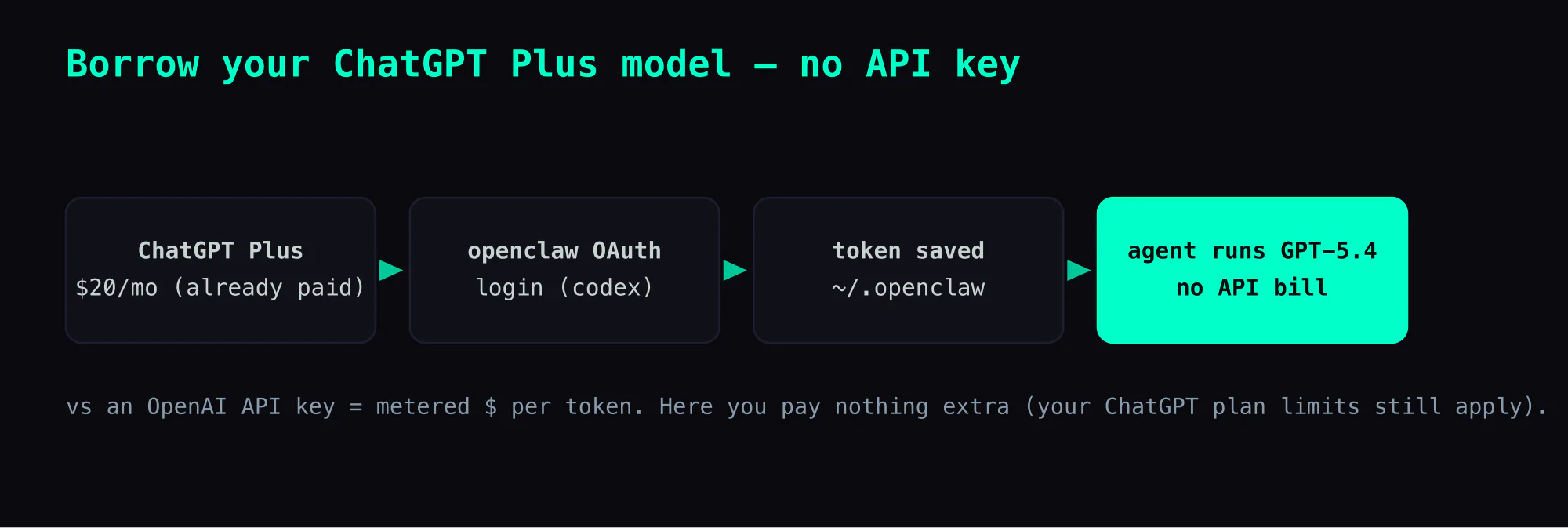
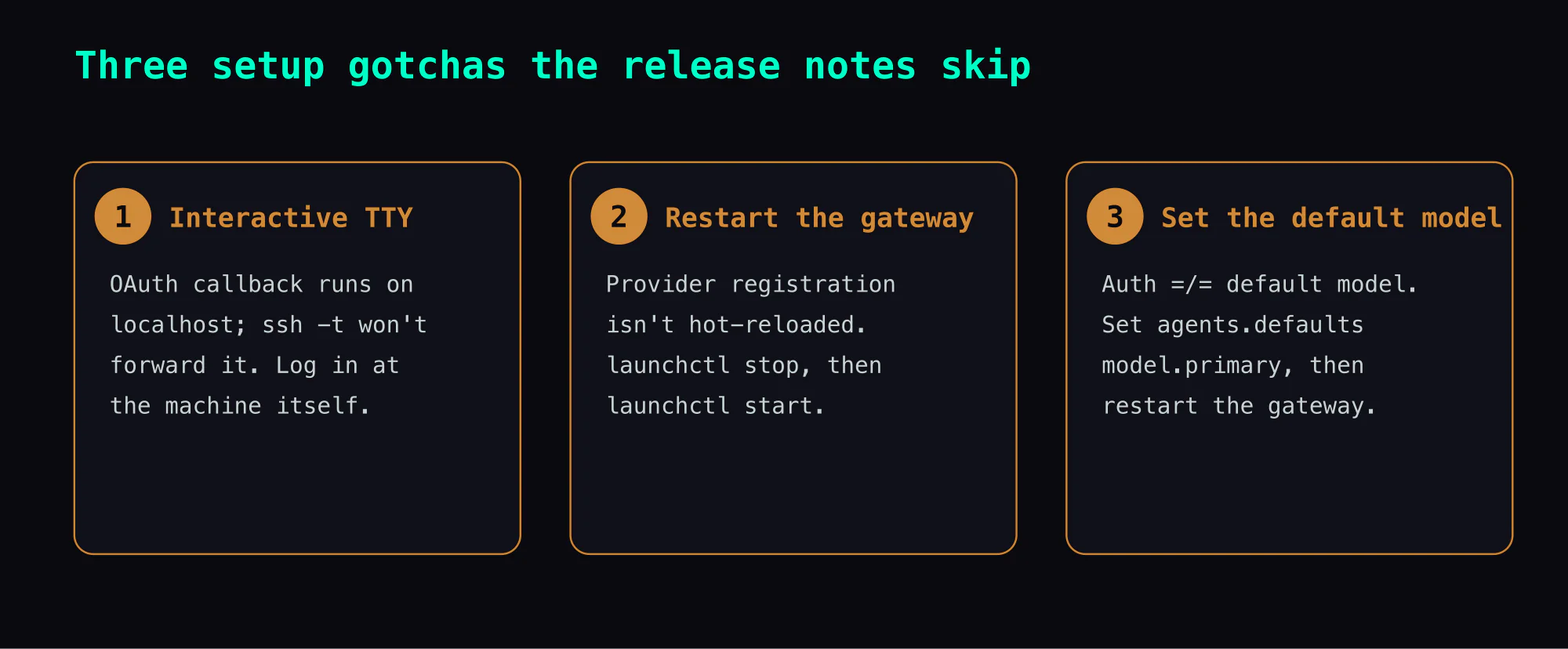
Setup takes about five minutes, but there are three gotchas the release notes don't mention. This article walks you through the whole process.
The openclaw 2026.3.13 OAuth fix
The openai-codex provider shipped in earlier builds, but auth was broken — successful logins were re-validated against the public OpenAI Responses API, which rejected the Codex OAuth tokens. The fix landed in 2026.3.13:
OpenAI Codex OAuth/login parity: keep
openclaw models auth login --provider openai-codexon the built-in path even without provider plugins, preserve Pi-generated authorize URLs without local scope rewriting, and stop validating successful Codex sign-ins against the public OpenAI Responses API after callback.
In practice: the login flow now completes cleanly, and auth.profiles gets written to ~/.openclaw/openclaw.json.
Running the Auth Flow
It's a single command:
openclaw models auth login --provider openai-codex
It opens a browser at https://auth.openai.com/oauth/authorize. You log in with your ChatGPT account, and the callback writes the token.
Gotcha 1: this requires an interactive TTY. Running it over SSH fails immediately:
Error: models auth login requires an interactive TTY.
Run it directly on the machine where openclaw is installed — either sit at it, or use screen sharing / remote desktop. ssh -t does not help here because the OAuth callback runs on localhost.
After a successful login, the terminal shows:
◇  OpenAI OAuth complete
Config overwrite: /Users/coolthor/.openclaw/openclaw.json (sha256 b6289... -> d6fae...)
Updated ~/.openclaw/openclaw.json
Auth profile: openai-codex:default (openai-codex/oauth)
Default model available: openai-codex/gpt-5.4 (use --set-default to apply)
The config is saved and the gateway detects the change via file watcher (config change detected; evaluating reload). But GPT-5.4 won't appear in openclaw models list yet.
Setting the Default Model
Gotcha 2: the model isn't automatically set as default. The auth output says "use --set-default to apply" but that flag only works during an interactive auth login session, not after the fact.
Set it via config:
openclaw config set agents.defaults.model.primary openai-codex/gpt-5.4
Output confirms the write and tells you what's still needed:
Updated agents.defaults.model.primary. Restart the gateway to apply.
Restarting the Gateway
Gotcha 3: you have to restart the gateway. The dynamic config reload handles most changes, but model provider registration isn't one of them.
# macOS launchd
launchctl stop ai.openclaw.gateway
launchctl start ai.openclaw.gateway
After restart, openclaw models list shows the new entry and your agent will use GPT-5.4 by default.
What GPT-5.4 actually buys you
The model ships with a 1,050,000-token context window and 128,000 max output tokens. For an agent running long research sessions or chewing through large documents over Telegram, this lifts the context ceiling that local 120B models hit around 128K.
Currency note: openclaw 2026.3.13 maps the openai-codex provider to GPT-5.4. ChatGPT itself has since moved to GPT-5.5 as the default, and newer openclaw builds may expose it — the OAuth flow above is identical whichever model the provider points at.
The tradeoff: GPT-5.4 runs on OpenAI's servers, not locally. Anything the agent sends goes through ChatGPT's backend. For a personal agent handling trading notes or private data, that's worth thinking about before switching primary models.
Takeaways
The biggest time sink: the TTY requirement. The error message is clear, but "interactive TTY" doesn't immediately suggest "use screen sharing," and ssh -t feels like it should work but doesn't.
For next time: when an openclaw config change doesn't show up in models list, it's almost always a missing gateway restart. The file-watcher reload is real but partial — it handles credentials and routing, not provider registration.
The general rule: auth flows that open a local callback (localhost:1455/auth/callback) can't be proxied through SSH. The browser, the CLI process, and the callback listener all have to run on the same machine.
Checklist
- Update openclaw to 2026.3.13 or later
- On the gateway machine directly (not via SSH): run
openclaw models auth login --provider openai-codex - Complete the ChatGPT login in the browser that opens
- Run
openclaw config set agents.defaults.model.primary openai-codex/gpt-5.4 - Restart the gateway:
launchctl stop ai.openclaw.gateway && launchctl start ai.openclaw.gateway - Verify with
openclaw models list
Also in this series: Part 10 — Telegram sendMessageDraft Streaming
FAQ
- How do I use GPT-5.4 in openclaw without an OpenAI API key?
- Run `openclaw models auth login --provider openai-codex` and log in with your ChatGPT Plus account. openclaw stores the OAuth token in `~/.openclaw/openclaw.json` and uses it to call GPT-5.4 via the Codex endpoint. No separate OpenAI API billing required.
- Does the openclaw + ChatGPT OAuth integration work with ChatGPT Plus or do I need ChatGPT Pro?
- ChatGPT Plus is sufficient. The OAuth flow uses the same credentials as the ChatGPT website, and gives your openclaw agent the same GPT-5.4 access — including the 1,050,000-token context window.
- Why does `openclaw models auth login` fail with 'requires an interactive TTY' over SSH?
- The OAuth callback opens a browser on localhost, and `ssh -t` does not forward that. Run the login command directly on the machine where openclaw is installed — sit at it, or use screen sharing / VNC. Once logged in, the token persists and subsequent runs don't need a TTY.
- After OAuth login, why does openclaw still use the old model instead of GPT-5.4?
- Auth and default model selection are separate. After login you must restart the gateway AND set the default model explicitly: edit `~/.openclaw/openclaw.json` to point the active profile at `openai-codex/gpt-5.4`, or run `openclaw config set agents.defaults.model.primary openai-codex/gpt-5.4`. The release notes don't spell this out.
Read next
- 2026-03-21[AI Agent] openclaw Real-Time Streaming via Telegram Bot API 9.5 sendMessageDraft
Replacing choppy editMessageText polling with Telegram's sendMessageDraft for live animated output. The patch, the think-block filter, and the optional chaining trap in DM chats.
- 2026-03-21[AI Agent] openclaw + 131K Context: When max_tokens Goes Negative
Connecting openclaw to a 131K context model and hitting 400 max_tokens must be at least 1, got -1292. The context budget math, the config key trap, and the fix.
- 2026-03-18[AI Agent] openclaw: When the Agent Calls for Help
How to wire a callhelp tool into a local agent loop so it can spawn Codex CLI mid-reasoning. One permission flag you must set, and why Claude's quota stays mine.
- 2026-03-19[AI Agent] openclaw: Why the Bot Went Silent — Tailscale, IPv6, and a Node.js Happy Eyeballs Trap
The bot process is running. The token is valid. Messages are being consumed. Nobody is home. A systematic takedown of every wrong hypothesis — and the hidden causal chain that connects Tailscale routing tables to silent sendMessage failures in Node.js.
Don't miss the next one
Subscribe, and you won't.
One-click unsubscribe anytime.